
DINE OS · Restaurant operations
One menu that prices every order
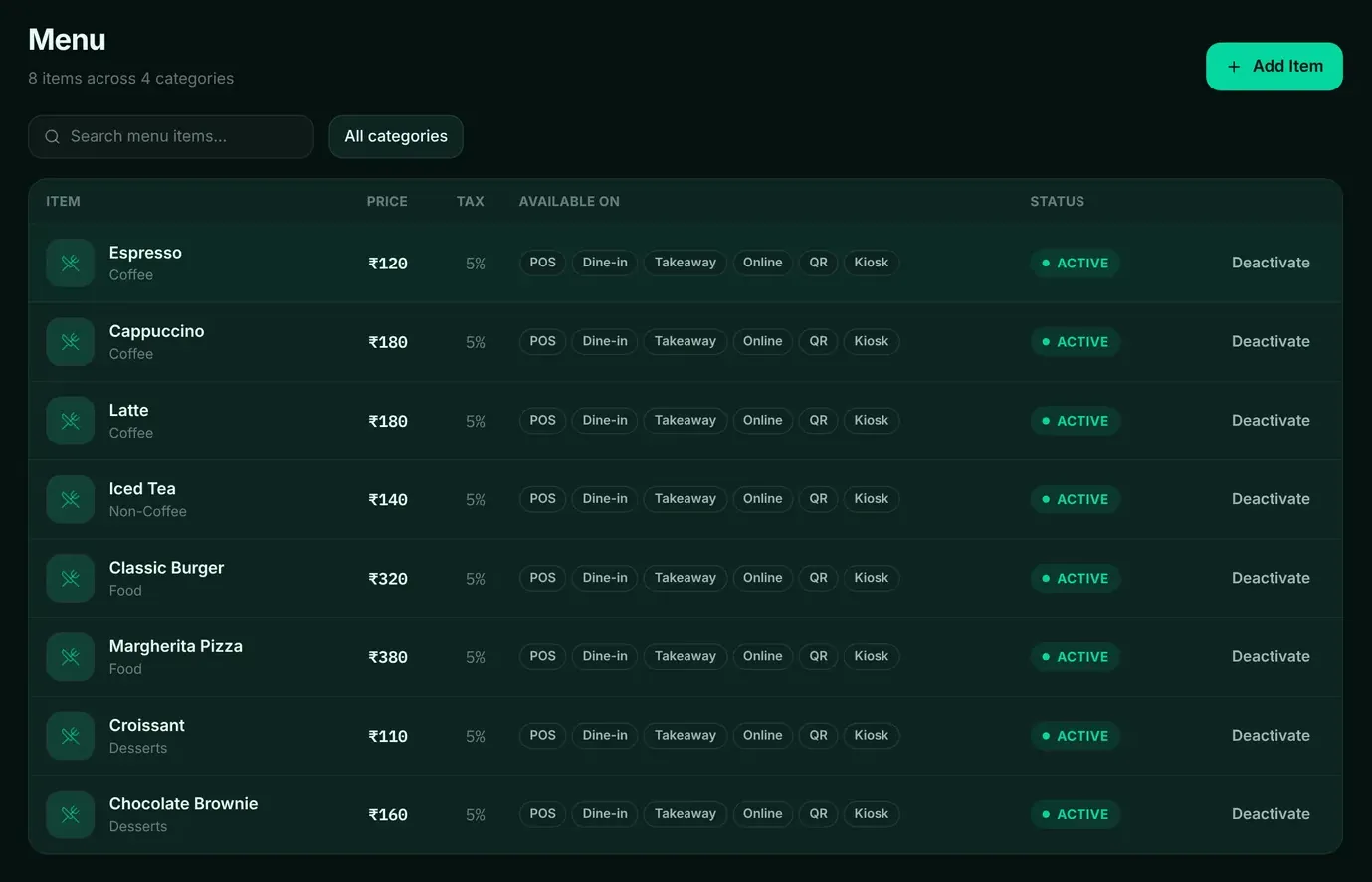
The menu is the source of truth for prices, tax, kitchen stations and ingredients. Change it once and the till, kitchen and stock follow.
How it works
Step by step, and why each step matters.
Each step says what the software does, then what it means for your business.
- 01
Build the menu
Add items with name, description, category, price, cost, tax rate, kitchen station and prep time. Mark featured items.
The till, the kitchen and the reports all read the same item.
- 02
Set channels
Choose where each item is available, such as POS, dine-in, takeaway or online, and switch items off when they run out.
A dish can be paused for one channel without disappearing everywhere.
- 03
Add modifiers
Sizes, milk choices and extras with their own prices, required or optional.
Upsells are priced correctly every time.
- 04
Link recipes
Link items to their ingredients, so each sale deducts what it used.
Stock and food cost follow real sales.
In the software
What it looks like.
Screens from DINE OS, running with demo data.
Related
More from DINE OS.
- DINE OSRestaurant stock and purchasingEvery sale deducts its recipe’s ingredients on the server the moment it settles, so stock on hand reflects what the kitchen actually used.
- DINE OSRestaurant till and order hubThe till sends items and quantities, and the price always comes from the menu. Every order, whatever the channel, lands in one list.
Guides on this topic
- Guide · 7 min readHow to Calculate Restaurant Food Cost: Formula + ExampleFood cost has two versions: what a plate should cost according to its recipe, and what the kitchen actually used over a month. Calculating both, and comparing them, shows where money leaks.
- Guide · 8 min readHow to Calculate Menu Profitability (Menu Engineering Basics)The most profitable dish on your menu is not always the one with the lowest food cost. Menu engineering combines what each dish earns with how often it sells, so you can see which dishes carry the menu.
See menu and recipes in DINE OS.
Ask for a demo on your own products and workflow. From ₹999 a month.