
DINE OS · Inventory and stock
Ingredients that follow every sale
Every sale deducts its recipe’s ingredients on the server the moment it settles, so stock on hand reflects what the kitchen actually used.
How it works
Step by step, and why each step matters.
Each step says what the software does, then what it means for your business.
- 01
Watch stock
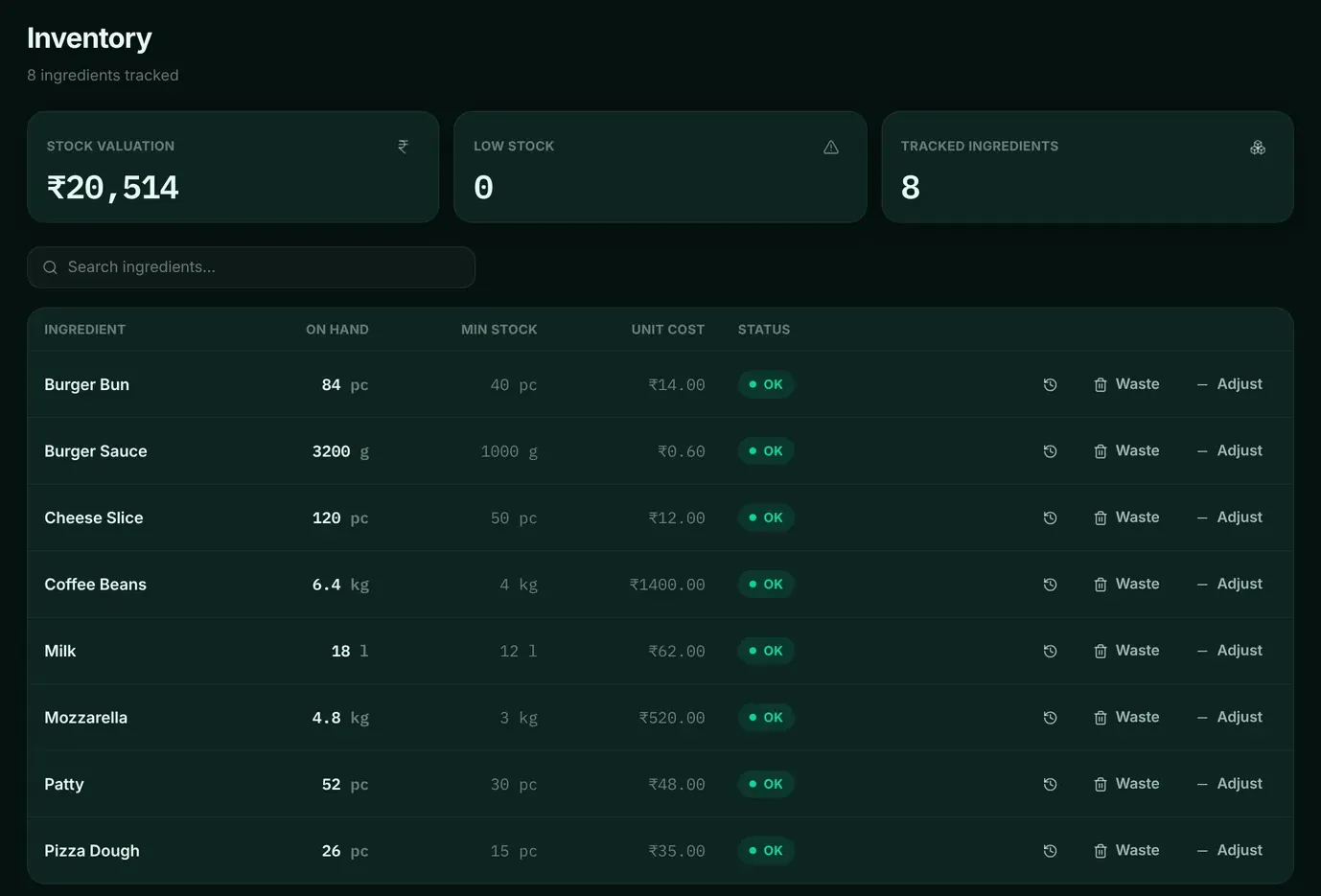
See stock value, low-stock count and every ingredient with on-hand quantity, minimum level and unit cost.
You reorder before service, not during it.
- 02
Adjust and record waste
Adjustments and waste are recorded with a reason, with a movement history for every ingredient.
Waste becomes a number you can reduce.
- 03
Order and receive
Raise purchase orders with suppliers and receive deliveries against them, including part deliveries.
What arrived is checked against what was ordered.
- 04
Pay suppliers
Supplier payments are recorded in their own ledger.
You know what you owe each supplier.
In the software
What it looks like.
Screens from DINE OS, running with demo data.
Related
More from DINE OS.
- DINE OSMenu and recipesThe menu is the source of truth for prices, tax, kitchen stations and ingredients. Change it once and the till, kitchen and stock follow.
- DINE OSCash register, invoices and reportsOpen the register with a float, close it with a count, and see the variance worked out from what was actually taken.
Guides on this topic
- Guide · 9 min readHow Restaurants Can Manage Inventory BetterRestaurant stock spoils, gets portioned by hand and moves fast. Managing it well comes down to a short routine: par levels, careful receiving, first-expiry-first-out storage, a waste log and regular counts compared with sales.
- Guide · 7 min readHow to Calculate Restaurant Food Cost: Formula + ExampleFood cost has two versions: what a plate should cost according to its recipe, and what the kitchen actually used over a month. Calculating both, and comparing them, shows where money leaks.
See restaurant stock and purchasing in DINE OS.
Ask for a demo on your own products and workflow. From ₹999 a month.