
DINE OS · Reports and exports
A close that balances, and reports you can act on
Open the register with a float, close it with a count, and see the variance worked out from what was actually taken.
How it works
Step by step, and why each step matters.
Each step says what the software does, then what it means for your business.
- 01
Run the register
Open a shift with a float and close it with a count. The variance comes from the real movement ledger.
A short close is spotted the same night.
- 02
Issue invoices
Invoices are numbered in sequence from what is stored, issued once per order, in an A4 layout.
No gaps or repeats in invoice numbers.
- 03
Reward regulars
Customers earn loyalty points on their orders and redeem them, with redemption limited by role.
Regulars are recognised wherever they order.
- 04
Read the reports
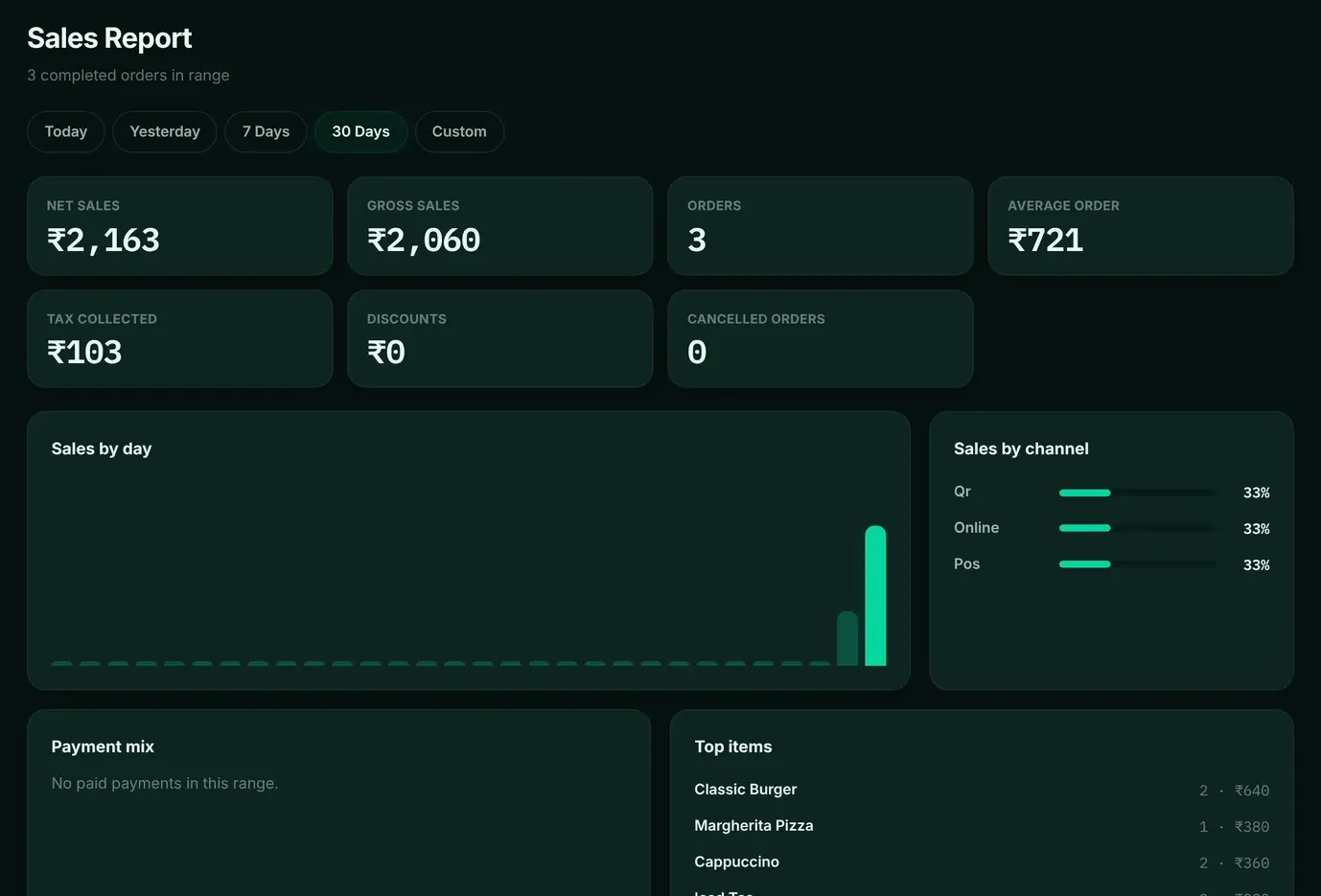
Sales by day and channel, products, inventory, suppliers, customers and expenses, over 7 days to a year.
Menu and staffing decisions use real numbers.
In the software
What it looks like.
Screens from DINE OS, running with demo data.
Worth knowing
The details that matter.
Backup and restore
The owner can export the database and restore it; a restore keeps a safety copy and needs a restart.
Related
More from DINE OS.
- DINE OSRestaurant till and order hubThe till sends items and quantities, and the price always comes from the menu. Every order, whatever the channel, lands in one list.
- DINE OSRestaurant stock and purchasingEvery sale deducts its recipe’s ingredients on the server the moment it settles, so stock on hand reflects what the kitchen actually used.
Guides on this topic
- Guide · 9 min readRestaurant Software Checklist: What to Check Before You BuyA restaurant's software has to survive the busiest hour of the week. Test it against that hour, not against a quiet demo. This checklist covers what to prepare, what to ask, how to score the options and how to run a pilot.
- Guide · 8 min readFood Cost Percentage vs Profit Margin: What Each Tells YouA restaurant can hit its food cost target and still make no money. Food cost percentage and profit margin answer different questions, and you need both. Here is how they connect, dish by dish and month by month.
See cash register, invoices and reports in DINE OS.
Ask for a demo on your own products and workflow. From ₹999 a month.