
Solutions · Retail shops
Billing and stock software for retail shops.
A retail counter has to keep pace with the queue while the stock, the money and the dues stay right. BILL OS runs the counter on a computer in your shop.
The product for this
BILL OS
Billing, stock, payments, customers and GST in one system that runs on a computer in your shop.
From ₹499 a month
The problems
Where the day goes wrong for retail shops.
- 01
The counter slows down at peak hours
Searching for items and working out change by hand builds a queue.
- 02
Stock never quite matches
Sales, returns and deliveries recorded in different places drift apart.
- 03
Dues live in a notebook
Credit customers are remembered by one person, and reminders are awkward.
- 04
The day close takes an hour
Cash, UPI and card totals are added up by hand and rarely agree first time.
A working day
How it fits into the day.
An outline of a realistic day. Your own routine will differ.
- 01
Morning
Open the drawer with a float. Receive yesterday’s delivery against the supplier’s bill and print labels.
- 02
At the counter
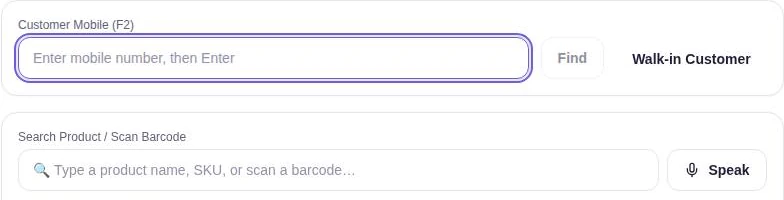
Find the customer by mobile number, scan, take cash, UPI, card or a split, and print the receipt.
- 03
Afternoon
Handle an exchange against the original bill. Send credit reminders to customers who owe.
- 04
Closing
Count the drawer, review Guardian, and export the day for your accountant.
Features
The features that matter here.
Documented capabilities, each explained on its own page.
- BILL OSBilling and checkoutEvery step a cashier repeats has a key, so a sale can go from customer to receipt without touching the mouse, even with a queue at the counter.
- BILL OSInventory and stockEvery change to stock, whether a sale, a return, a delivery or a count, goes through one ledger. That is why the number on the screen can be trusted at closing time.
- BILL OSCustomers, credit and loyaltyWho owes what should not depend on one person’s memory. BILL OS keeps each customer’s bills, dues and points together, and reminds them when you choose.
- BILL OSCash drawer, staff and permissionsOpen the drawer with the change you start with, record cash in and out with a reason, and close with a count. Each login sees only what its role allows.
Hardware and setup
What you will need.
A Windows computer for the counter, a barcode scanner, and a receipt printer. Phones on the same network can bill too.
Questions
Common questions.
Does it need the internet?
Not for billing. WhatsApp messages and updates need a connection.
Can I use my existing barcodes?
Yes. Keep the manufacturer’s barcodes, or generate in-store codes for items that have none.
Guides
Useful reading.
- Guide · 9 min readWhat Is Billing Software and How Does It Work?Billing software is the program that turns a sale into a bill. The bill is the visible part; the real work is everything a single sale updates behind it: stock, the customer’s balance, the cash drawer and the tax records.
- Guide · 8 min readHow to Choose Billing Software for a Small ShopStart from your own counter, not from a feature list. Map how your shop works, decide what is essential, test shortlisted software with your own products and hardware, and compare the full cost over several years.
- Guide · 7 min readBilling Software for a Small Business: Getting Started in 30 DaysStarting billing software is mostly preparation: a clean product list, agreed prices, tested hardware and a short overlap with your old method. Here is a 30-day plan that keeps the counter running while you switch.
- Guide · 7 min readCommon Billing Mistakes Small Businesses Make (and How to Avoid Them)The costliest billing mistakes are small and repeated: a price typed from memory, GST applied the wrong way, a UPI payment assumed, a refund without the bill. Each one has a simple fix.
Tell us how your business runs.
Ask about BILL OS for your business: availability, pricing and a demo where available.