The short answer
Billing software is a program that turns a sale into a correct bill. You add the items, it works out the total with any discount and GST, records how the customer paid and prints or shares the bill. Good billing software then does the part nobody sees: the same sale reduces stock, updates the customer’s balance, adds to the cash expected in the drawer and feeds the tax summary, so no figure has to be written twice.
What billing software does
At its simplest, billing software replaces the bill book and the calculator. Instead of writing item names, multiplying quantities and adding tax by hand, the person at the counter or desk picks items from a list and the software does the arithmetic the same way every time.
It is used wherever sales are recorded one bill at a time:
- Shop counters, where speed matters and the customer is waiting (often with a barcode scanner and receipt printer).
- Wholesale and distribution desks, where bills go to other businesses, often on credit, as A4 tax invoices.
- Service businesses such as repair shops, coaching centres or gyms, where the "item" may be a service, a course or a membership.
The output looks like a simple piece of paper. The value lies in the records behind it, which is why the rest of this guide spends more time on what happens around the bill than on the bill itself.
The records it needs before the first bill
Billing software cannot price a sale it knows nothing about. Before the first bill, a few kinds of record are set up once and then reused on every sale.
| Record | What it holds | Why billing needs it |
|---|---|---|
| Products (the item master) | Name, code or SKU, barcode, selling price, cost, unit, tax details | So the right price and tax appear when an item is added |
| Tax settings | Whether you charge GST, your GSTIN, each product’s rate and HSN code | So tax is calculated and shown correctly |
| Customers | Name, mobile number, address, GSTIN for business buyers, credit limit | So bills, dues and loyalty land on the right person |
| Business details | Shop name, address, state, bill header and footer | So the bill identifies who issued it |
| Bill numbering | A series such as 2026-27/0001 | So every bill has a unique number with no gaps or repeats |
| Payment methods and users | Cash, UPI, card, credit; who can bill, discount or cancel | So money and permissions are recorded properly |
The item master deserves the most care. A shop that enters "shirt", "Shirt blue" and "SHIRT-BLU" as three products will have three stock figures for one item. Our guide to SKU naming covers how to name and code products so the list stays clean as it grows.
How a bill is made, step by step
Almost every billing program follows the same sequence, whether the bill is for a walk-in customer at a kirana counter or a distributor’s invoice to a retailer.
- Choose the customer. A walk-in sale needs no name. A known customer is found by mobile number or name, which matters if they buy on credit or collect loyalty points.
- Add the items. By scanning a barcode, typing part of a name or code, or picking from a list. The software fetches the price and tax details from the item master. (How scanning works is explained in how barcode billing works.)
- Adjust quantities and discounts. Change a quantity, apply a line discount or a bill discount, or enter a promo code.
- Calculate tax. GST is worked out for each line from its taxable value. Within your state it is usually split into CGST and SGST; for a buyer in another state it may be IGST. The place of supply decides which, and your accountant can confirm how it applies to you.
- Take payment. Cash, UPI, card, credit, or a split payment across several. For cash, the software works out the change.
- Complete the bill. The bill gets its number, is printed or shared, and every related record is updated at once.
Steps 1 to 5 can be changed freely. Step 6 is the commitment: after it, a correction should be a return, an exchange or a cancellation with a reason, not a silent edit.
Inside one bill: a worked example
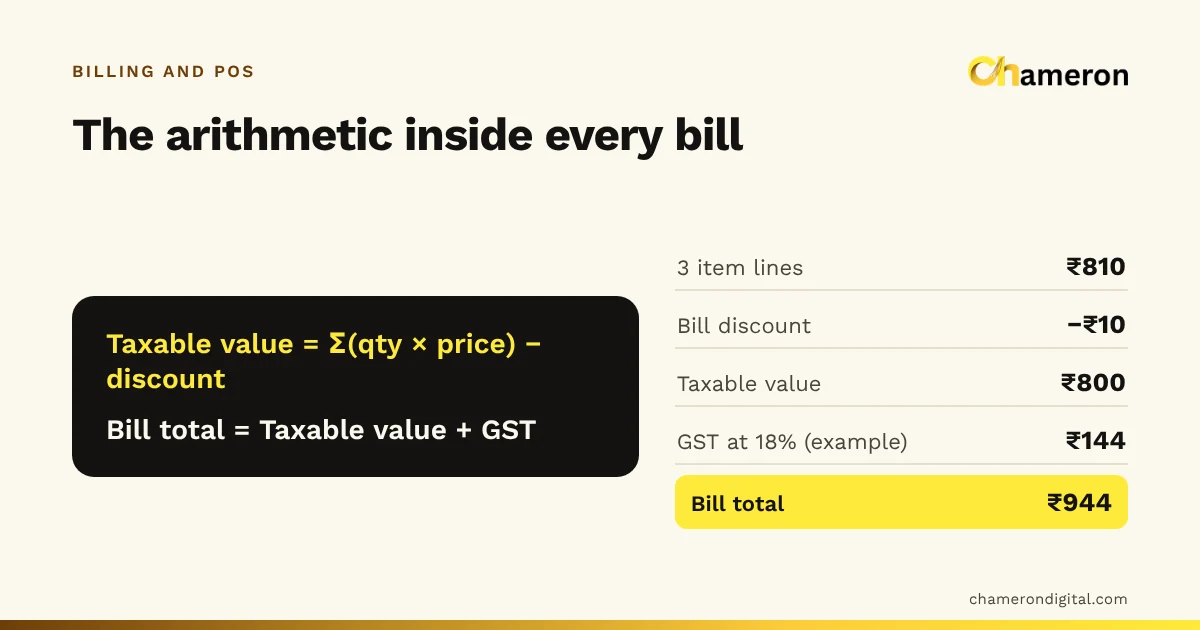
A small electrical shop bills a walk-in customer. Its prices are entered before GST, and it uses a rate of 18% on these items. (The rate here is only for illustration; the right rate depends on each product’s classification, so check it with your accountant or the official GST portal.)
| Item | Qty | Price | Amount |
|---|---|---|---|
| LED bulb | 2 | ₹120 | ₹240 |
| Extension board | 1 | ₹450 | ₹450 |
| Wall plug pack | 3 | ₹40 | ₹120 |
| Subtotal | ₹810 | ||
| Bill discount | −₹10 | ||
| Taxable value | ₹800 | ||
| CGST (9%) | ₹72 | ||
| SGST (9%) | ₹72 | ||
| Bill total | ₹944 |
The customer pays ₹500 by UPI and hands over a ₹500 note for the rest. The balance due in cash is ₹944 − ₹500 = ₹444, so the software shows change of ₹500 − ₹444 = ₹56. It records ₹500 under UPI and ₹444 (not ₹500) under cash, because only ₹444 of that note stays in the drawer.
Doing this by hand is possible, but every step is a chance for a slip: a wrong multiplication, tax on the subtotal before the discount, or the full ₹500 note recorded as cash taken. Software makes the same calculation the same way on the first bill of the morning and the two-hundredth. If your prices already include GST, the calculation runs the other way; see how to calculate GST from an inclusive price or try the GST calculator.
What one bill updates
This is where billing software earns its place. When the ₹944 bill above is completed, a well-built system changes several records at the same moment:
| Record | What changes | What it lets you do |
|---|---|---|
| Stock | Bulbs −2, extension boards −1, plug packs −3 | See real stock without counting the shelf |
| Cash and payments | Expected cash +₹444, UPI +₹500 | Close the day and find a short drawer the same evening |
| Customer account | Bill added to their history (and any credit to their balance) | Answer "what did I buy last time?" and collect dues |
| Tax summary | ₹800 taxable value, ₹72 CGST and ₹72 SGST | Hand your accountant figures instead of a bill book |
| Sales reports | Sales, items sold, discount given | See what sells, what earns and your average bill value |
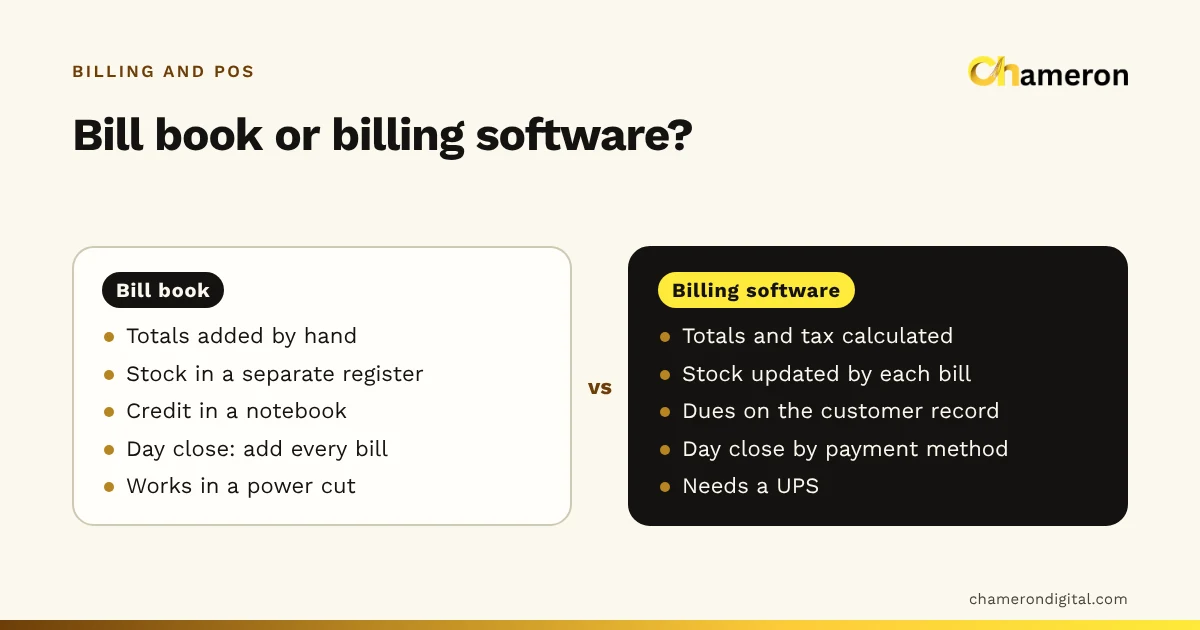
In a manual system, each of these is a separate book or a separate job at the end of the day. That is the real difference between writing bills and running billing software, explored further in billing software vs manual billing.
Kinds of billing software
"Billing software" covers several quite different tools. Knowing which kind you are looking at saves a lot of confused demos.
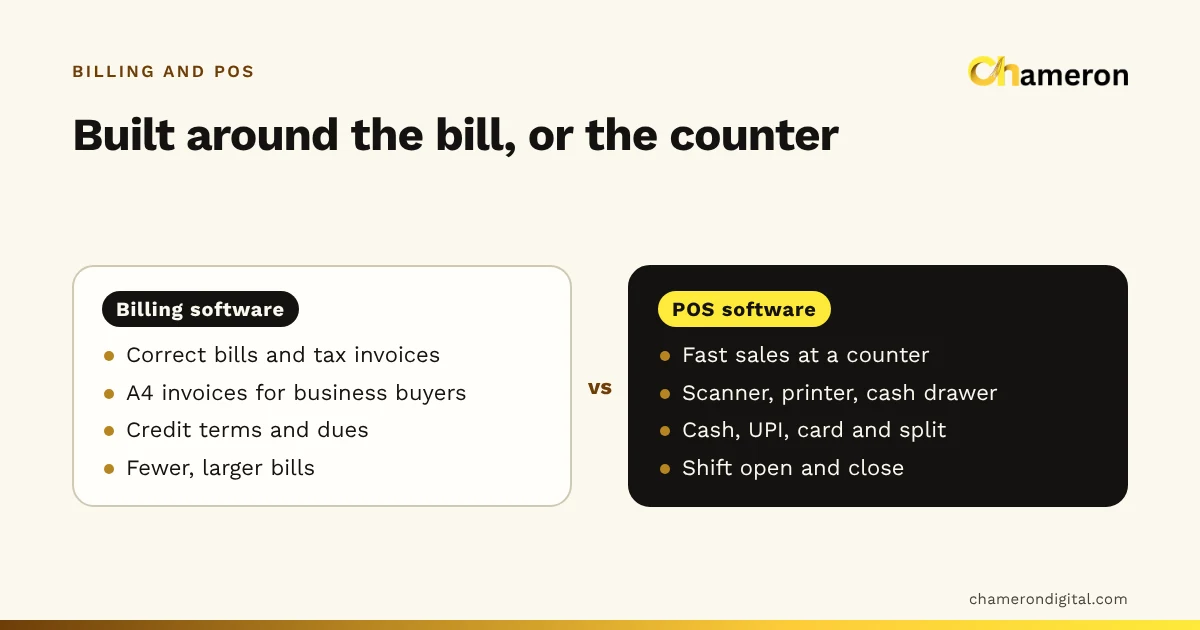
- Counter billing (POS-style). Built for speed at a counter: scanning, quick search, receipts on a thermal printer, cash drawer shifts. Common in retail and grocery. See what is POS software.
- Invoice-style billing. Built around A4 tax invoices to business buyers, with credit terms and outstanding balances. Common in wholesale, distribution and services.
- Industry-specific billing. Restaurant billing adds tables and kitchen tickets; gym and institute software bill memberships and fees. See how restaurant billing software works.
The first two overlap a great deal, and many shops need a bit of both. The trade-offs are set out in billing software vs POS software.
Billing software also differs in where it runs. Some is installed on a computer in your shop and keeps its records there; some runs in a browser with records on the provider’s servers; some combine the two. This decides what happens when the internet drops and where your data lives, as compared in offline vs cloud billing software.
Signs a business is ready for it
The signs that a business has outgrown the bill book are practical rather than about size. They show up as effort and errors:
- Customers wait while bills are written and totalled.
- Nobody can say how much of an item is left without walking to the shelf.
- The drawer is regularly a little short, and nobody knows why.
- Month-end means copying bill book totals into a spreadsheet for the accountant.
- Customer dues live in one person’s notebook or memory.
If two or three of these sound familiar, the time saved usually comes first from the counter and second from the end of the day.
Common mistakes when starting
- Importing a messy item list. Duplicates, vague names and missing barcodes carry straight into the new system. Clean the list first.
- Entering prices without deciding inclusive or exclusive. Mixing GST-inclusive and exclusive prices in one item master produces wrong tax on some lines. Pick one approach; our guide to GST-inclusive and exclusive pricing explains both.
- Skipping cost prices. Without them, the software can bill but cannot show margins or flag sales below cost.
- Letting everyone edit everything. Give each person a login with only the rights they need, so a cashier cannot change prices or delete bills.
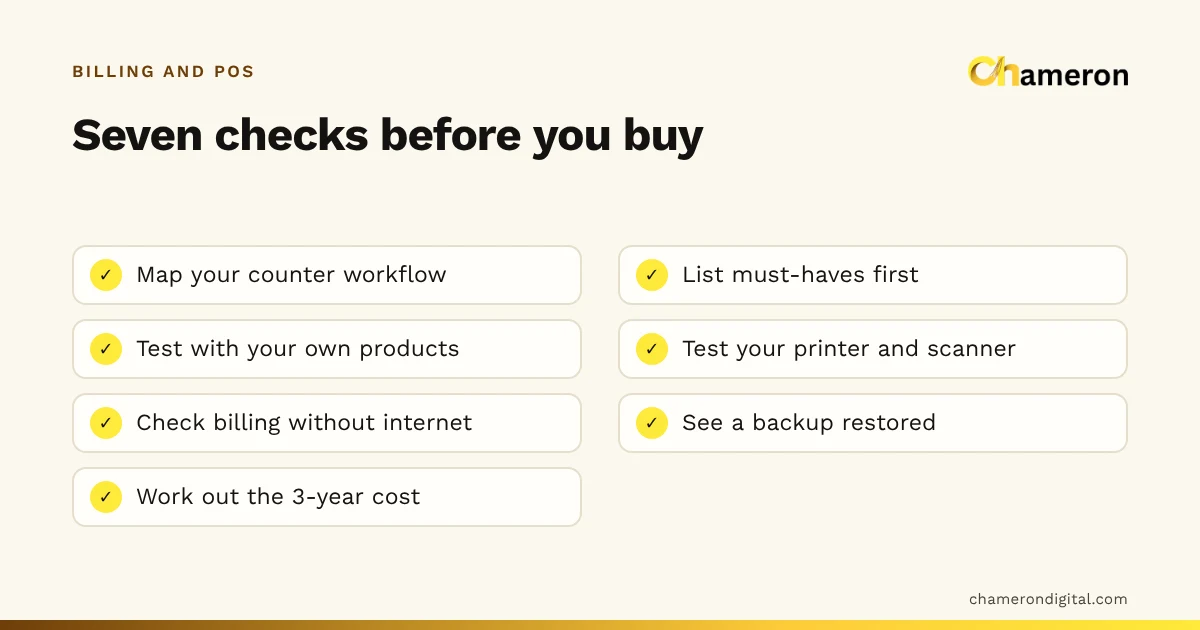
- Testing only a sale. Before relying on any system, try a return, an exchange, a split payment and a day close as well.
More counter-level slips are covered in common billing mistakes.
How this looks in practice
In BILL OS, for example, the cashier finds the customer by mobile number or bills a walk-in, scans or searches for items, takes cash, UPI, card or a split payment, and completes the sale, which prints the receipt and updates stock and the customer’s balance together, as described on the billing and checkout page. Whatever software you choose, ask to see that same chain from item to receipt to stock in a demo.
The bottom line
Billing software is more than a way to print bills. It is the place where a sale is recorded once and correctly, and from which stock, cash, dues and tax figures follow automatically. Set up the item master carefully, decide how prices and tax are entered, and test the awkward cases before going live. When you are ready to compare options, start with our guide to choosing billing software.
Questions people ask
Is billing software the same as accounting software?
No. Billing software records sales as they happen and produces bills; accounting software keeps the books, ledgers and financial statements. Good billing software exports sales in a form your accountant or accounting software can use, so nobody retypes them.
Do I need billing software if I am not GST registered?
It still helps with fast, legible bills, stock and customer dues. Choose software that lets you switch GST on later, so you do not have to change systems if you register.
Can billing software calculate GST automatically?
Yes, once each product has its tax details recorded, the software applies them on every line and splits the tax correctly. It cannot decide the right rate for you: check each product’s rate and HSN code with your accountant or the official GST portal.
What is the difference between a bill, a receipt and a tax invoice?
In everyday use a bill and a receipt both record a sale and its payment. A tax invoice is a GST document with specific required details, such as the seller’s GSTIN. What your bills must show depends on your registration and the buyer, so confirm the requirements with your accountant.
Does billing software need the internet?
It depends on where it runs. Installed software can usually bill without a connection; browser-based software usually needs one. See does billing software work without the internet?