
How Restaurant Billing Software Works: Orders, KOTs and Bills
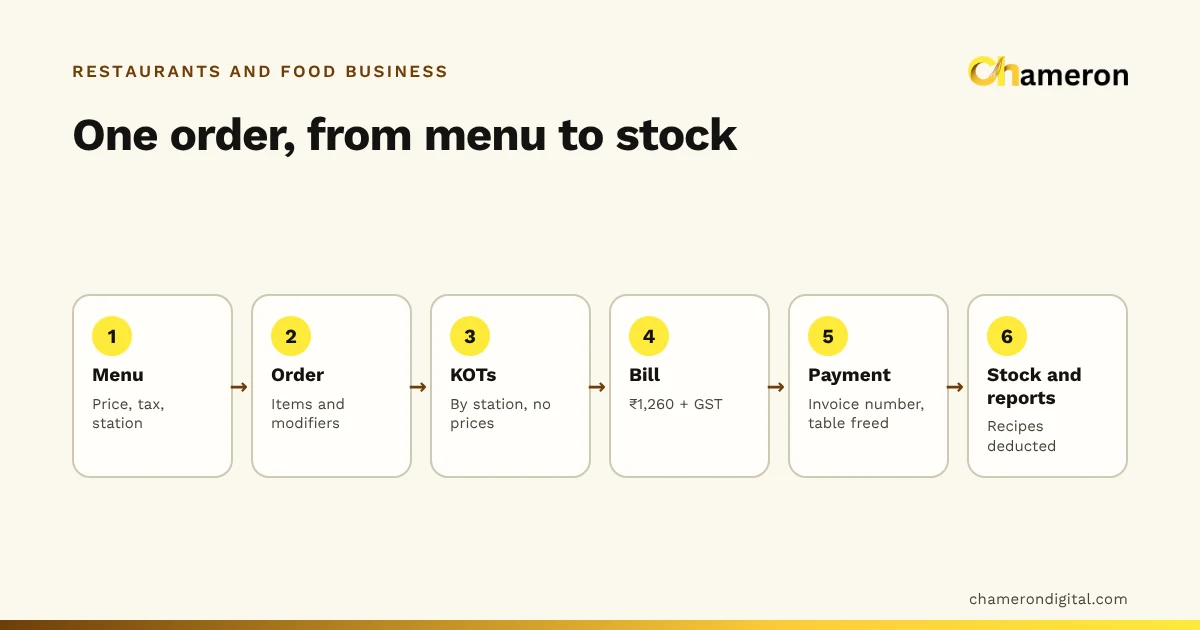
A restaurant bill is the last step of a chain that starts with the menu. This guide follows one table's order through every step the software takes, with the actual tickets and numbers.
Free calculator · Any business registered for GST
Enter an amount and the GST rate. Say whether the amount already includes GST, and whether the sale is within your state or to another state.
Adding GST: GST = amount × rate ÷ 100; total = amount + GST.
Removing GST from an inclusive amount: taxable value = amount × 100 ÷ (100 + rate); GST = amount − taxable value.
Within a state, GST is split equally into CGST and SGST. Between states, it is charged as IGST.
A GST-inclusive price of ₹1,180 at 18%: taxable value = ₹1,180 × 100 ÷ 118 = ₹1,000, and GST = ₹180, split as CGST ₹90 + SGST ₹90 for a sale within your state.
Because the 18% was added to the taxable value, not the total. Taking 18% off ₹1,180 gives ₹967.60, which is wrong; dividing by 1.18 gives the correct ₹1,000.
It depends on the goods or services and can change. Check the current rate with your accountant or the official GST sources before you set prices.
Read more
A restaurant bill is the last step of a chain that starts with the menu. This guide follows one table's order through every step the software takes, with the actual tickets and numbers.
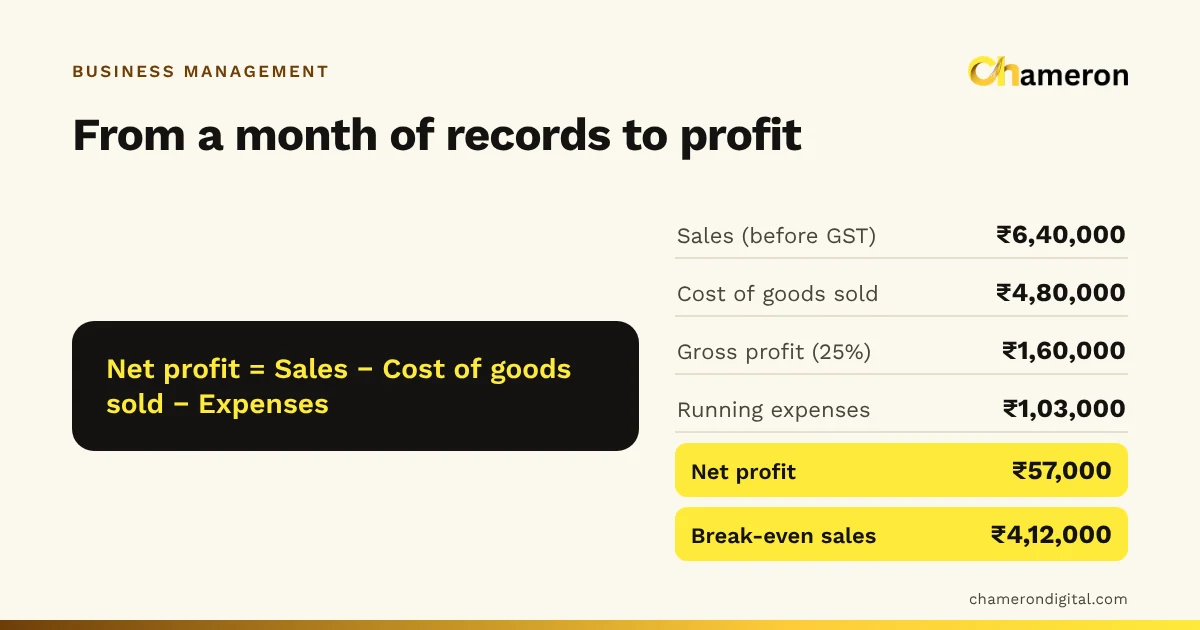
Tracking sales and expenses is not bookkeeping for the accountant; it is how you know whether the business made money this month. Here is a five-step routine with a worked example.
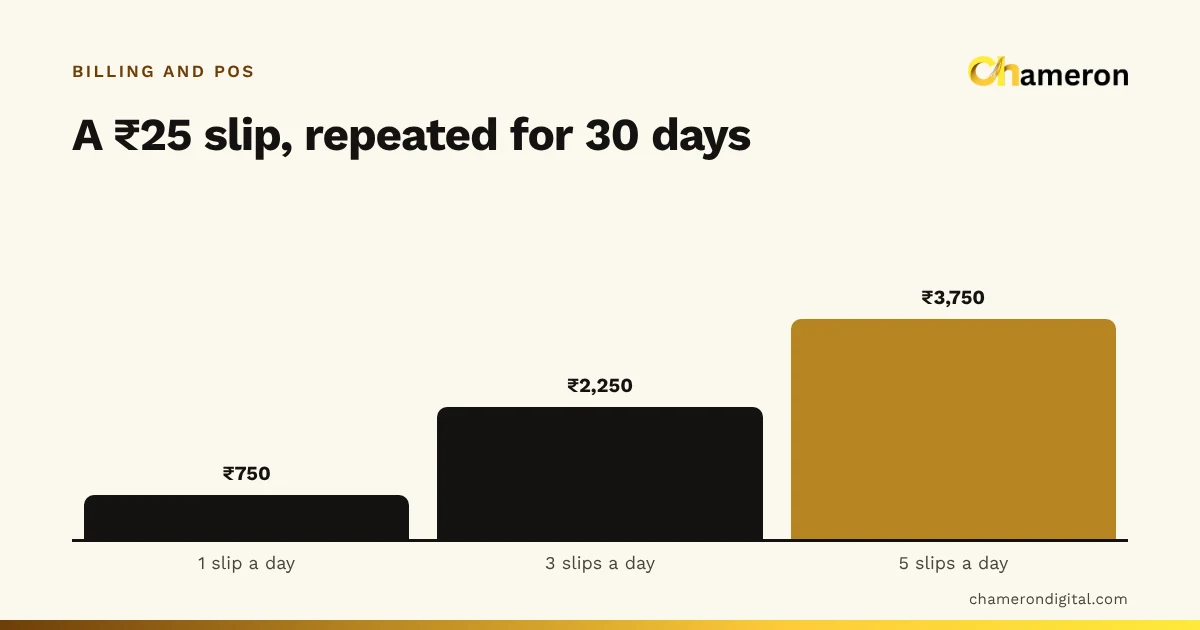
The costliest billing mistakes are small and repeated: a price typed from memory, GST applied the wrong way, a UPI payment assumed, a refund without the bill. Each one has a simple fix.
More calculators