DINE OS · Restaurants and cafés

Run your food business from one screen.

The till, the kitchen, tables, menu and stock in one system for a food business.

For
Restaurants and cafés
Get it
Request software access
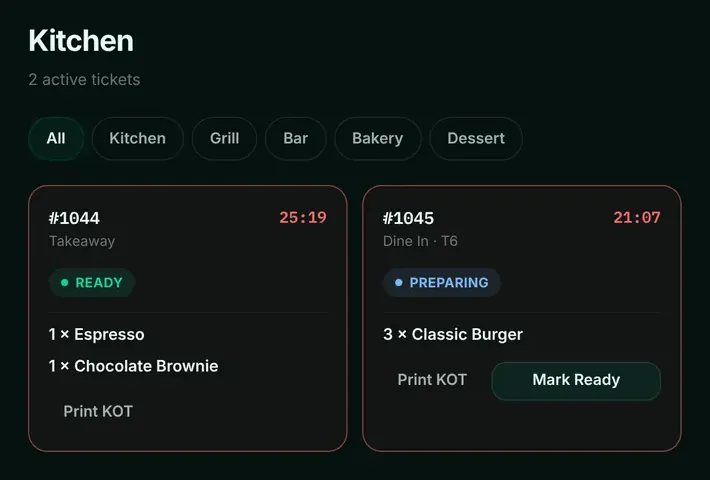
DINE OS kitchen display with two tickets: a takeaway marked ready and a dine-in order for table 6 being prepared, each with a timer and Print KOT button.
Product screen, demo data Kitchen display: tickets by station, with timers.

Why it exists

What DINE OS is for.

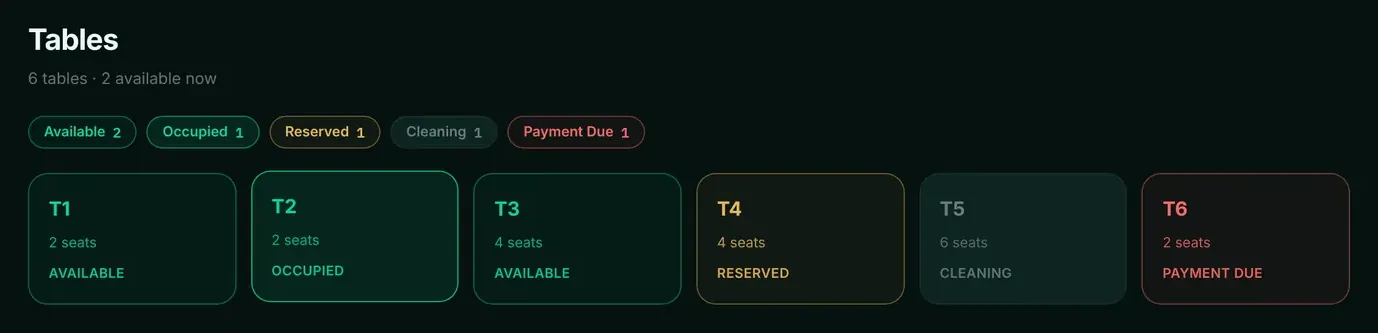
Restaurants, cafés, takeaways and food businesses with a counter, tables, a kitchen and deliveries.

  1. 01

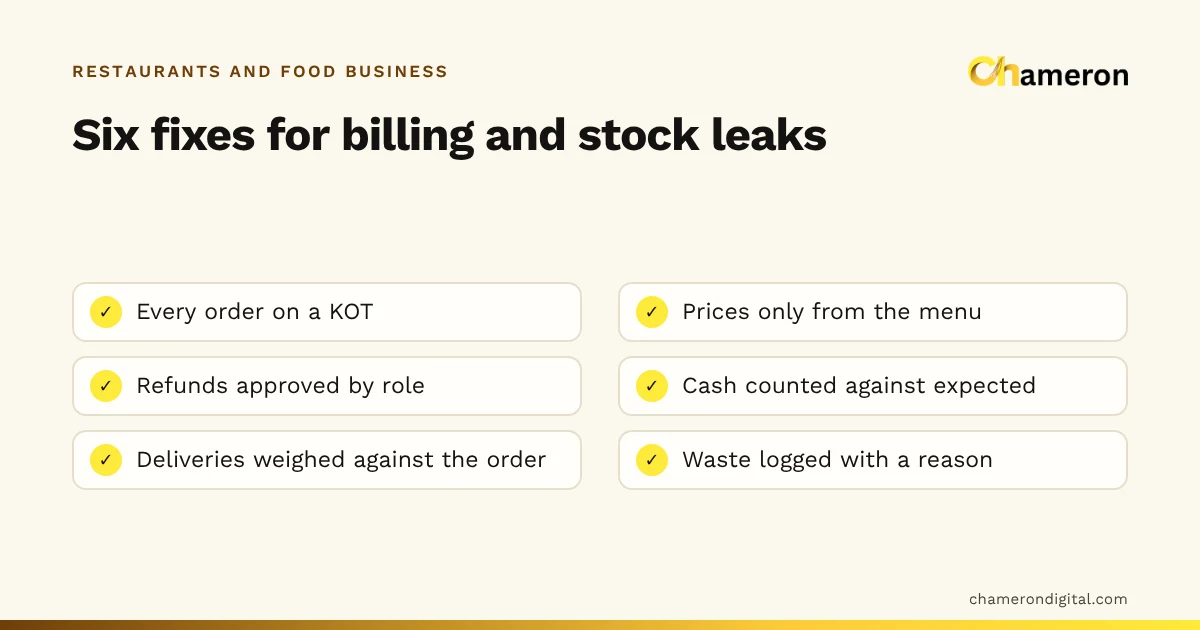
    Orders lost between counter and kitchen

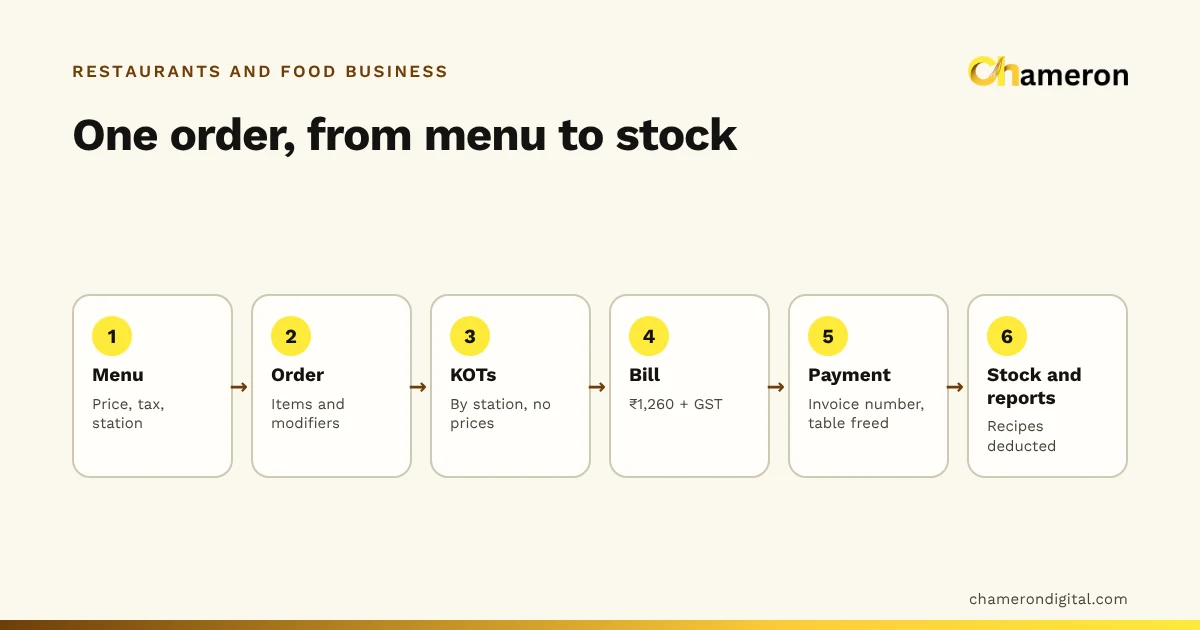
    Every order goes to the kitchen screen by station, and moves from preparing to ready to complete.

  2. 02

    Prices typed in at the till

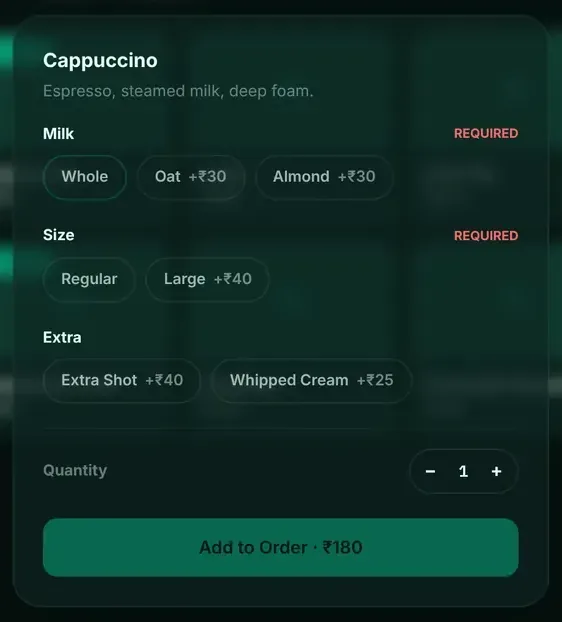
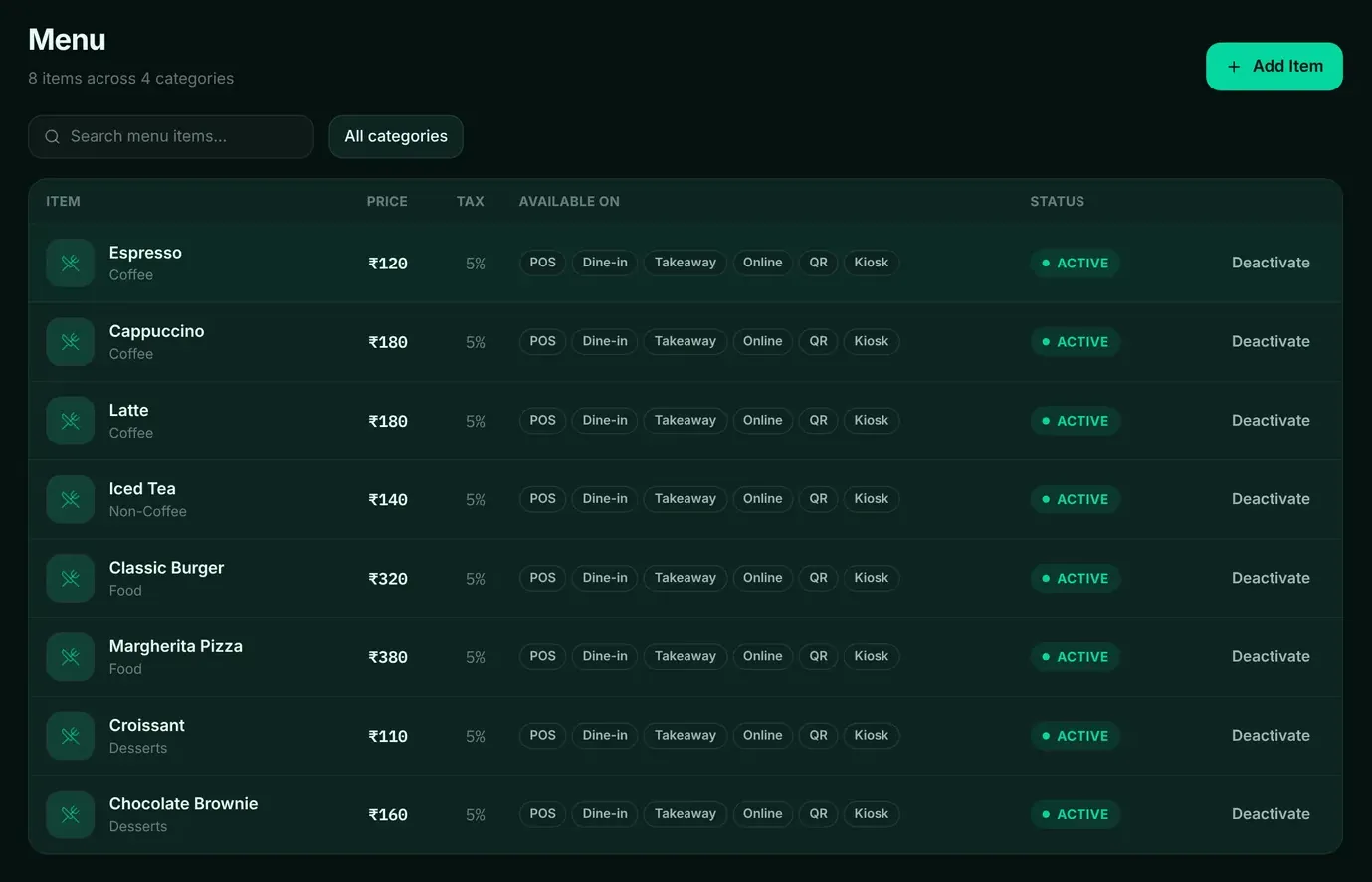
    The till sends items and quantities; prices always come from the menu, so a price cannot be changed at the counter.

  3. 03

    Ingredients that run out mid-service

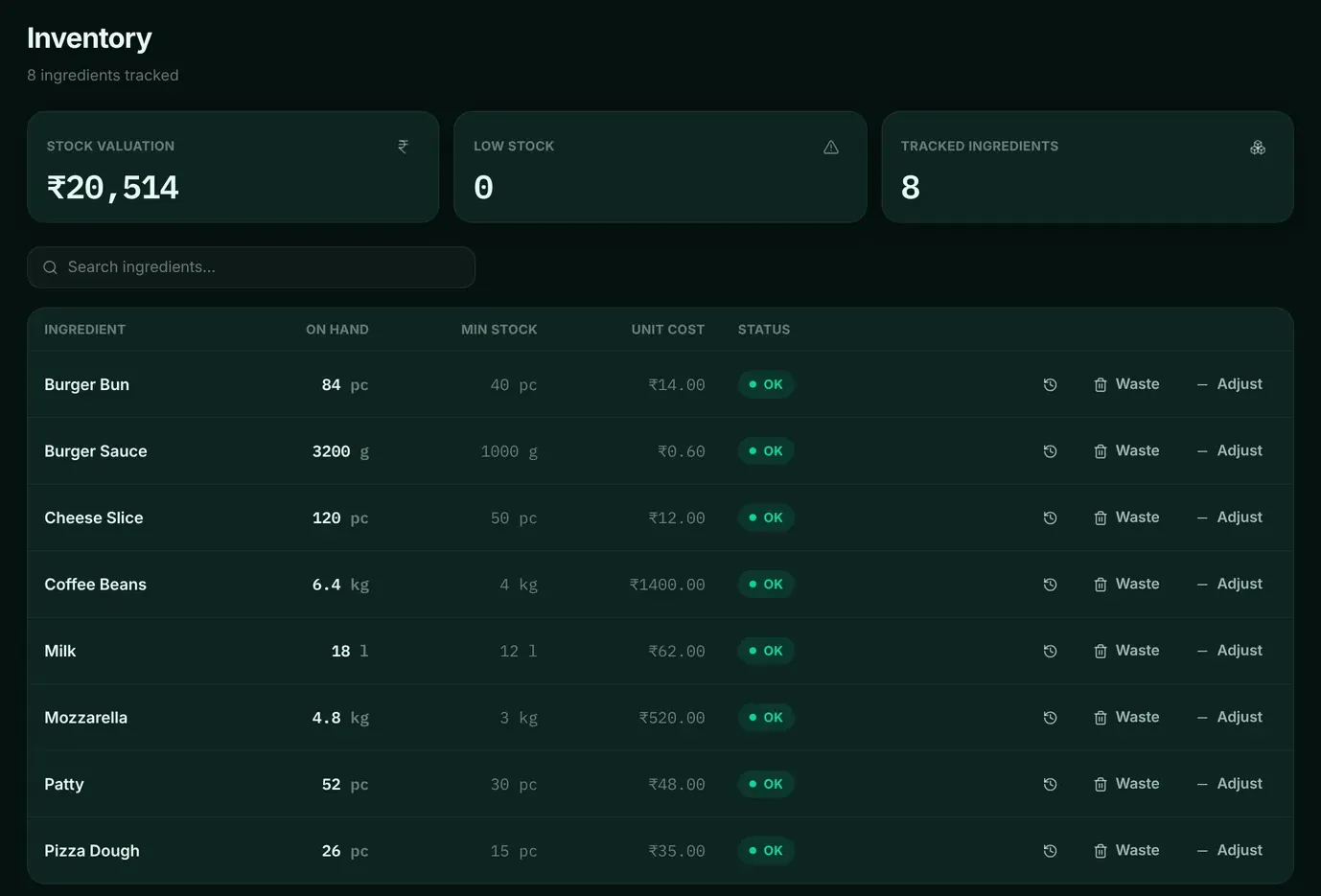
    Each sale deducts the recipe’s ingredients, low stock is flagged, and waste is recorded with a reason.

  4. 04

    A close that never balances

    The cash register opens with a float and closes with a count, and the variance is worked out from what was actually taken.

Screens

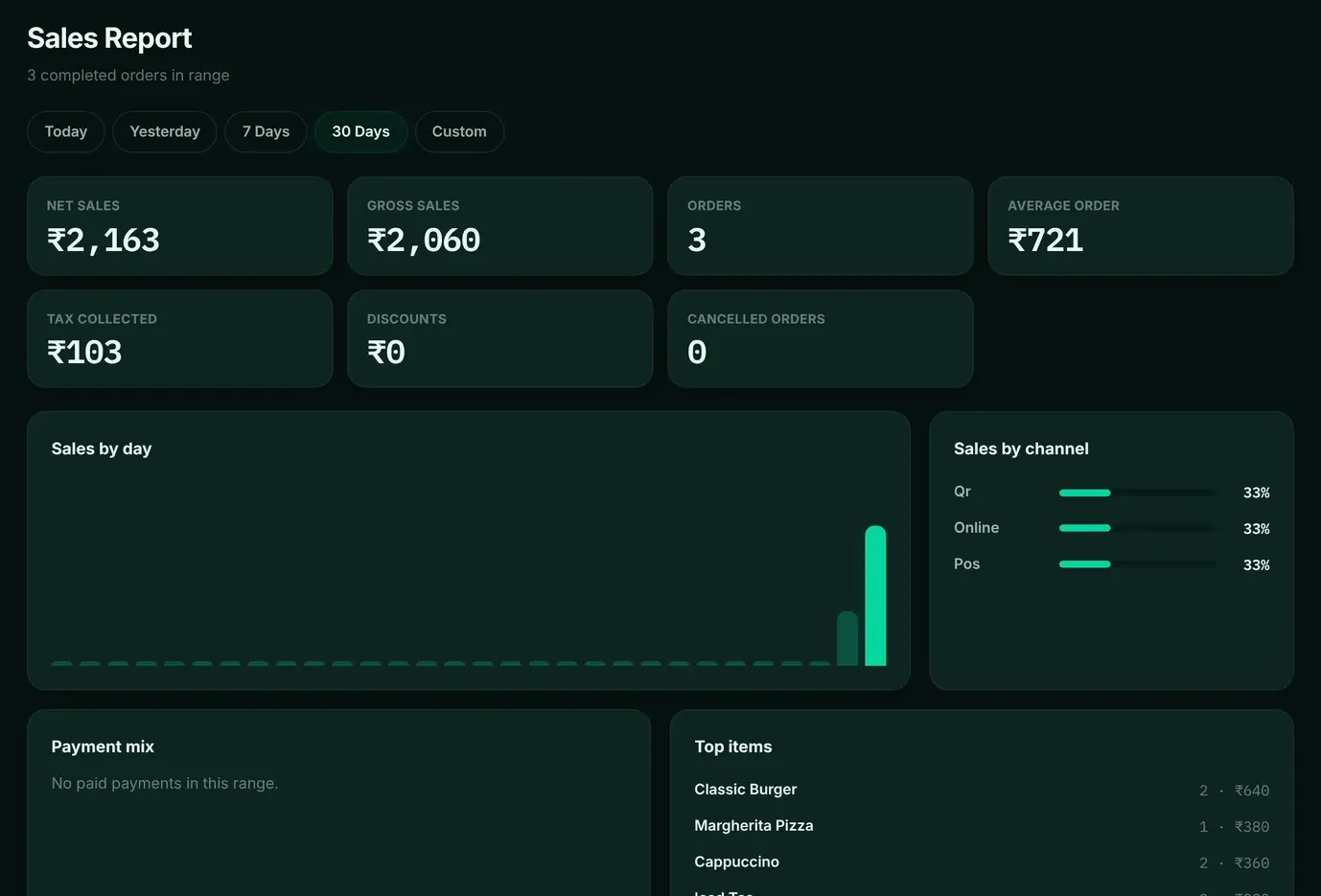
Screens from the software running with demo data. Names, numbers and orders in them are not customer data.

A working day

A service in the kitchen.

An illustrative day, showing where the software fits. Times and events are examples, not customer data.

  1. Doors openMenu and stock ready
  2. Lunch rushDine-in, takeaway and delivery in one list
  3. Table 6 ordersTicket on the grill station screen
  4. Supplier deliveryReceived against the purchase order
  5. Register closesCounted against the day’s takings

Requirements and installation

What it runs on.

See downloads and the hardware guide for printers and scanners.

Runs as
A desktop app with its own local server and database on the restaurant’s computer
Roles
Owner, manager, cashier, waiter, kitchen, delivery and inventory, each with its own workspace
Printing
Receipts and KOTs print through the computer’s own printing, to the printer you choose
Connection drops
A sale made while the server is unreachable is queued and sent when it is back
Operating system
Ask us which computers DINE OS supports for your restaurant

Pricing

DINE OS pricing.

Prices are per month, for a subscription to use the software. What each plan includes is confirmed with you before you pay. Applicable taxes and charges are stated at payment or on your invoice.

Starter

₹999/month

Ask us what Starter includes for your outlet before you buy.

Ask about Starter Pay by invoice

Growth

₹1,999/month

Ask us what Growth includes for your outlet before you buy.

Ask about Growth Pay by invoice

Pro

₹3,999/month

Ask us what Pro includes for your outlet before you buy.

Ask about Pro Pay by invoice

Before you pay. Subscriptions may automatically renew at the applicable renewal price unless cancelled before the renewal date. Cancelling stops the next renewal; access you have already paid for continues to the end of that period. You can request a refund within 15 days of purchase, subject to the Refund Policy. Applicable taxes and charges are stated at payment or on your invoice.

Online checkout on this website is not switched on yet. To buy, ask about a plan or request an invoice, and we will confirm the details with you.

Questions

About DINE OS.

Who is DINE OS for?

Restaurants, cafés, takeaways and food businesses with a counter, tables, a kitchen and deliveries.

Does it work for dine-in, takeaway and delivery?

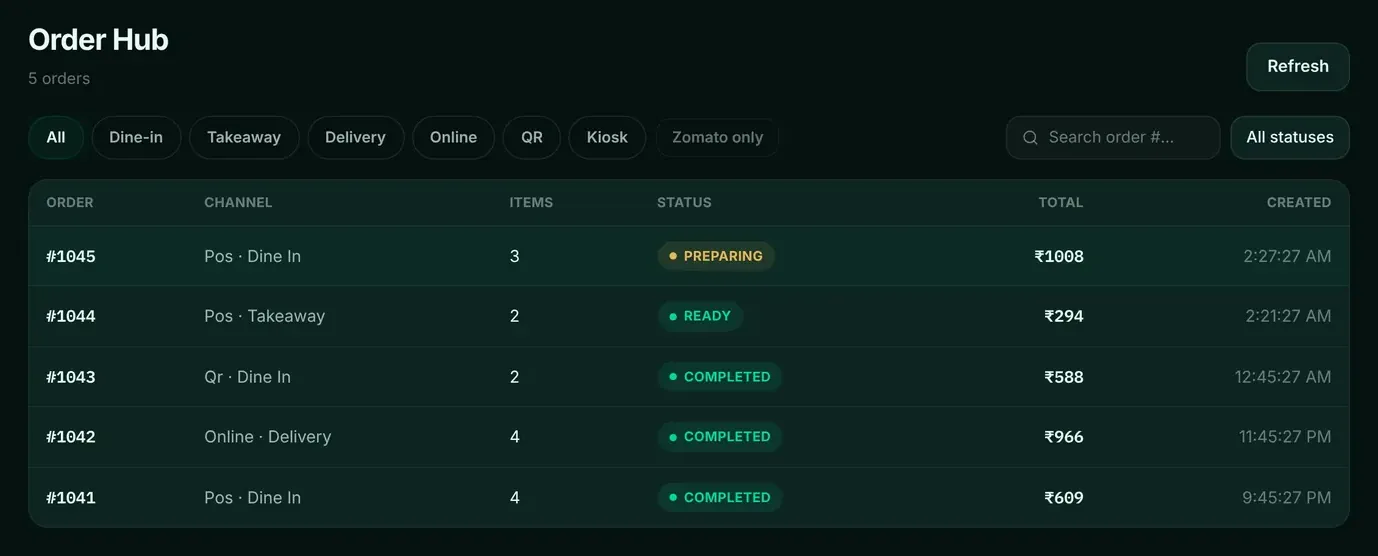
Yes. All three share one order hub, and dine-in orders are linked to tables.

Does it need the internet?

DINE OS runs its own server on your computer. If a till cannot reach the server, a sale is queued on the device and sent when the server is back.

Does it take orders from delivery apps?

Do not choose DINE OS for delivery-platform order intake today. Ask us about the platforms you use.

How much does it cost?

Starter ₹999, Growth ₹1,999, Pro ₹3,999 a month. Ask us what each plan includes before you buy.

How do I get it?

Request software access and tell us about your restaurant. Installers are not offered for public download.

See DINE OS on your own work.

Tell us what you serve, how many tills and tables you run and what you use today, and ask for a demo or access.

Contact us

Online sending is not switched on yet. Fill in the form and use Send by email, or chat with us on WhatsApp. Nothing you type is sent until you choose.

Mobile number
How should we contact you?

What you sell or run, what you use today, and what you would like to know.

We use these details only to reply to this enquiry, by the method you choose. Fields marked * are required. Buying? See payment, auto-renewal and refund terms.