The short answer
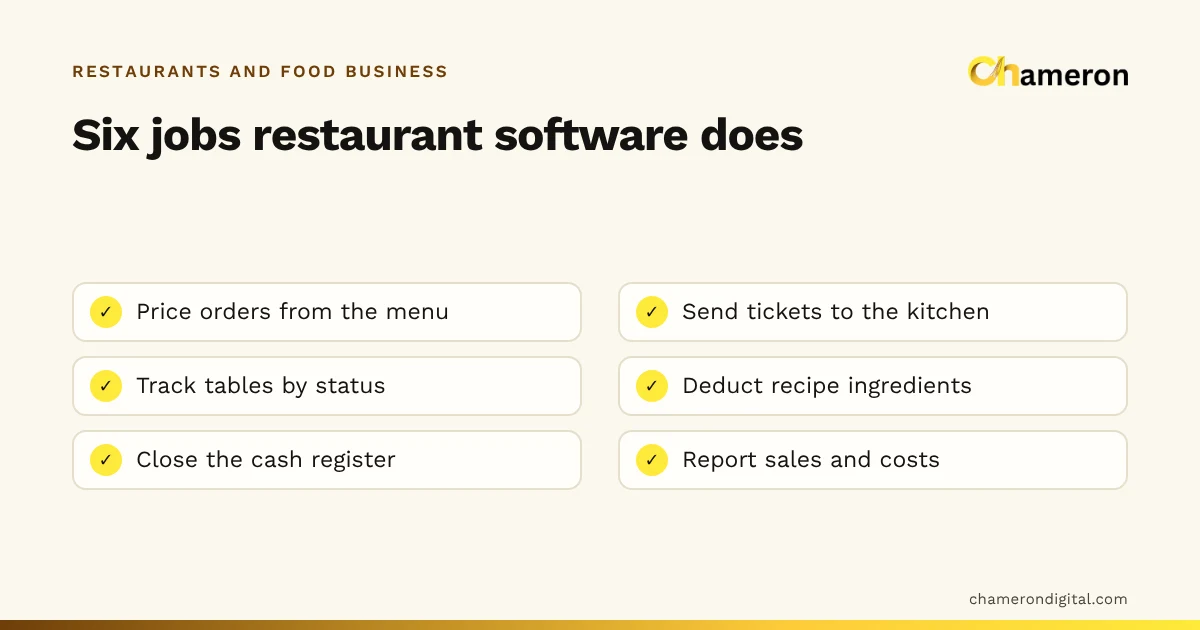
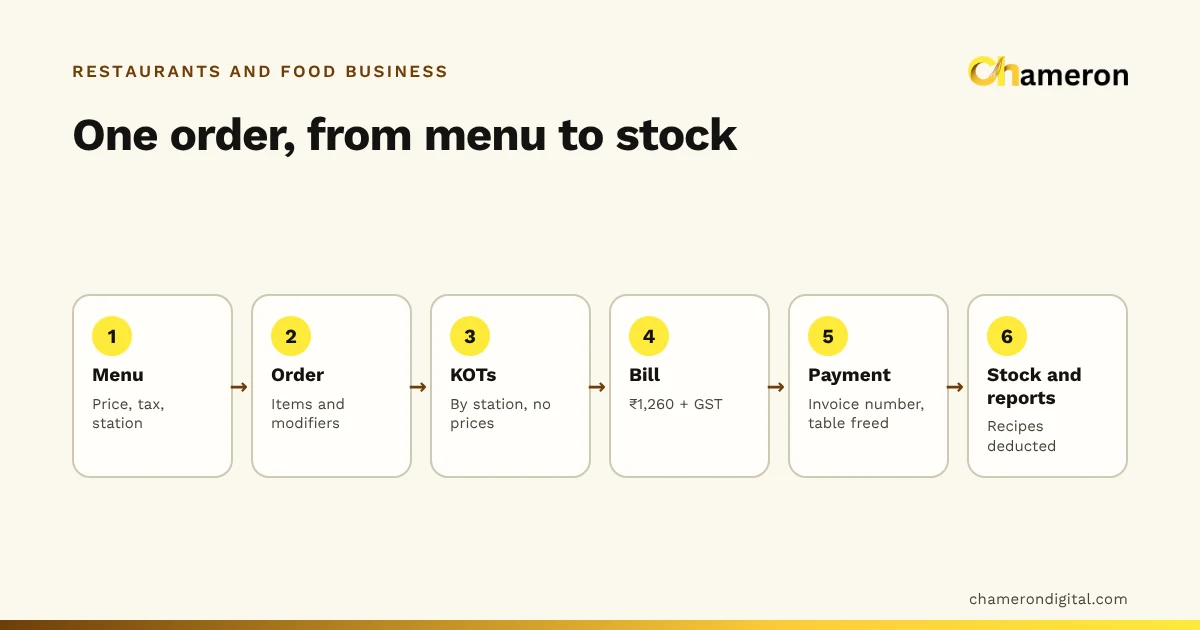
Restaurant billing software turns one order into everything the restaurant needs from it. The waiter or cashier picks items and quantities; the software prices them from the menu, sends a kitchen order ticket (KOT) to each station that has to cook something, keeps the bill open while more items are added, then calculates the total with tax, records the payment and deducts the ingredients from stock. The guest sees only the bill at the end, but most of the work happens before it.
This guide follows the mechanics step by step, with one table's order and real numbers. For how the floor and kitchen should be organised around those steps, see the restaurant order workflow.
It starts with the menu record
Before any order is taken, each dish exists as a record in the menu. A typical record holds:
| Field | Example: Paneer Butter Masala | Used for |
|---|---|---|
| Price (before GST) | ₹280 | Pricing every order line |
| Tax rate | Set for the item | Calculating GST on the bill |
| Kitchen station | Kitchen (main line) | Deciding which KOT it goes on |
| Modifiers | Spice level: mild / medium / hot | Choices the cook must see |
| Recipe | 120 g paneer, 150 g gravy base, 10 g butter, 15 ml cream | Deducting stock on each sale |
| Availability | Dine-in and takeaway | Hiding it where it is not sold |
This matters because the person at the till never types a price or a tax rate. They choose what; the menu decides how much. When a price changes, it is changed once in the menu and every new order follows it.
Step 1: taking the order
A family sits at table 4. The waiter opens the table on the floor board, which marks it occupied, and enters:
- 2 × Paneer Butter Masala (medium)
- 4 × Butter Naan, two of them as garlic naan
- 1 × Jeera Rice
- 2 × Masala Chai, one with less sugar
Three kinds of information go in with each line:
- The item and quantity.
- Modifiers. "Garlic" is a priced modifier: here it adds ₹10 to a ₹60 naan. "Medium" and "less sugar" are free choices that only the cook needs to know about. If the menu marks a choice as required (spice level, for example), the software should not let the item be added until it is chosen.
- The order type. Dine-in, takeaway or delivery. It decides whether the order is tied to a table, whether packaging applies and how it appears in the reports.
The software then prices each line from the menu: 2 × ₹280, 2 × ₹60 plus 2 × ₹70 for the garlic naans, and so on. Nothing has gone to the kitchen yet; that happens when the waiter sends the order.
Step 2: the kitchen order ticket
When the order is sent, the software splits it by kitchen station and creates a KOT for each. A KOT is an instruction, not an invoice, so it shows no prices.
| Station | KOT 1 contents |
|---|---|
| Kitchen (main line) | 2 × Paneer Butter Masala, medium; 1 × Jeera Rice |
| Tandoor | 2 × Butter Naan; 2 × Butter Naan, garlic |
| Beverages | 2 × Masala Chai, 1 less sugar |
Each ticket carries the table number, the order type, the time it was sent, a ticket number and the name of whoever sent it. On a kitchen display the tickets appear as cards, usually with a timer showing how long they have waited; on paper, each station's printer produces its own slip. Many kitchens use both: the screen for tracking, a printed KOT for the pass.
Splitting by station is the reason KOTs exist in software at all. The tandoor cook does not need to read past paneer and rice to find the naans, and the chai counter is not waiting for the kitchen to call out its items. Our short explainer on what a KOT is covers the paper version and its history.
When a station finishes, it marks its items or the order ready, and the counter or waiter sees the change without walking into the kitchen.
Step 3: additions, changes and cancellations
Twenty minutes later, table 4 asks for 2 × Gulab Jamun. The bill is still open, so the waiter adds them to the same order. The software creates KOT 2 for the dessert station containing only the new items. The kitchen never receives a reprint of the whole order, which is how dishes get cooked twice.
Changes work the same way, by adding records rather than overwriting them:
- Cancelling an item before it is cooked produces a cancellation ticket for that station and removes the line from the bill. The original KOT stays in the record.
- Cancelling after it is cooked is a business decision (is it charged, written off as waste, given free?) and should need a manager or owner, with a reason.
- Moving the order to another table changes the table on the bill and the board; the KOTs already sent stay as they were.
This is the main mechanical difference between restaurant billing and shop billing. A shop bill is created and settled in one go. A restaurant bill stays open for an hour or more and collects several rounds of tickets before anyone pays.
Step 4: building the bill
When table 4 asks for the bill, the software adds up every line that is still on the order:
| Item | Qty | Rate | Amount |
|---|---|---|---|
| Paneer Butter Masala | 2 | ₹280 | ₹560 |
| Butter Naan | 2 | ₹60 | ₹120 |
| Butter Naan (garlic) | 2 | ₹70 | ₹140 |
| Jeera Rice | 1 | ₹180 | ₹180 |
| Masala Chai | 2 | ₹40 | ₹80 |
| Gulab Jamun | 2 | ₹90 | ₹180 |
| Taxable value | ₹1,260 | ||
| CGST (2.5%, example) | ₹31.50 | ||
| SGST (2.5%, example) | ₹31.50 | ||
| Bill total | ₹1,323 |
A 5% rate is used here only as an example. The rate that applies, and whether input tax credit is available, depends on the kind of restaurant and the rules in force, so confirm your own position with your accountant or the official GST portal before setting rates in any software. If you price menu items inclusive of tax, the software has to work backwards to the taxable value; the GST calculator and our note on taking GST out of an inclusive price show that arithmetic.
Discounts are applied before tax and recorded as their own line, so a ₹126 discount (10%) on this bill would bring the taxable value to ₹1,134 and the GST at the example rate to ₹56.70. Recording it separately keeps the original prices visible in item reports and makes it obvious who gave the discount.
Step 5: payment and closing the order
The guest pays ₹1,323. It might be one payment or several: ₹1,000 by UPI and ₹323 in cash is a split payment, and the software records both parts against the same bill so the cash drawer and the UPI total each reconcile at the end of the shift.
Settling the bill triggers several things at once:
- The invoice number is fixed. Numbers should run in an unbroken sequence and be issued once per order, so a bill cannot be printed twice under different numbers.
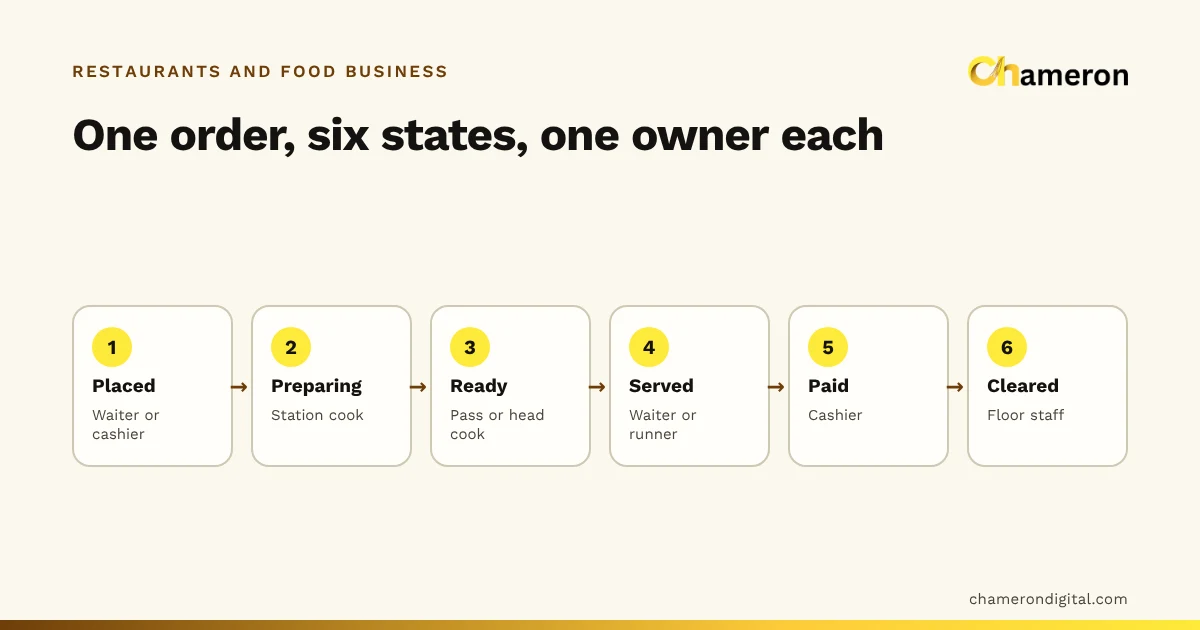
- The order is marked complete and drops out of the active list.
- The table moves to cleaning, not straight back to available, so the next guests are not seated at an uncleared table.
- Stock is deducted. Each dish's recipe is subtracted from ingredient stock. The two paneer dishes alone take 2 × 120 g = 240 g of paneer.
- The sale joins the reports: by item, by hour, by channel and by payment method.
In DINE OS, for example, prices always come from the menu on the server, the bill stays open while the kitchen prepares, invoices are numbered in sequence, and each settled sale deducts its recipe's ingredients. The restaurant till and order hub page shows how the steps look on screen.
When the connection drops
Every step above assumes the till can reach wherever the data is kept, whether that is a server in the back office or one in the cloud. Ask any vendor what happens when it cannot:
- Can the till keep taking orders, and are they sent on when the connection returns?
- Do KOTs still reach the kitchen, or does the kitchen need a printed fallback?
- Can two terminals end up issuing the same invoice number?
The answers differ between products, and they matter most at the busiest hour. Our comparison of offline and cloud billing software explains the trade-offs.
Common mistakes
- Typing open-price items for everything. A "misc food ₹200" button defeats menu pricing, stock deduction and item reports in one go. Keep it for genuine exceptions, with a role limit.
- Reprinting the full KOT for an addition. It invites duplicate cooking. Use the add-on ticket.
- Editing a sent ticket instead of cancelling. The kitchen and the record then disagree about what was ordered.
- Wrong station on a menu item. A dessert routed to the main line waits until someone notices. Check stations whenever you add a dish.
- Discounts typed as lower prices. The item report then shows a ₹252 paneer dish that does not exist on the menu, and nobody can see that a discount was given.
- Not testing the printer before service. A KOT printer out of paper is invisible until the first complaint. Our restaurant printer guide covers paper, width and placement.
The bottom line
Restaurant billing software is a chain: menu record, order lines, KOTs by station, add-ons and cancellations as new records, a bill built from what remains, then payment, invoice number, table release and stock deduction. Understanding the chain helps you set the menu up correctly, train staff to use add-on tickets and cancellations properly, and ask vendors the right questions. If you are choosing a system, read our restaurant POS guide next, and see what restaurant management software covers beyond the bill.
Questions people ask
What is the difference between a KOT and a bill?
A KOT is an instruction to the kitchen: table, items, quantities and notes, without prices. A bill is the statement for the guest: items, prices, tax and total. One table may have several KOTs but has one bill. See what is a KOT.
Can a waiter change the price of a dish at the table?
In well-built software, no. The till sends items and quantities, and the price is taken from the menu. Discounts, where allowed, are recorded separately so the original price and the reduction both stay visible.
Is GST worked out on each item or on the bill total?
The software applies each item's tax rate to its taxable value and adds the results. If every item has the same rate, it comes to the same as applying the rate to the total. Check the rates that apply to your restaurant with your accountant or the official GST portal.
What happens to a KOT when the guest cancels an item?
The original KOT is not edited. The system records a cancellation, sends the kitchen a cancellation ticket for that item, and removes it from the bill. Who may cancel, and whether a reason is required, should depend on the user's role.
Does every sale reduce stock automatically?
Only if menu items are linked to recipes. Each sale then deducts the ingredients in its recipe. Without recipes, the software knows what was sold but not what was used.