The short answer
Restaurant management software is one system that runs the till, the kitchen, the tables, the menu, the ingredient stock and the cash drawer of a food business, and keeps them connected. When a waiter takes an order, the same record sends a ticket to the kitchen, holds the table's bill, deducts the recipe's ingredients and adds the sale to the day's reports. The point is not any single feature. It is that information entered once reaches everyone who needs it.
What restaurant management software covers
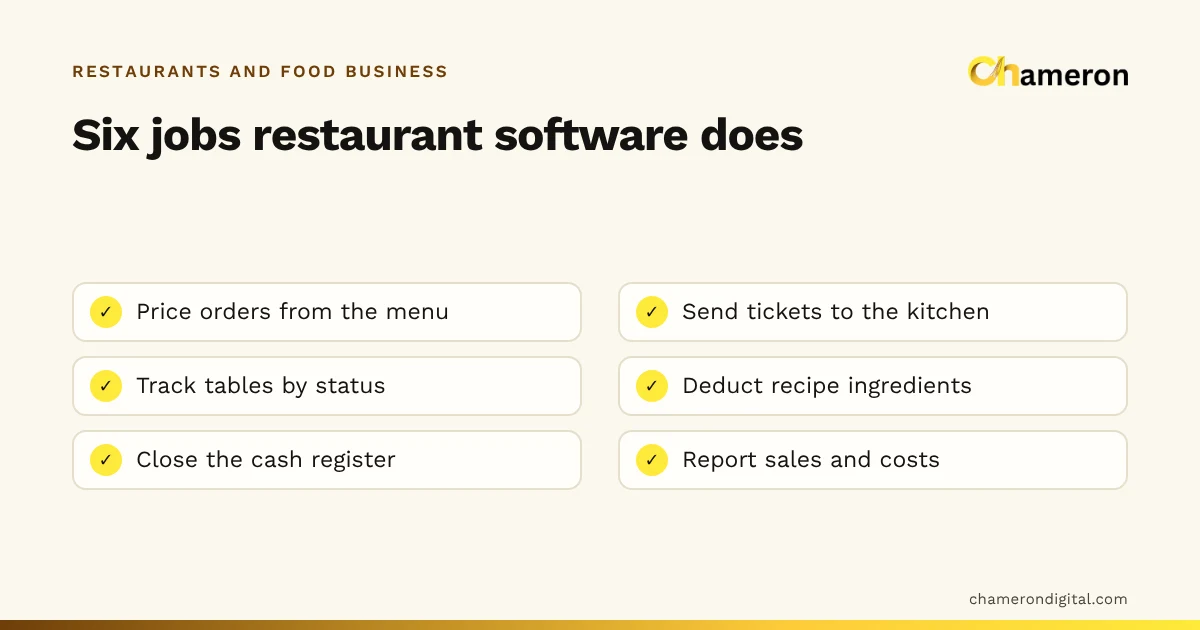
Most systems are built from the same six parts. Each one replaces a notebook, a slip of paper or a question shouted across the room.
| Part | What it records | The question it answers |
|---|---|---|
| Orders and till | Items, quantities, modifiers, order type (dine-in, takeaway, delivery), payments | "What did this customer order, and have they paid?" |
| Kitchen tickets | Which station prepares what, and how long each order has waited | "What should the grill be cooking right now?" |
| Tables | Which tables are free, occupied, reserved, being cleaned or waiting to pay | "Where can I seat this family of four?" |
| Menu and recipes | Prices, tax rates, kitchen stations and the ingredients in each dish | "What does a plate of this cost us to make?" |
| Stock and purchasing | Ingredients on hand, deliveries, waste and supplier dues | "Will we run out of paneer before dinner?" |
| Cash and reports | Shifts, cash counts, invoices, sales by item and by channel | "Did the drawer balance, and what sold this week?" |
The first three are the front of house and the kitchen pass. The last three are the back office. Older setups often had a billing program for the first and a spreadsheet for the rest, with someone retyping numbers between them. A management system joins them so that nothing has to be copied.
Terms you will meet
A few words come up in every product demo. A KOT (kitchen order ticket) is the list of items the kitchen must prepare for one order; we explain it fully in what is a KOT. A kitchen display shows those tickets on a screen instead of paper. A modifier is a choice that changes an item, such as "extra cheese" or "less spicy". A recipe (sometimes called a bill of materials) lists the ingredients in one portion. The glossary has short definitions of each.
Follow one order through the system
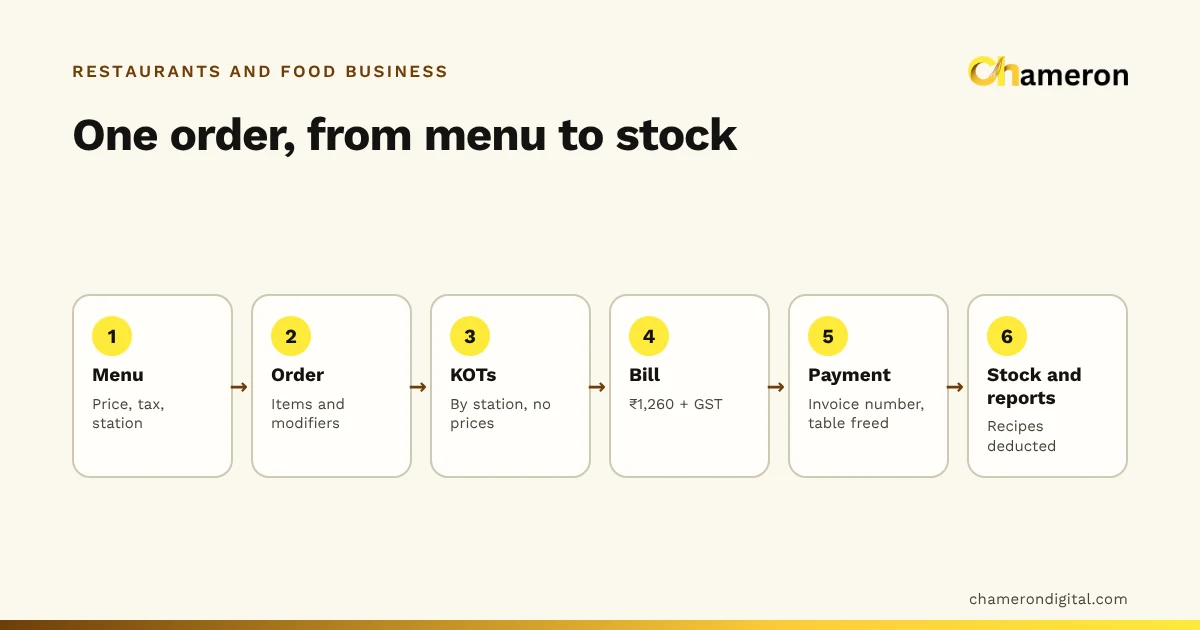
The easiest way to see what the software does is to follow a single dinner order.
- Table 7 sits down. The host sees on the floor board that table 7 is free and marks it occupied.
- The waiter takes the order: two masala dosas, one filter coffee with less sugar. Prices come from the menu, so nobody types a rate.
- The kitchen gets its ticket. The dosas go to the kitchen station, the coffee to the beverage counter. Each sees only its own items.
- The kitchen marks the dosas ready, and the waiter can see they are waiting at the pass.
- The bill is settled by UPI. The table moves to "cleaning" so it is not given to new guests before it is wiped down.
- Behind the scenes, each dosa deducts its batter, potato masala, chutney and oil from stock, and the sale appears in the item, channel and payment reports.
None of these steps is new; every restaurant already does them. What changes is that steps 3 to 6 happen from the order the waiter entered in step 2, with no second entry and no handwriting to read. For the full mechanics of tickets, additions and bills, see how restaurant billing software works, and for the operational side, the restaurant order workflow.
How it helps, in practice
The benefits are easier to judge as specific problems that stop happening.
The kitchen gets complete orders
A handwritten slip that says "1 dosa" leaves the cook guessing: plain or masala, crisp or soft, with or without onion. When required choices must be picked before an item can be added, the ticket arrives complete. A timer on each ticket also makes a forgotten order visible before the customer complains.
Prices stay the price
If the till sends only items and quantities and the price comes from the menu, a rate cannot be mistyped or quietly changed at the counter. The same menu also carries the tax rate for each item, so the bill is worked out the same way every time.
Stock you can check against sales
Linking recipes to ingredients means the system knows what should be left. Compare it with a physical count and the difference becomes visible.
The gap might be generous portions, spoilage, a recipe that understates the paneer in a dish, or theft. Software does not tell you which, but it tells you where to look. Our guide to restaurant inventory management covers how to investigate.
A close that balances
A register shift opens with a float and closes with a count. The expected cash is worked out from what was actually taken.
| Item | Amount |
|---|---|
| Opening float | ₹2,000 |
| Cash sales during the shift | ₹18,450 |
| Cash paid out (vegetable top-up) | −₹600 |
| Expected in the drawer | ₹19,850 |
| Counted at close | ₹19,700 |
| Variance | −₹150 |
A ₹150 short found the same night can be traced to a wrong change or an unrecorded payout. Found a fortnight later, it rarely can.
Numbers for menu decisions
Sales by item, by day and by channel, combined with recipe costs, let you see which dishes earn their place. That is the basis of menu profitability analysis, and it is very hard to do from a cash book.
Which parts does your restaurant need?
Not every food business needs every module. Match the system to how you serve.
| Format | Parts that matter most | Parts you may not need |
|---|---|---|
| Tea stall, juice or chaat counter | Fast billing, daily cash close, simple sales report | Tables, kitchen stations, detailed recipes |
| Quick-service café | Till with modifiers, kitchen tickets, ingredient stock, loyalty | Table board (or a very simple one) |
| Dine-in restaurant | Table board, open bills, KOTs by station, cash shifts | Few parts are optional here |
| Cloud kitchen | Takeaway and delivery orders, kitchen screen with timers, recipes with packaging, stock | Tables and dine-in features |
| Restaurant with a bar or bakery section | Separate stations, recipes per section, role limits on refunds | Nothing; the extra stations add control |
A thali restaurant is a useful test case. One "thali" on the bill may draw on six or seven components, so recipe deduction and stock matter more there than at a café selling single items.
If you also run a retail counter, such as a sweet shop selling packed items, check whether the system handles both, or whether you are better served by separate tools. The restaurant solutions page and the page for cafés and food businesses describe the common setups.
What the software will not do for you
Software records what happens. It cannot make the underlying information true.
- Recipes must be accurate. If the recipe says 80 g of paneer and the cook uses 110 g, stock and food cost will both be wrong.
- Stock still has to be counted. Deductions show what should be on the shelf. Only a count shows what is. Weekly counts of expensive items are a sensible minimum.
- Waste must be entered. A spilled tray of gravy that is not recorded looks exactly like theft in the reports.
- Roles must mean something. If everyone logs in as the owner, limits on refunds and cancellations protect nothing.
- Integrations vary. Connections to delivery platforms, payment terminals and accounting software differ widely between products. Ask each vendor what is actually supported today, and test it.
Common mistakes when moving to software
- Loading the menu without recipes "to do later". The stock and cost reports are then empty or misleading, and later rarely comes.
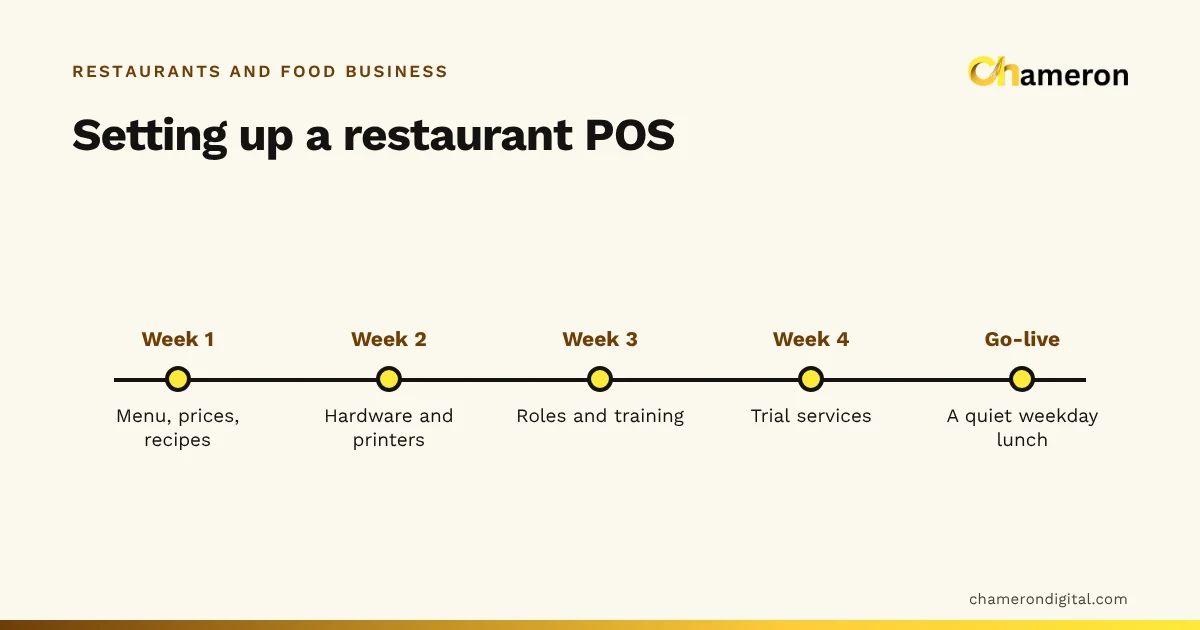
- Going live on the busiest day. Start on a quiet weekday lunch, with the old method on standby.
- Training only the cashier. Waiters, kitchen staff and whoever receives deliveries all touch the system.
- Ignoring the kitchen's view. A screen placed where the cook cannot see it, or a printer in the steam, defeats the purpose. Our restaurant printer guide covers placement.
- Never reading the reports. The value is in the weekly look at item sales, stock gaps and cash variances, not in the data sitting unread.
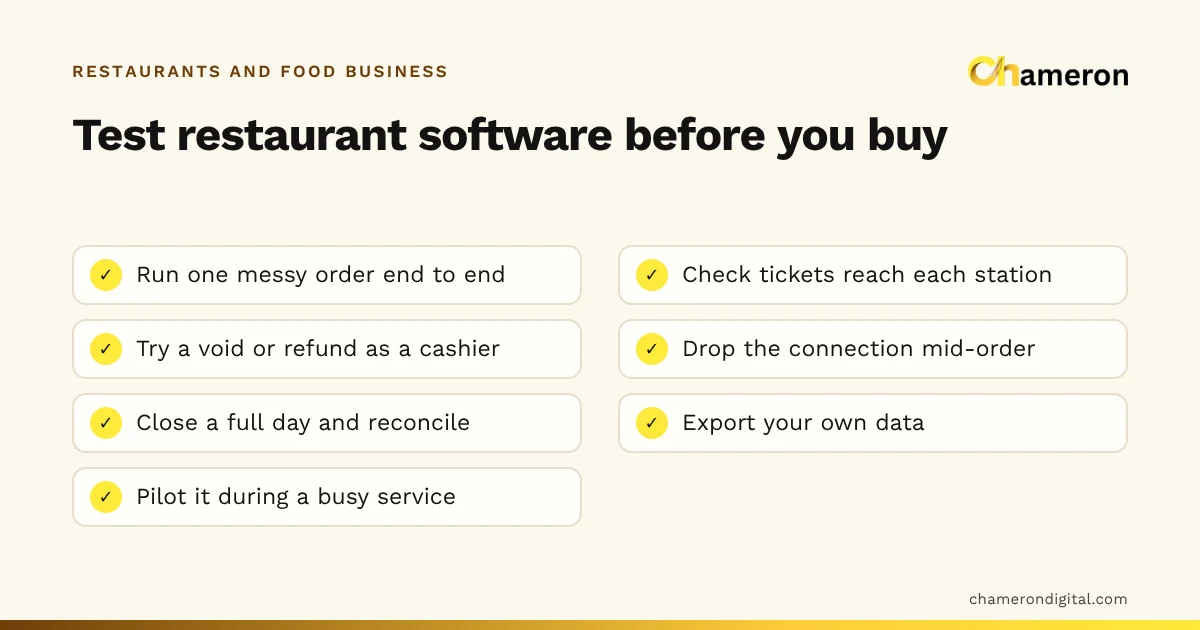
Before you buy, walk through the restaurant software checklist with a real, messy order.
Restaurant software from Chameron
DINE OS is Chameron's system for restaurants and cafés. It takes dine-in, takeaway and delivery orders priced from the menu, sends tickets to a kitchen display by station with a timer on each, links recipes to ingredients so each sale deducts what it used, and closes cash register shifts with a counted close. Its kitchen display and KOT and menu and recipes pages describe how each part works.
The bottom line
Restaurant management software is less about features than about connection: one order, entered once, reaching the kitchen, the table, the stock room and the reports. Decide which parts your format needs, put real recipes and roles in from the start, and make a weekly habit of reading what the system tells you. To see what your dishes cost before you set up any software, try the food cost calculator.
Questions people ask
Is restaurant management software the same as a restaurant POS?
Not quite. A POS is the part that takes orders and payments at the counter. Restaurant management software usually includes the POS and adds the kitchen side, recipes, ingredient stock, purchasing and reports. See our restaurant POS guide for the till itself.
Does a small café or tea stall need restaurant management software?
A very small counter may only need quick billing and a daily sales total. Once you have a kitchen working from tickets, more than one person at the till or ingredients worth tracking, a connected system starts to save time and catch losses.
Can restaurant management software work without the internet?
It depends on how it is built. Some systems run in the cloud and need a connection; others run on a computer in the restaurant. Ask what happens to orders and bills when the connection drops, and test it before you rely on it.
Will the software calculate my food cost automatically?
Only if you give it recipes. When each menu item is linked to its ingredients and their costs, every sale can deduct what it used. The figures are only as good as those recipes. Our guide to restaurant food cost shows how to cost a plate.