
Solutions · General and departmental stores
One system for a store that sells a bit of everything.
General, electronics and hardware stores carry wide ranges and serve regulars on credit. BILL OS keeps the range, the dues and the suppliers in one place.
The product for this
BILL OS
Billing, stock, payments, customers and GST in one system that runs on a computer in your shop.
From ₹499 a month
The problems
Where the day goes wrong for general and departmental stores.
- 01
A wide range that is hard to track
Thousands of items, some with batches or expiry, and few people to count them.
- 02
Regulars on credit
Long-standing customers settle up monthly, and the balance has to be right.
- 03
Suppliers on account
Purchases, payments and returns to many suppliers are hard to reconcile.
- 04
Stock that does not move
Money sits in items that have not sold for months.
A working day
How it fits into the day.
An outline of a realistic day. Your own routine will differ.
- 01
Receiving
Record deliveries against the supplier’s bill, with batch and expiry where it matters.
- 02
Selling
Scan or search, take any payment method, and leave part on credit for regulars.
- 03
Suppliers
Record supplier payments and returns as debit notes; each supplier has a running balance.
- 04
Planning
Use the reorder list and dead-stock report before placing the next order.
Features
The features that matter here.
Documented capabilities, each explained on its own page.
- BILL OSInventory and stockEvery change to stock, whether a sale, a return, a delivery or a count, goes through one ledger. That is why the number on the screen can be trusted at closing time.
- BILL OSCustomers, credit and loyaltyWho owes what should not depend on one person’s memory. BILL OS keeps each customer’s bills, dues and points together, and reminds them when you choose.
- BILL OSReports, exports and GuardianReports read the same records the counter writes, so the owner sees today while there is still time to act, and the accountant gets files they can use.
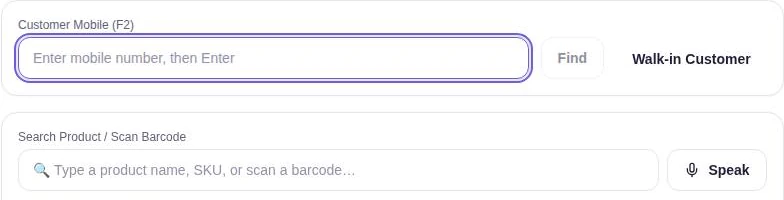
- BILL OSBilling and checkoutEvery step a cashier repeats has a key, so a sale can go from customer to receipt without touching the mouse, even with a queue at the counter.
Hardware and setup
What you will need.
A Windows computer, barcode scanner and receipt printer.
Guides
Useful reading.
- Guide · 7 min readHow to Manage Inventory for a Small Retail ShopA small shop does not need a warehouse system. It needs a clean item list, an opening count, a buying budget and a few short routines that everyone follows.
- Guide · 7 min readRetail Stock Management: A Practical Guide for Shop OwnersStock stays under control when the same few routines happen on the same days. Here is a working routine for receiving, shelves, transfers, returns, shrinkage, counts and reorders.
- Guide · 8 min readInventory Mistakes to Avoid: 10 Habits That Quietly Cost Shops MoneyMost stock problems come from a handful of everyday habits. Here are ten of them, what each one costs in rupees, and the fix that stops it.
- Guide · 7 min readThe Retail Reports That Matter: What to Check Daily, Weekly and MonthlySoftware can produce dozens of reports. A handful, read at the right time and turned into a decision, do most of the work of running a shop.
Tell us how your business runs.
Ask about BILL OS for your business: availability, pricing and a demo where available.