The short answer
Most inventory problems in a small shop come from a few everyday habits, not from bad luck. Goods shelved before they are recorded, one code shared by several sizes, returns taken back off the bill, counts done once a year and orders placed from memory each push the stock record a little further from the shelf. Fix the habits and the numbers start to agree again. Below are ten common ones, what each costs and how to stop it.
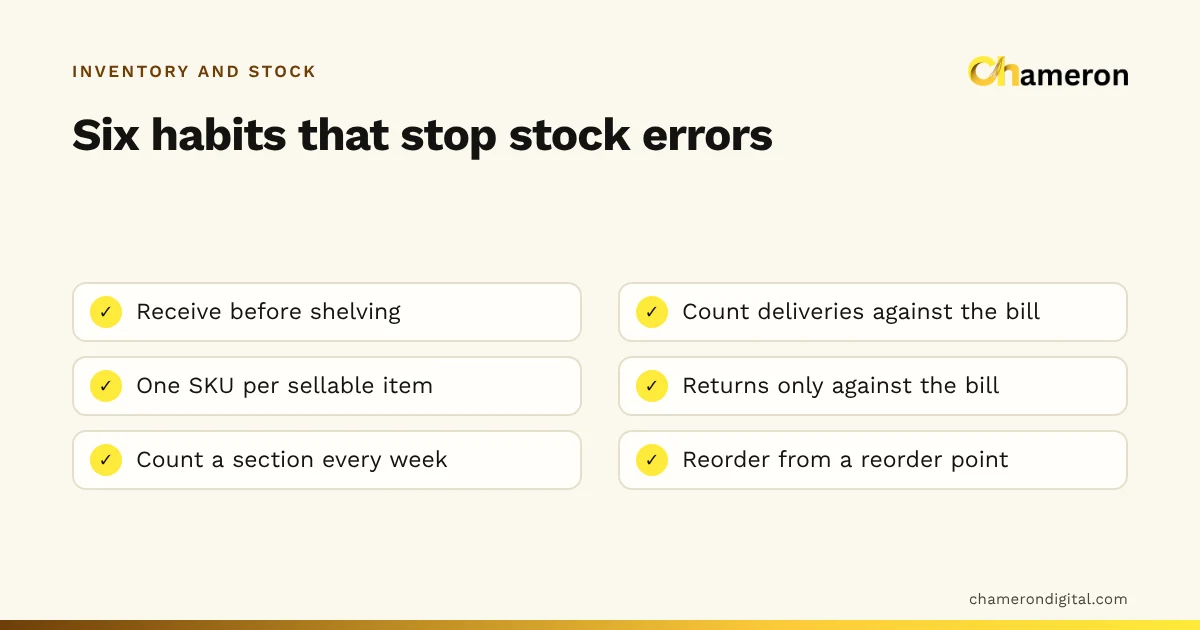
The ten mistakes at a glance
| # | Mistake | Usual symptom | Fix |
|---|---|---|---|
| 1 | Shelving stock before receiving it | Negative stock, double orders | Record first, shelve second |
| 2 | Accepting the supplier’s bill without counting | Shortages nobody can explain | Count every delivery against the bill |
| 3 | One code for several items | "We have 30" but not in your size | One SKU per sellable item |
| 4 | Returns and exchanges off the bill | Sizes and colours never match | Every return against the original bill |
| 5 | Damaged and expired stock left in stock | Stock on screen that cannot be sold | A damage box, cleared weekly |
| 6 | Valuing stock at selling price | Stock value looks bigger than it is | Value at cost |
| 7 | Counting once a year | Huge, untraceable differences | Count a section every week |
| 8 | Adjusting stock without a reason | Losses disappear into corrections | Every adjustment has a reason |
| 9 | Reordering from memory | Stockouts and overstock together | Reorder points from real sales |
| 10 | Ignoring dead stock | Cash and space tied up for months | Monthly review and early clearance |
Mistakes at receiving
1. Shelving stock before it is received
What it looks like: a delivery arrives during the rush, goes straight onto the shelf, and the bill is "entered later".
What it costs: say 48 units are shelved on Monday and entered on Saturday. By then 15 have sold, so the system shows minus 15 for most of the week, and the reorder list may still show the item as needed. Someone orders 48 more, and money is tied up in stock you already had.
Fix: nothing reaches the shelf until it has been received. If there is no time to receive it now, the carton waits in the back.
2. Accepting the supplier’s bill without counting
What it looks like: the delivery person is in a hurry, the cartons look right, and the bill is signed.
What it costs: a bill for 50 units when 46 arrived, at ₹220 each, means 4 × ₹220 = ₹880 paid for goods you never received. At the next count it shows up as "shrinkage" and someone on the staff may be wrongly blamed.
Fix: count every line against the bill before signing, check the prices, and raise any shortage in writing the same day.
Mistakes in the product list
3. One code for several items
What it looks like: a shirt in four sizes and three colours has one product and one code. The record says 30 in stock.
What it costs: the 30 might be mostly small and extra large, while the medium sizes customers ask for sold out weeks ago. You cannot reorder the right sizes, and at the count nobody can tell which variant is short.
Fix: one SKU per item you sell separately: each size, colour, flavour and pack size. Our guides to size and colour variants and SKU vs barcode show how to set this up.
Mistakes at the counter
4. Returns and exchanges handled off the bill
What it looks like: a customer swaps a medium for a large, and the cashier simply hands over the large.
What it costs: the records still show the large in stock and the medium sold. Repeat that a few times a week and size-level stock stops meaning anything.
Fix: take every return and exchange against the original bill, so one item comes in and the other goes out. Inspect returned goods; damaged ones go to the damage box, not the shelf.
5. Damaged and expired stock left in saleable stock
What it looks like: a cracked jar or a torn box is pushed to the back of the shelf, and expired packets sit behind fresh ones.
What it costs: if 3 damaged units a week, at ₹150 cost each, are never recorded, that is ₹450 a week, or ₹23,400 over 52 weeks, of stock that exists only on screen. Reorders are delayed because the system thinks it is still there.
Fix: keep one marked damage box. Clear it weekly: return to the supplier where you can, mark down what can be sold as seconds, write off the rest with a reason. Rotate stock so the oldest or earliest-expiring units sell first; see what is FIFO in inventory.
Mistakes in valuing and counting
6. Valuing stock at selling price
What it looks like: the stock value is worked out from MRP or shelf prices.
What it costs: 200 units costing ₹300 each with a ₹500 MRP are worth ₹60,000 at cost but look like ₹1,00,000 at MRP. The ₹40,000 difference is profit you have not earned yet, and a stock value built this way makes the business look healthier than it is.
Fix: value stock at what you paid, including freight. Our guide on how to calculate stock value explains the methods.
7. Counting once a year
What it looks like: one long count before the accounts close, with the shop shut and everyone tired.
What it costs: a year of errors arrives at once. A shortage found in March could have happened any time since April, so nobody can trace it.
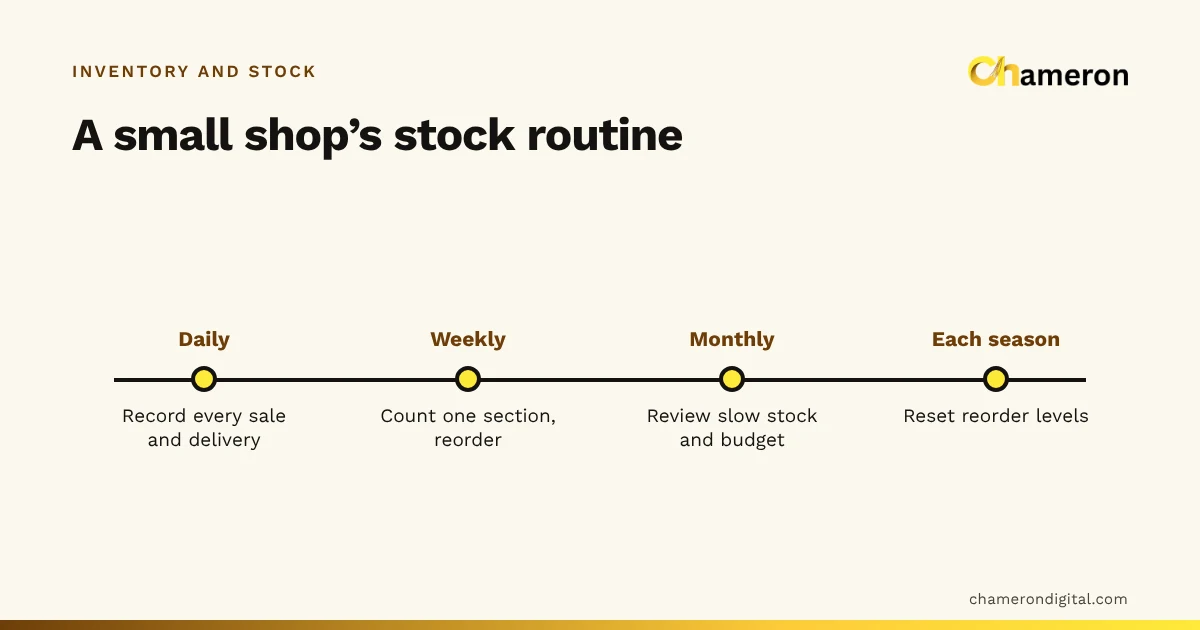
Fix: count one section every week, and your fastest and most valuable items every week or two. Stock counts and reconciliation shows the method; the free stock count sheet helps if you count on paper.
8. Adjusting stock without a reason
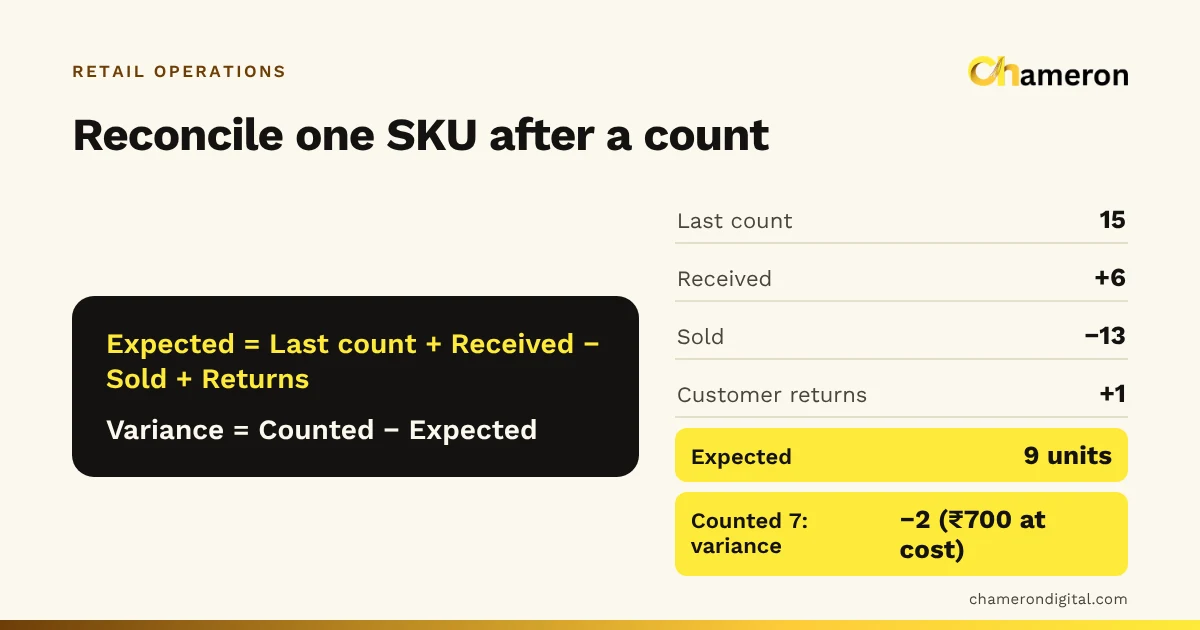
What it looks like: the count is 7 and the system says 10, so someone changes it to 7 and moves on.
What it costs: the records now match, but nobody knows whether the 3 units were stolen, damaged, sold as the wrong item or never delivered. The same loss can repeat every month, hidden inside corrections.
Fix: every adjustment gets a reason, such as damage, theft suspected, receiving error or wrong item billed, and someone other than the counter reviews the list each month. Software that asks for a reason before approving a count difference makes this a habit; in BILL OS this is part of the stock tally.
Mistakes in buying
9. Reordering from memory
What it looks like: the owner walks the shelves on a Monday and writes an order based on what looks low.
What it costs: popular items run out between walks, and slow items get reordered because they "always used to sell". If an item sells 5 a day at ₹40 profit each and is out of stock for 6 days, that is 5 × 6 × ₹40 = ₹1,200 of profit lost, if customers buy elsewhere.
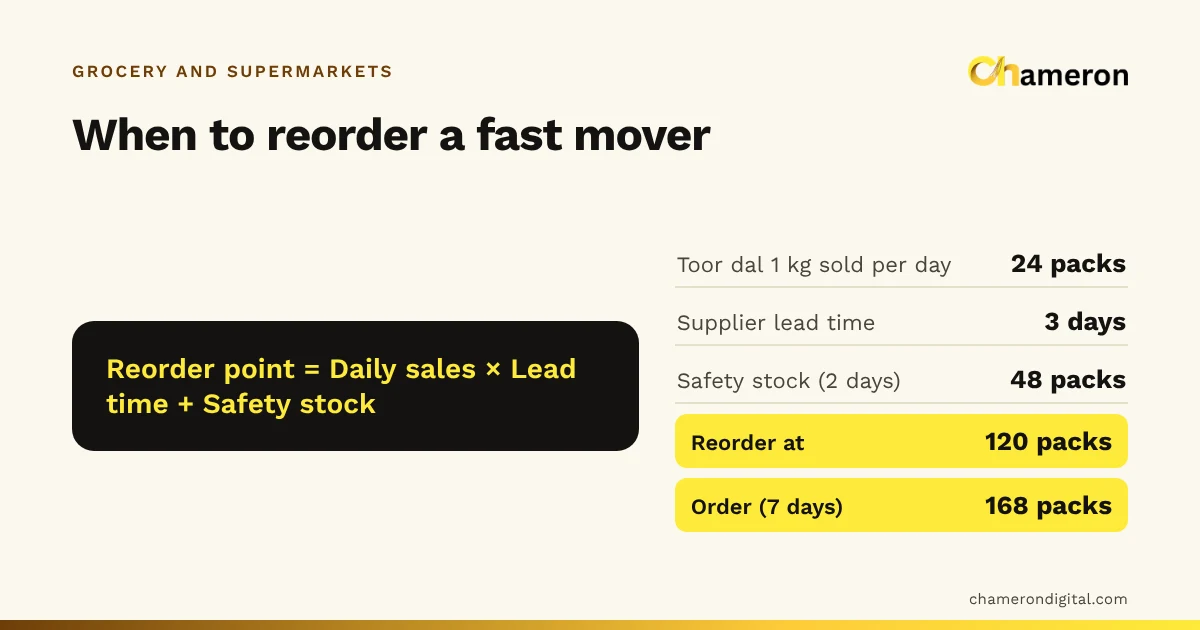
Fix: set a reorder point for each regular item: average daily sales × supplier lead time + safety stock. The reorder point calculator works it out, and preventing stockouts and overstocking covers the balance between the two.
10. Ignoring dead stock
What it looks like: last season’s jackets sit on the top shelf "until next winter".
What it costs: 60 jackets bought at ₹750 each are ₹45,000 of cash doing nothing, taking space that fast sellers could use, and looking older every month.
Fix: review items with no sales in, say, 90 days every month, and clear them early. Selling the 60 jackets at ₹900 instead of the ₹1,200 list price still brings in 60 × ₹900 = ₹54,000, more than their ₹45,000 cost, and frees the cash and the shelf. The discount calculator shows what a markdown does to your margin.
Where to start
Do not try to fix all ten in one month. A sensible order for most shops:
- Receiving (1 and 2). Right numbers in means fewer surprises everywhere else.
- Returns and damage (4 and 5). These are the most common sources of "unexplained" differences.
- Weekly counts with reasons (7 and 8). These show you which of the other mistakes is costing you most.
- Reorder points and dead stock (9 and 10). Once the numbers are trustworthy, buy from them.
Fix the codes (3) whenever you next add or relabel stock, and switch to valuing at cost (6) at the next stock valuation. To see how much faster stock moves once these habits settle, track your inventory turnover each quarter.
The bottom line
None of these mistakes is dramatic on its own, which is why they last. Together they make the stock record drift until nobody trusts it, and then every decision is made by eye. Pick the two that cost your shop most, fix them this month, and check the result at your next weekly count. For the routines that keep stock in order once the mistakes are fixed, see our retail stock management guide.
Questions people ask
Which inventory mistake should I fix first?
Usually receiving. If deliveries are recorded before shelving and counted against the bill, many other errors disappear, because the starting numbers are right. Returns handled against the bill are a close second.
How can I tell whether my stock records are wrong?
Pick twenty items at random, count them on the shelf, and compare with your records. If more than a few disagree, the records cannot be trusted for reordering yet, and a weekly section count will show where the errors come from.
Is negative stock in my software a problem?
Yes. Stock cannot really fall below zero, so a negative figure means something was sold that was never received in the system, or was billed as the wrong item. Find the missing receipt or the wrong item and correct it.
What is the difference between shrinkage and dead stock?
Shrinkage is stock you have lost without selling it, through theft, damage or errors. Dead stock is stock you still have but cannot sell at its normal price. See what is dead stock and what is shrinkage.
How often should stock adjustments be reviewed?
Look at the list of adjustments and their reasons every month. Repeated adjustments on the same items, the same reason or the same shift point to a process problem worth fixing.