The short answer
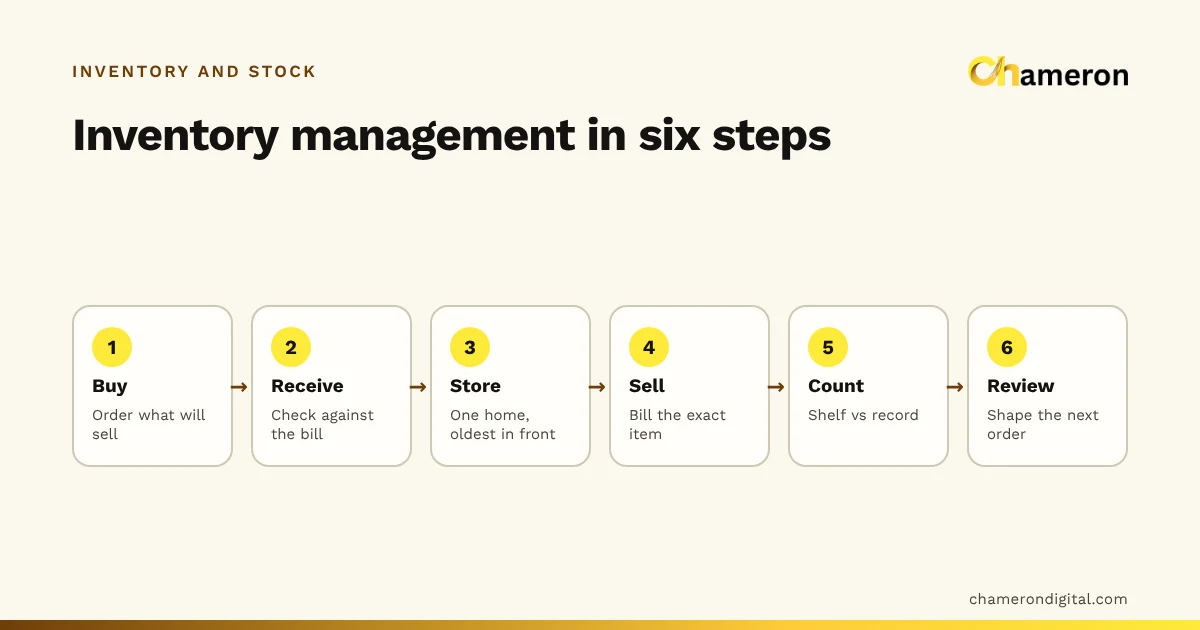
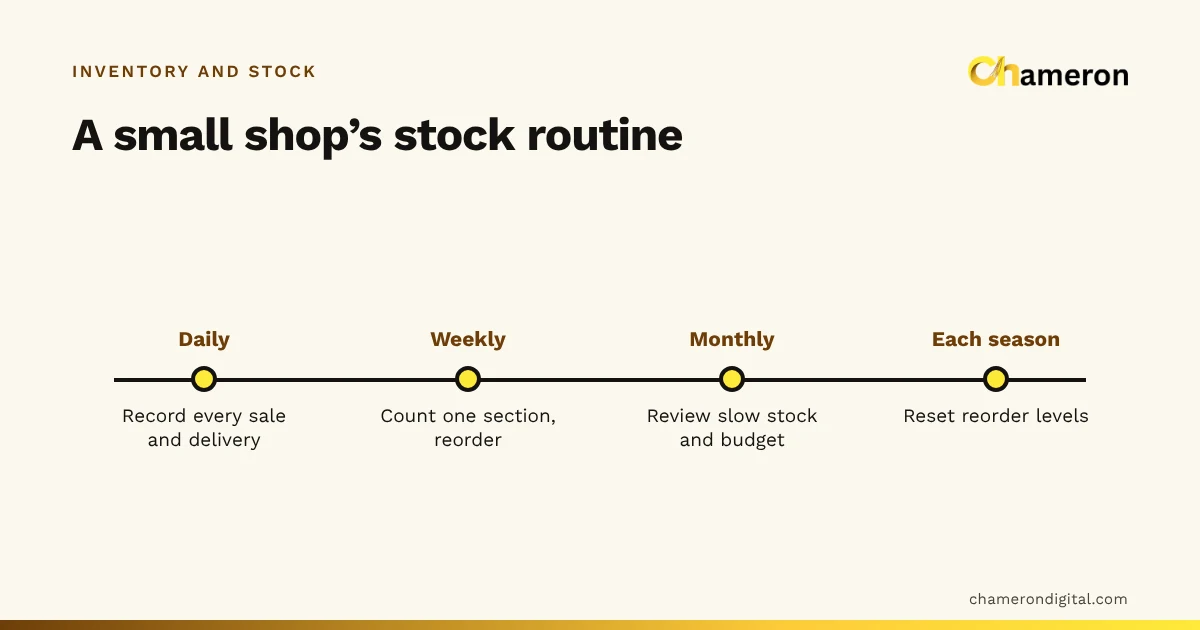
To manage inventory in a small retail shop, set things up properly once and then run a few short routines without fail. The setup is a clean item list, a code and a home for every item, and an opening count valued at cost. The routines are: record every sale and delivery daily, count one section weekly, review slow stock and purchases monthly, and reset reorder levels before each season. A simple monthly buying budget keeps the money side in check.
This guide is a practical plan for one shop with a few hundred to a couple of thousand items and a small team. For the concepts and methods behind it, see what inventory management is.
What a small shop actually needs
Large retailers run warehouses, buying teams and forecasting systems. A small shop needs much less:
- An item list with one entry per thing you sell
- A code and a label on every item
- One place where stock movements are recorded
- A count sheet and a weekly slot to use it
- A buying budget so purchases follow sales
Throughout this guide we use an example: a gift and stationery shop with about 700 items, the owner and two staff.
Week one: set it up
1. Clean the item list
Go through every product you stock. Merge duplicates, split items that are really several (a pen sold singly and in packs of ten is two items), and fix units so every item is counted the same way each time. Remove anything you no longer sell.
2. Code and label everything
Give every item a short, unique code; our SKU naming guide explains how to build codes that stay useful. Put a scannable label on every item or, for very small items, on the shelf edge. Codes are what connect the counter, the stockroom and the record.
3. Give every item one home
Decide where each item lives on the shop floor and in the stockroom, and arrange the stockroom in the same categories as the shop. Put older stock in front of newer stock. When an item lives in one known place, counting it takes seconds and nobody reorders something that was simply in the wrong box.
4. Take an opening count
Count everything, one section at a time, ideally with two people: one counts, one writes. Use a stock count sheet. Then value the count at cost price. In our example the opening stock comes to ₹4,30,000 at cost. This is your starting line: from now on, every movement is recorded against it.
5. Mark your top sellers
From your sales records or memory, list the 50 or so items that sell most or that customers expect you always to have. Set a reorder level for each using the reorder point calculator. The rest can be checked weekly by eye at first.
Set a monthly buying budget
The fastest way for a small shop to lose control of stock is to buy whatever suppliers offer. A buying budget ties purchases to what you expect to sell.
The gift shop plans ₹3,00,000 of sales (before GST) next month at an average margin of 35%, and wants to bring stock down slightly from ₹4,30,000 to ₹4,00,000.
| Step | Calculation | Amount |
|---|---|---|
| Cost of planned sales | ₹3,00,000 × 0.65 | ₹1,95,000 |
| Plus target closing stock | ₹4,00,000 | |
| Minus opening stock | ₹4,30,000 | |
| Purchase budget | ₹1,95,000 + ₹4,00,000 − ₹4,30,000 | ₹1,65,000 |
So the shop can spend about ₹1,65,000 on purchases this month. Fast sellers get first call on that money; new lines and supplier "schemes" come out of whatever is left. If you are unsure of your average margin, the margin and markup guide explains how to work it out correctly.
The routines: daily, weekly, monthly
Setup gets the record right once. Routines keep it right.
| Rhythm | Task | Who |
|---|---|---|
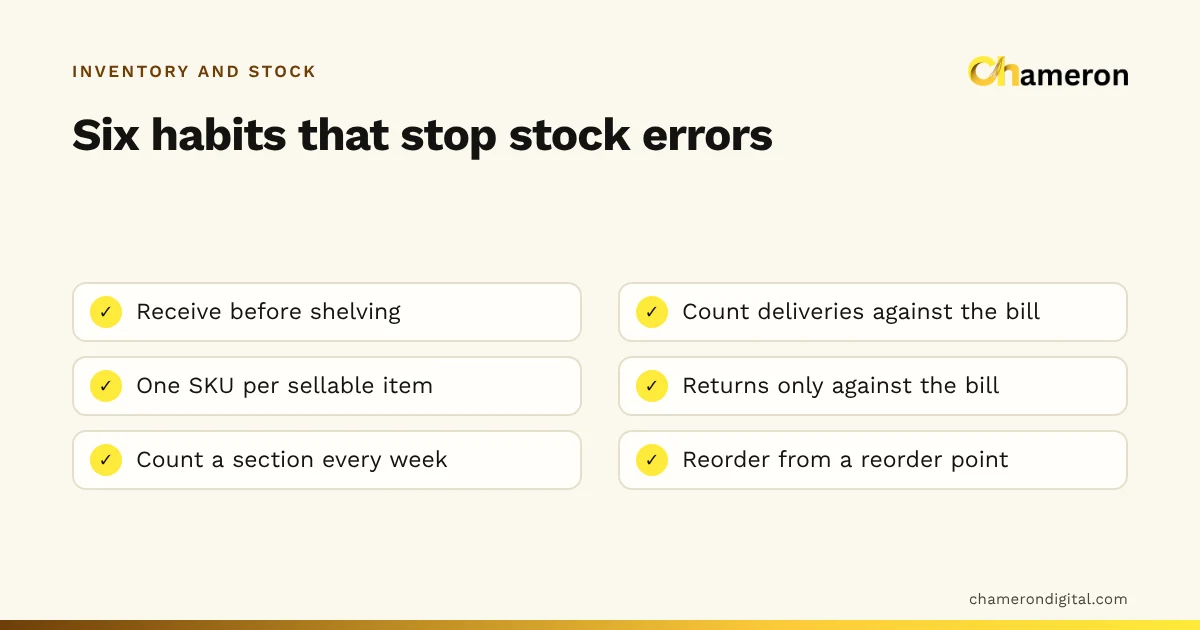
| Daily | Bill every sale against the exact item; take returns against the original bill | Counter staff |
| Daily | Check each delivery against the supplier's bill, set aside damaged units, record it, label it | Receiving staff |
| Daily | Log damage, expiry and items taken for display or own use, with a reason | Whoever finds it |
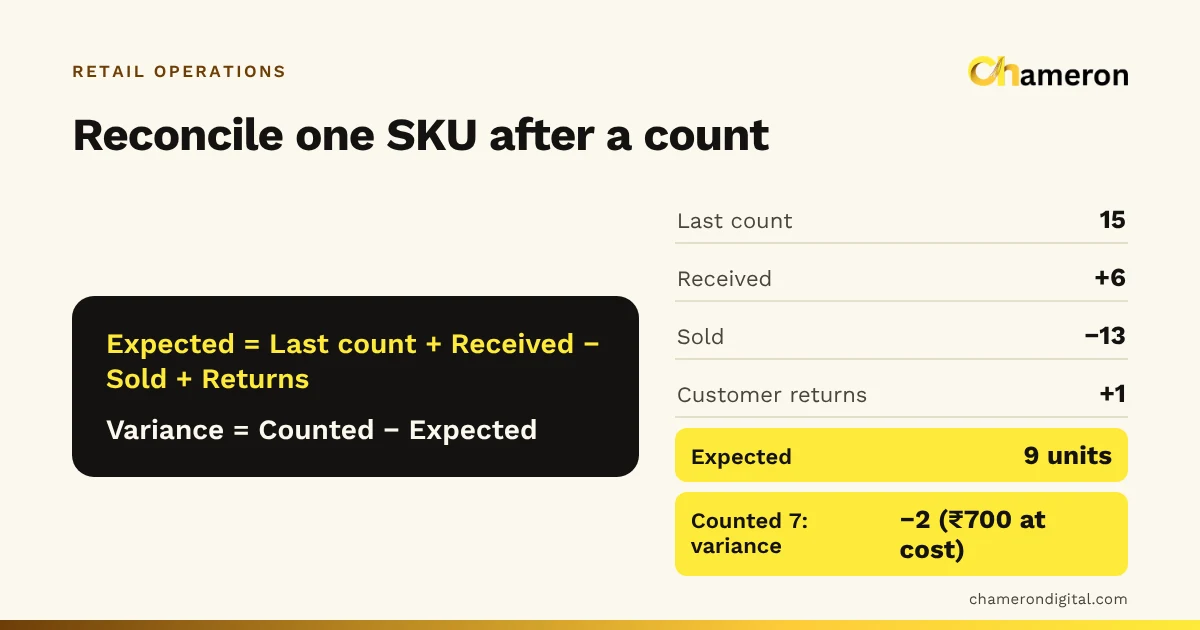
| Weekly | Count one section without looking at the record first, then compare | Staff member not responsible for that section |
| Weekly | Order items at or below their reorder level | Owner |
| Monthly | Review items with no sale in 90 days and decide what to do with each | Owner |
| Monthly | Compare purchases with the buying budget, and check stock value and turnover | Owner |
| Before each season | Reset reorder levels for seasonal items, plan festival buying | Owner |
Rotate the weekly count so the whole shop is covered every six to eight weeks, with high-value items counted every week. The inventory turnover calculator turns the monthly stock value and sales figures into a single number you can track over time.
Who does what
In a small shop everyone does a bit of everything, but a few separations prevent most problems:
- The person who receives stock should not approve count adjustments. Otherwise a short delivery can be "fixed" at the next count without anyone noticing.
- Only the owner (or one trusted manager) adjusts the record, and always with a written reason: damaged, expired, billing error, unexplained.
- Counts are done by someone other than the person responsible for that section. It is not about distrust; fresh eyes find mistakes.
Write these rules on one page and put it in the stockroom. When a new person joins, it takes five minutes to explain.
Dealing with slow and dead stock
Every month, list items with no sale in 90 days. In the gift shop, suppose 40 items worth ₹38,000 at cost turn up. For each, choose one action:
- Return it if the supplier accepts returns. Do this first, before the window closes.
- Move it to a better position, near the counter or at eye level.
- Bundle it with a fast seller, such as a slow-moving gift box with a popular pen set.
- Mark it down. Work out the discount with the discount calculator; recovering cost is often better than holding the item for another year.
- Write it off if it is damaged or truly unsaleable, and stop buying it.
Then look at why it happened: a supplier scheme, a guess about a trend, or an order quantity that was too large. Our page on dead stock explains how to spot it early.
When to move from a register to software
A register or spreadsheet can run a small shop for years. These are signs it is time to change:
- More than one person bills at once, and entries go missing
- You stock sizes, colours or batches with expiry dates
- Weekly counts keep finding differences you cannot explain
- Working out the low-stock list takes longer than placing the orders
Billing software with built-in stock removes the double entry: the bill updates stock, the receiving screen adds it, and the count compares against both. BILL OS, for instance, receives stock against the supplier's bill with damaged units set aside, runs a stock tally where you count and then approve the differences, and reports dead stock and a reorder list. Our comparison of manual inventory and inventory software helps you decide when the switch is worth it.
Common mistakes
- Skipping the opening count. Without a true starting point, every later number is a guess.
- Buying without a budget. Supplier offers fill the stockroom while fast sellers run out.
- Letting anyone adjust stock. Unexplained corrections hide losses instead of finding them.
- Reviewing slow stock once a year. By then return windows have closed and the item is out of fashion.
- Keeping the same reorder levels all year. School-reopening and festival months are different shops.
For a longer list, see inventory mistakes to avoid.
The bottom line
Managing inventory in a small shop is mostly about consistency. Spend a week setting up a clean item list, labels, a home for every item and an opening count. Then keep a monthly buying budget and follow the same daily, weekly and monthly routines, with clear rules on who can change the record. Do that for three months and the numbers on paper, or on screen, will start to match the shelf.
Questions people ask
How often should a small shop count stock?
Count one section each week so the whole shop is covered every six to eight weeks, and count high-value or fast-moving items more often. What matters most is investigating every difference, not the calendar. Our stock count and reconciliation guide gives the method.
How much stock should a small shop keep?
Enough to cover sales until the next delivery plus a buffer for your fast sellers, and as little as possible of everything else. There is no fixed figure; see how much stock a shop should keep for a way to work it out.
Should I value my stock at cost or at selling price?
At cost, before any GST you can claim back. That shows how much of your money is actually sitting on the shelves. Your accountant will advise on the valuation method for your books.
My records are a mess. Where do I start?
Draw a line. Take a fresh opening count, section by section, enter it as your starting stock, and from that day record every movement. Trying to repair months of old records is rarely worth the effort.
Do I need software to manage inventory in a small shop?
Not always. A shop with a small, stable range and one person handling stock can manage with a register or spreadsheet. Software becomes worth it when several people bill, items have sizes and colours, or counts never match the book.