The short answer
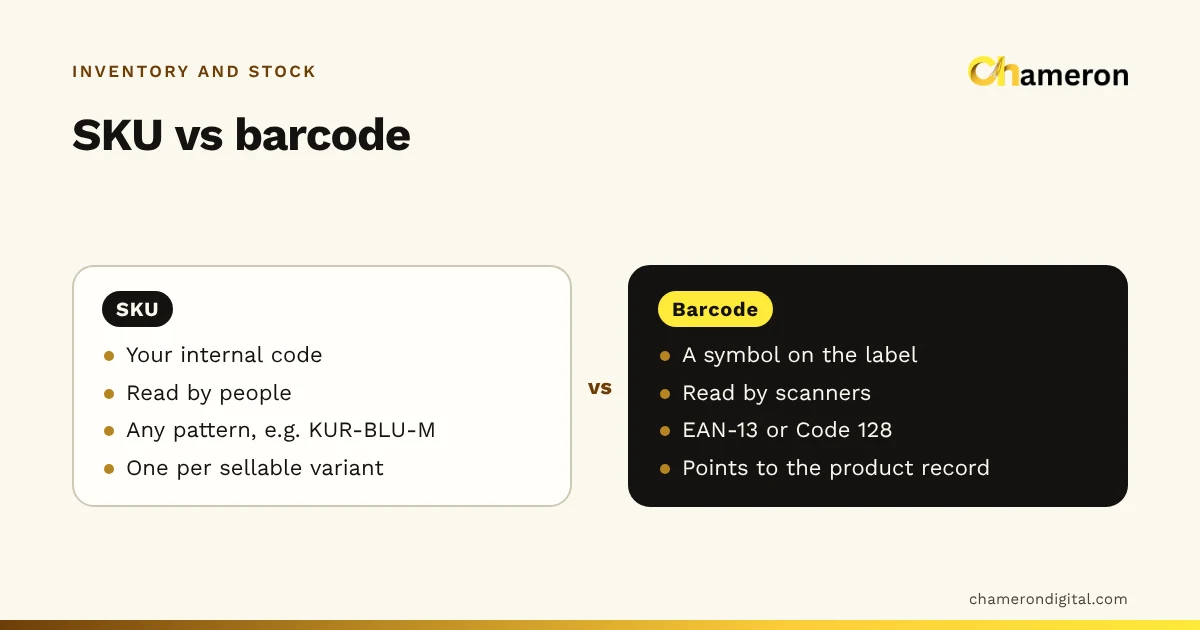
A SKU is the code your shop gives an item; a barcode is a scannable symbol printed on its label. You design the SKU, and people can read it (KUR-BLU-M for a blue kurta in medium). The barcode holds a number that a scanner reads in a fraction of a second. In a well-run catalogue every item you sell separately has one SKU and at least one barcode, and the software links them so that a scan always finds the right item.
What is a SKU?
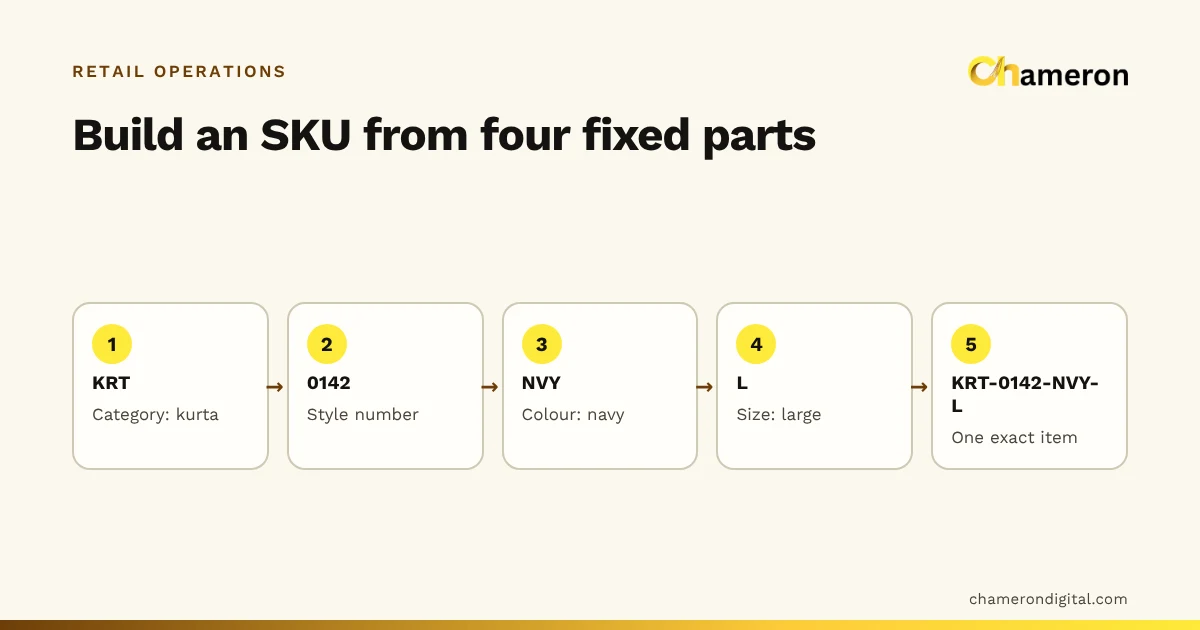
A stock keeping unit (SKU) is an internal identifier for a product, or for one sellable version of it. You decide its structure. A clothing shop might use style, colour and size; a hardware shop might use category, brand and size.
What matters is that each SKU is:
- Unique. One SKU, one item you sell separately.
- Stable. It does not change when the price or supplier changes.
- Readable. Staff can tell roughly what it is without looking it up.
SKUs are what you use in reports, reorder lists and conversations: "we are down to two KUR-BLU-M". The SKU naming guide goes into patterns in detail.
What is a barcode?
A barcode is a pattern of bars, or squares, that a scanner turns back into a number or short text. The common types in shops:
| Type | Holds | Typically used for |
|---|---|---|
| EAN-13 | 13 digits | Packed, branded goods; also in-store codes |
| Code 128 | Letters and digits | In-store labels, often holding the SKU itself |
| QR code | Much more data | Links, payments and documents, less often for items |
A barcode carries no price and no stock. It is only a key. When it is scanned, the software looks up the product record to find the name, price, GST and stock. That lookup is explained step by step in how barcode billing works.
SKU vs barcode at a glance
| SKU | Barcode | |
|---|---|---|
| What it is | Your internal code for an item | A machine-readable symbol on the label |
| Who creates it | You, or your software | The manufacturer, or you for in-store codes |
| Who reads it | People and reports | Scanners |
| Format | Any pattern you choose | Fixed formats such as EAN-13 or Code 128 |
| Unique within | Your business | Registered codes are unique to a product; in-store codes only inside your shop |
| How many per item | Normally one | Usually one, sometimes more (old and new packs) |
| When it changes | Ideally never | When the manufacturer changes the product or pack |
How they work together: one product record
Both codes point to the same product record. An invented example:
| Field | Example |
|---|---|
| Product name | Cotton kurta, blue, medium |
| SKU | KUR-BLU-M |
| Barcode | 2000000012346 (in-store EAN-13) |
| Cost price | ₹420 |
| Selling price | ₹799 |
| GST rate | As applies to the item; confirm with your accountant |
| Stock | 14 |
The scanner reads 2000000012346, the software finds this record, and the bill shows "Cotton kurta, blue, medium" at ₹799. The staff member restocking it thinks of it as KUR-BLU-M. Both are right; they are two doors into the same room.
Should the barcode simply be the SKU?
There are two common set-ups:
| Set-up | Advantages | Drawbacks |
|---|---|---|
| Barcode holds the SKU (Code 128) | One code to manage; the label shows the same text staff use | Long SKUs make wide barcodes; changing a SKU means relabelling |
| Barcode is a separate number (EAN-13) | Works alongside manufacturers’ codes; compact and standard | Two codes per item to keep linked |
Shops that sell branded packed goods already have both, because the manufacturer’s EAN-13 is separate from any SKU. Decide which value your software expects before printing thousands of labels.
Variants: where most catalogues go wrong
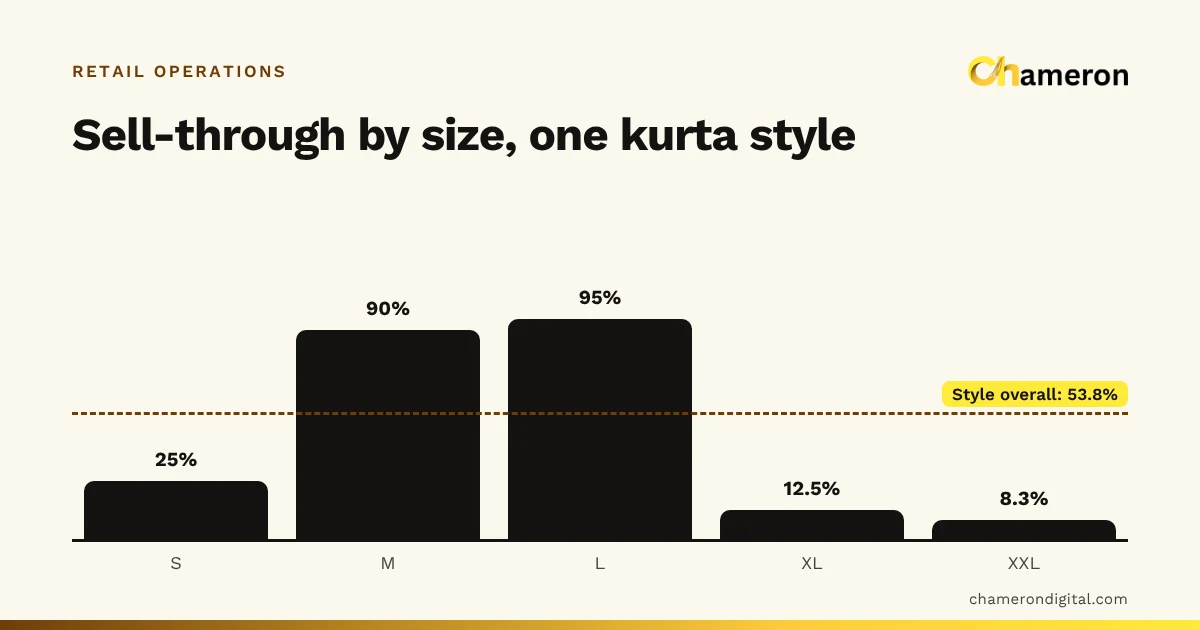
A shirt in 4 sizes and 3 colours is 4 × 3 = 12 sellable items. Each needs its own SKU, its own barcode and its own stock quantity:
| Variant | SKU | Stock |
|---|---|---|
| White, M | SHR-WHT-M | 6 |
| White, L | SHR-WHT-L | 0 |
| Blue, M | SHR-BLU-M | 4 |
If the shop records the shirt as one item, the total ("Shirt: 36") hides that large white is sold out, and the reorder goes wrong. Skip combinations you do not stock rather than creating empty records. The guide to size and colour variants and the glossary entry on variants cover this in depth.
Choose a SKU format you can sustain
- Use short, fixed parts in a fixed order: category, style, colour, size.
- Avoid characters that are easy to confuse, such as O and 0, or I and 1.
- Leave out price, supplier and season, which change.
- Never reuse a retired SKU for a different item; old bills and reports still refer to it.
- Write the pattern down so new staff follow it. The SKU planning worksheet is a good place to start.
Labels and printers
Decide the label size and what must fit on it, whether labels will face heat, moisture or handling, and then choose the printer and label stock to suit. Check print darkness, barcode size and the blank space either side of the bars on the real label.
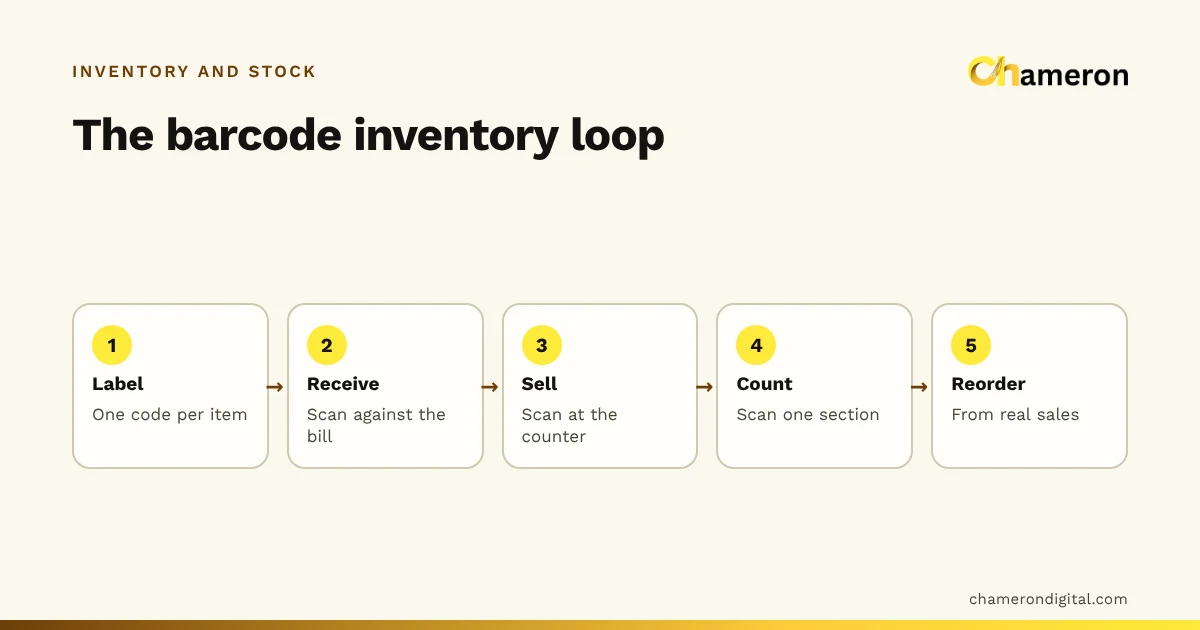
Print a small test batch, stick labels on curved and small products, and scan every one before ordering stock in bulk. For the day-to-day side of labels, scanners, receiving and counts, see barcode inventory management.
Test the scanner-to-sale workflow
Before going live, run these checks:
- Scan a known label and confirm the right product, size and colour appear.
- Scan every variant of one style and confirm each finds its own record.
- Complete a test sale and confirm only that variant’s stock falls.
- Do a test return and exchange and check how stock moves.
- Scan a damaged or unknown code and confirm the software gives a clear message.
Common mistakes
- Treating the barcode as the product record. The price and stock live in the software, not in the bars.
- One code for every size. The counter cannot tell variants apart, so size-level stock is lost.
- Reusing a retired SKU. Old bills suddenly point at a different product.
- Inventing numbers that look like manufacturers’ codes. GS1 sets aside numbers starting 20 to 29 for use inside a business, which is why in-store codes usually start with 2. Let your software generate them.
- Covering a manufacturer’s barcode with your own label without linking the two, so packs from the next delivery do not scan.
Roll out in a controlled way
- Start with one category or one section of the shop.
- Merge duplicate products and set up variants.
- Give every item a SKU, keep existing barcodes and generate the missing ones.
- Print and stick labels, then train staff on scanning and on what to do when a scan fails.
- Count the section and compare it with the system.
- Extend to the next section once the first one stays accurate.
SKUs and barcodes in software
Good software takes most of the typing out of this. In BILL OS, a new product gets a SKU automatically (variants follow a STYLE-COLOUR-SIZE pattern), you can keep manufacturers’ barcodes or generate in-store EAN-13 codes, and one step fills in missing SKUs and barcodes across the catalogue; see SKUs, barcodes and labels.
The bottom line
SKUs and barcodes do different jobs. The SKU is your language for an item; the barcode is the scanner’s. Give every sellable variant one of each, keep them linked in a single product record, test labels before printing in bulk, and the counter, the stockroom and the reports will all be talking about the same item.
Questions people ask
Can two different products share the same barcode?
They should not. If two products share a code, the scanner cannot tell which one was sold, and stock goes wrong for both. Fix the duplicate by giving one of them a new code and relabelling it.
Can one product have more than one barcode?
It happens, for example when a manufacturer changes the packaging and old and new packs are on the shelf together. Whether the software can link two codes to one product varies, so check before the new packs arrive.
Is a SKU the same as an HSN code?
No. An HSN code classifies goods for GST and is shared by many different products. A SKU identifies one specific item in your shop and is unique to it.
Do I need barcodes if I already have SKUs?
Not strictly; staff can type or search for a SKU. But scanning is faster and avoids picking the wrong size or colour, so most shops with more than a small range add barcodes once their SKUs are clean.
Should the SKU include the price or the supplier?
No. Prices and suppliers change, and a SKU should not. Keep those details in the product record and use the SKU only for lasting attributes such as category, style, colour and size.