The short answer
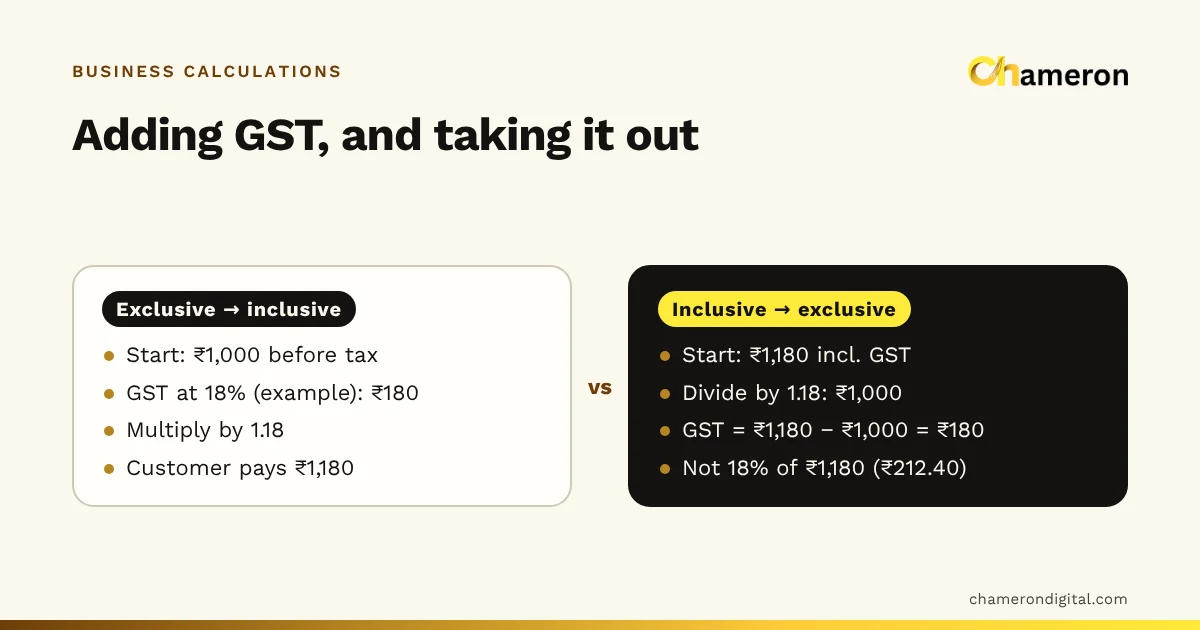
A GST-exclusive price is the price before tax; a GST-inclusive price already contains the tax. To go from exclusive to inclusive, multiply by (1 + rate ÷ 100). To go from inclusive back to exclusive, divide by the same figure. At an example rate of 18%, ₹1,000 exclusive becomes ₹1,180 inclusive, and ₹1,180 inclusive contains a taxable value of ₹1,000 and ₹180 of GST. Taking 18% of ₹1,180 instead gives the wrong answer.
Inclusive and exclusive: what each price means
A GST-exclusive price is the taxable value: the tax is added on top when the bill is made. A GST-inclusive price already contains the tax: the customer pays exactly that amount, and the bill splits it into taxable value and tax.
| GST-exclusive | GST-inclusive | |
|---|---|---|
| What the number is | Price before tax | Final price the customer pays |
| Commonly used for | Quotations and price lists for business buyers, purchase rates from suppliers | Shelf prices, menus, counter sales to consumers |
| On the bill | Taxable value, then GST added | Total, broken down into taxable value and GST |
| To find the other | Multiply by (1 + rate ÷ 100) | Divide by (1 + rate ÷ 100) |
Neither is right or wrong. The trouble starts when a number is quoted without saying which it is. A supplier's "₹500" and your "₹500" may differ by the whole tax amount, so always write "+ GST" or "incl. GST" next to a price.
Adding GST to an exclusive price
Taking GST out of an inclusive price
Because the tax was added on top of the taxable value, you cannot simply take a percentage off the inclusive price. You have to divide.
A common mistake is to take 18% of the inclusive price: ₹1,180 × 18% is ₹212.40, which overstates the tax by ₹32.40 and understates your taxable sales by the same amount.
The same method works at any rate. This table shows the divisor and the share of an inclusive price that is tax, at some illustrative rates. They are not a statement of the rate for any item; GST rate slabs have been revised over time.
| Example rate | Divide inclusive price by | Tax as a share of the inclusive price |
|---|---|---|
| 5% | 1.05 | 4.76% |
| 12% | 1.12 | 10.71% |
| 18% | 1.18 | 15.25% |
| 28% | 1.28 | 21.88% |
For a single quick answer, see the short page on calculating GST from an inclusive price.
CGST and SGST, or IGST
For a sale within your state, the GST is shown as two equal parts: central GST (CGST) and state GST (SGST, or UTGST in a union territory). For a sale to another state, it is shown as integrated GST (IGST). The total tax is the same; the split depends on the place of supply.
The glossary entry on IGST, CGST and SGST explains the terms. Which one applies to a particular sale is a question about place of supply rules, so confirm unusual cases, such as deliveries across a state border, with your accountant.
Which rate applies
Rates depend on the goods or services and are set by the GST Council; they change from time to time. Check the rate for each item against the official sources, and with your accountant, rather than relying on old price lists. Keep the rate stored against each product in your billing records, so that a change is made once and every later bill uses it.
Setting shelf prices that end neatly
Shops like round inclusive prices such as ₹499 or ₹1,250. Work forwards from the taxable price you need, round the inclusive price, then work backwards to see what you actually earn.
Rounding up by 25 paise adds 24 paise to your taxable value. Rounding down instead (say to ₹495) would cut it to ₹471.43. Small differences, but they add up across a catalogue, so check your margin on the taxable value after rounding.
Discounts on inclusive prices
When a discount is given on the bill at the time of sale, the GST is worked out on the discounted amount. With inclusive prices, apply the discount to the inclusive price and then take the tax out of what the customer actually pays.
Both the taxable value and the tax fall by 10%. The discount comes entirely out of your profit, though, not out of the tax. The discount calculator shows how much profit a discount costs on a single item. Discounts agreed after the sale, such as year-end schemes with trade buyers, can follow different rules; ask your accountant.
Rounding: per line or per bill
Tax is rarely a whole number of paise, so it must be rounded somewhere. Three items at ₹99 each, inclusive of an example 5% rate, show the effect:
| Method | Taxable value | GST | Total |
|---|---|---|---|
| Per line: ₹99 ÷ 1.05 = ₹94.29 each, GST ₹4.71 each | ₹282.87 | ₹14.13 | ₹297.00 |
| Per bill: ₹297 ÷ 1.05 | ₹282.86 | ₹14.14 | ₹297.00 |
The customer pays the same, but the tax differs by one paisa. Neither method is wrong in itself; what matters is using one method consistently, so your bills, reports and returns agree. Agree the method with your accountant and set your billing software to match.
Margins: always work without GST
GST you collect on sales belongs to the government, and GST you pay on purchases is generally claimed back as input tax credit by a registered business. So neither belongs in your profit or margin.
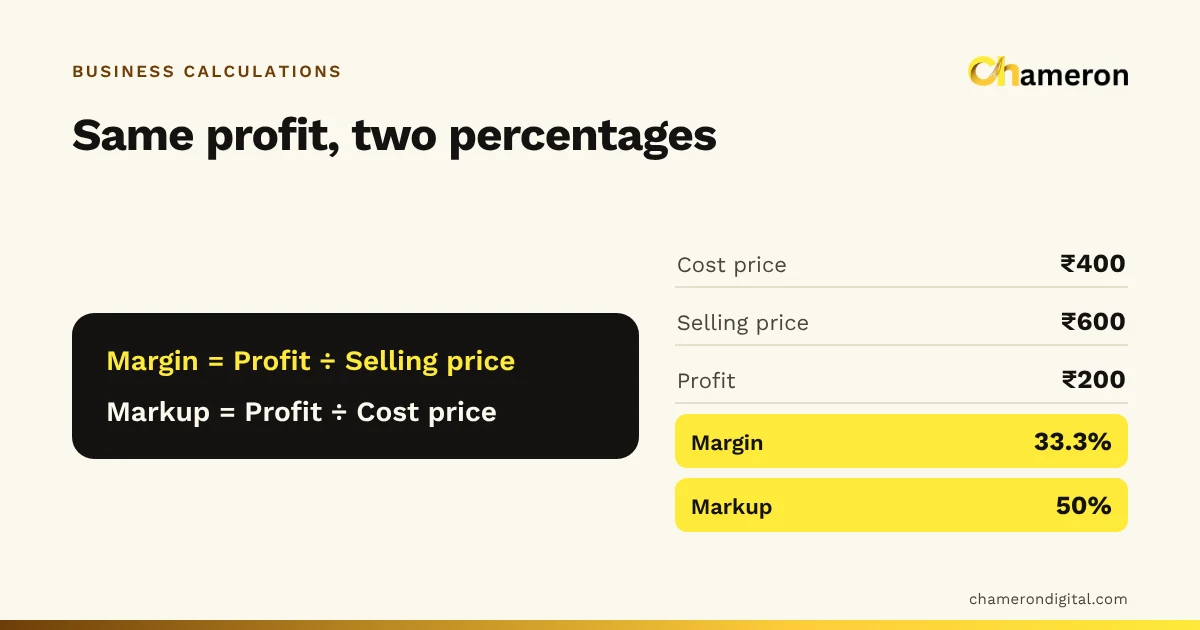
The wrong method overstates the margin by more than ten percentage points, and the error changes whenever the rate changes. Our guide to profit margin vs markup covers the margin formulas, and the margin calculator works on prices without GST.
Common mistakes
- Taking the rate as a percentage of an inclusive price. Divide by (1 + rate ÷ 100) instead.
- Adding GST to a price that already includes it. It happens when a supplier's inclusive price list is mistaken for an exclusive one. Always label prices.
- Using an outdated rate. Rates are revised from time to time. Check the current rate for each item.
- Calculating margin on GST-inclusive prices. Margins look higher than they are and shift with every rate change.
- Switching rounding methods. Small paise differences pile up into mismatches between bills, reports and returns.
- Showing a business buyer only an inclusive total. Business buyers need the taxable value, the tax and your GSTIN on the bill to claim their input credit. Our guide to common billing mistakes covers other bill details that matter.
How billing software handles it
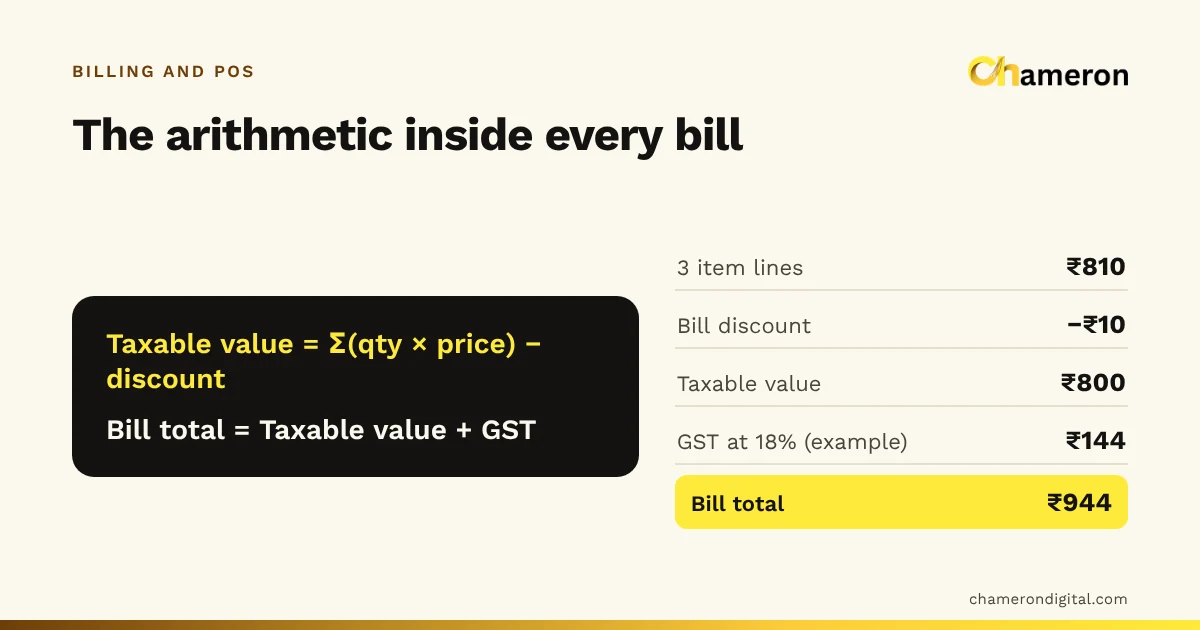
Billing software stores the rate against each product, works out the taxable value and tax on every line, and splits the tax into CGST and SGST or IGST, so the counter never does this by hand. In BILL OS, GST is optional per business; when it is on, bills carry GST with place of supply, including IGST for another state, and returns are handled with GST credit notes. Its GST features also prepare a GSTR-1 export for your accountant to check. It does not offer live e-invoicing or e-way bills for production use.
Try it
Inclusive and exclusive prices are two views of the same sale. Multiply to add GST, divide to remove it, split it by place of supply, and keep margins and discounts on the taxable value. Our free GST calculator adds or removes GST and shows the split. It runs in your browser and is arithmetic, not tax advice: for rates, registration and what your bills must show, check the official GST portal or ask your accountant.
Questions people ask
Why does my software show a few paise difference?
Rounding. Tax can be rounded per line or per bill. Choose one method, use it consistently, and check it with your accountant.
Should retail shelf prices be GST-inclusive?
For consumers, showing the final price they pay avoids confusion at the counter, and prices printed on packaged goods are generally inclusive of taxes. Your bill should still show the taxable value and tax separately where the rules require it; ask your accountant what your bills must show.
Is GST charged on the price before or after a discount?
A discount shown on the bill at the time of sale normally reduces the taxable value, so GST is worked out on the discounted amount. Other kinds of discounts, such as those agreed later, can be treated differently, so check with your accountant.
Do I add GST if my business is not registered for GST?
A business that is not registered cannot collect GST on its bills, and some registered businesses, such as those under the composition scheme, have different rules. If you are unsure which applies to you, ask your accountant before setting prices.
Which GST rate should I use for my products?
The rate depends on the goods or services, identified by their HSN or SAC code, and rates are revised from time to time. Check the current rate on the official GST portal or with your accountant; the rates in this guide are examples for the arithmetic only.