The short answer
For a small shop that writes a few simple bills a day, a bill book is often good enough. Once you bill dozens of customers a day, give credit, track stock or need tidy records for GST, billing software usually saves more than it costs, because it does the arithmetic, updates stock and dues as you sell and closes the day in minutes. The choice depends less on writing the bill than on everything that happens after it.
What each method actually involves
It helps to follow one sale from start to finish in each system.
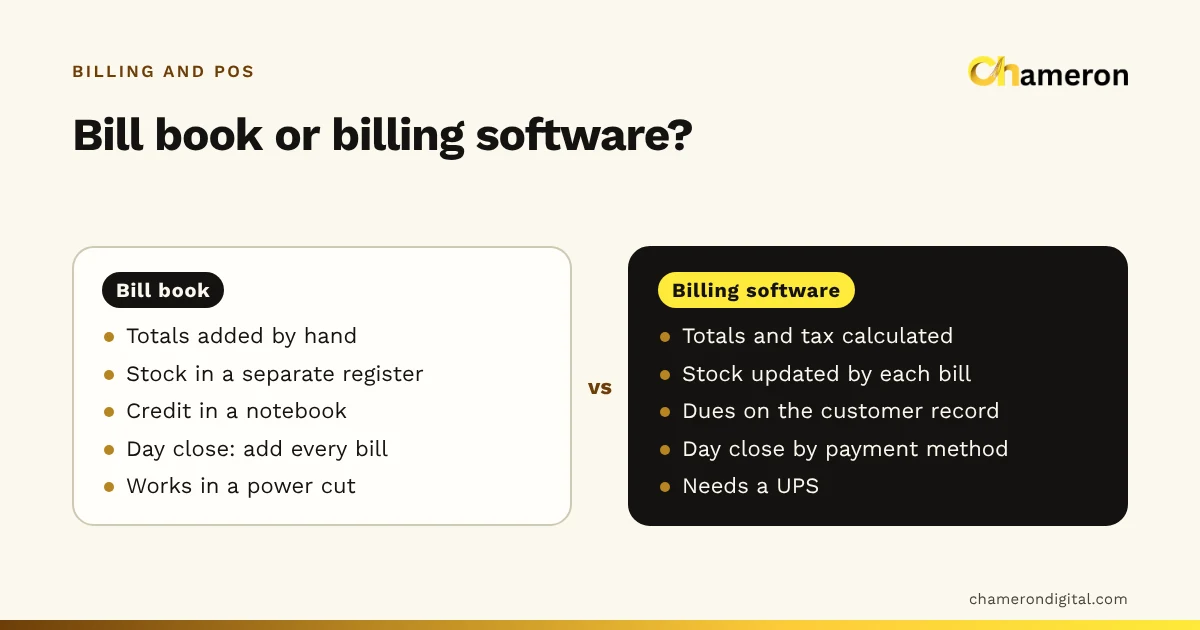
With a bill book, the cashier writes each item and price, multiplies and adds, works out any discount and tax, writes the total and hands over the carbon copy. If the customer pays later, the amount goes into a separate credit notebook. At closing, someone adds every bill in the book, separates cash from UPI by memory or by checking the phone, and compares the total with the drawer. Stock is checked by walking to the shelf.
With billing software, the cashier scans or searches each item. Price, discount and tax come from the product list, the total is calculated and the receipt prints. Payment is recorded as cash, UPI, card or a split. Stock reduces as the bill completes, and an unpaid amount lands on the customer's account. At closing, the software shows what was taken by each payment method, and the cashier counts the drawer against it.
The writing step takes about as long either way for a two-item bill. The difference shows up in the totals, the day close, the stock and the dues.
Side by side
| Bill book | Billing software | |
|---|---|---|
| Upfront cost | A few rupees per book | Software plus a computer, printer and scanner |
| Setup | None | Entering products, prices and staff logins |
| Speed for a long bill | Slows with every item | Scanning keeps it quick |
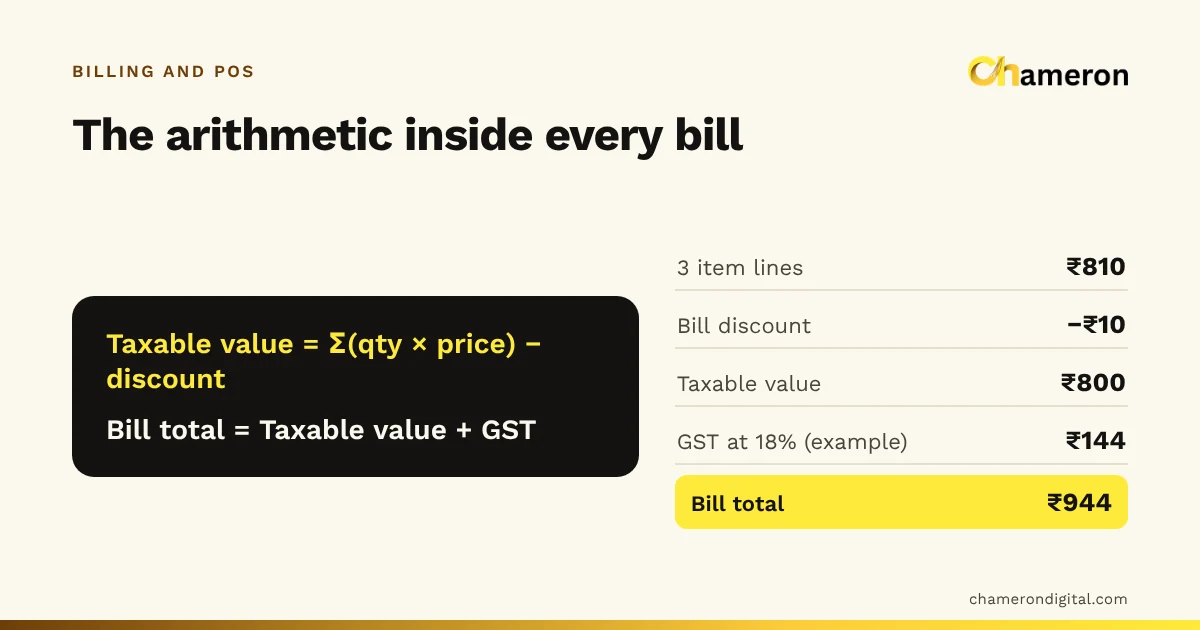
| Arithmetic, discounts, tax | By hand, so mistakes happen | Calculated the same way every time |
| Stock | Separate register, or none | Updated by each sale and delivery |
| Customer credit | A notebook | On the customer's record |
| Day close | Add up every bill | Totals by payment method, ready to count against |
| Finding an old bill | Search through old books | Search by number, customer or date |
| Records for your accountant | Photocopies or retyping | Report files, such as Excel or CSV |
| Power cut | Unaffected | Needs a UPS or inverter |
| Control over staff | Trust and checking | Logins, permissions and an audit trail |
Where manual billing still wins
It would be dishonest to pretend software is always the answer. A bill book is the better choice when:
- Volume is low. A shop writing a handful of bills a day spends little time adding them up, so there is not much for software to save.
- Items are few and prices rarely change. A repair counter or a small service business may not need stock tracking at all.
- There is no reliable power and no budget for backup power.
- The owner bills every sale personally and knows every customer, so control and credit tracking add little.
Even then, it is worth writing bills carefully, numbering them in order and keeping the books safe. Our list of common billing mistakes applies to bill books too.
The hidden cost of manual billing
A bill book looks free because its costs are paid in time and small errors, which nobody writes down. Here is a worked example for an invented general store that writes 70 bills a day for 26 days a month, which is 1,820 bills a month.
| Task each month | Bill book | Software | Hours saved |
|---|---|---|---|
| Adding bills and closing the day (40 min vs 10 min a day) | 17.3 h | 4.3 h | 13 |
| Checking stock before ordering (3 h vs 1 h a week, 4 weeks) | 12 h | 4 h | 8 |
| Working out and following up customer dues | 4 h | 1 h | 3 |
| Preparing figures for the accountant | 5 h | 1 h | 4 |
| Total | 28 |
If the owner values an hour of their own or a staff member's time at ₹150, 28 hours is worth ₹4,200 a month.
Then there are arithmetic slips. Suppose 1 bill in 100 is under-charged by an average of ₹30. That is about 18 bills a month (1,820 ÷ 100, rounded down), or ₹540 lost.
Against that, the shop pays for software and hardware. Suppose a receipt printer, a barcode scanner and a UPS cost ₹12,600 together and are expected to last three years: ₹12,600 ÷ 36 = ₹350 a month. Add a software charge of, say, ₹1,000 a month. Your real figure will come from the quotes you get.
Now run the same sum for a shop writing 8 bills a day. Adding up takes ten minutes, stock is checked at a glance, and there may be no credit customers at all. The time saved could easily be worth less than the software and hardware, and the bill book wins. The ROI calculator lets you test your own figures, and how to measure business ROI explains the method.
A quick way to decide
| Your shop | Lean towards |
|---|---|
| A few bills a day, few items, no credit | Bill book |
| Steady queue at busy hours | Software with a barcode scanner |
| Many customers buy on credit | Software, for dues on each customer's record |
| Hundreds of items or sizes and colours | Software, for stock by item and variant |
| GST registered with many invoices a month | Software, for consistent tax and report files |
| More than one person at the counter | Software, for separate logins and a clean day close |
| Unreliable power and no backup | Bill book until power backup is sorted |
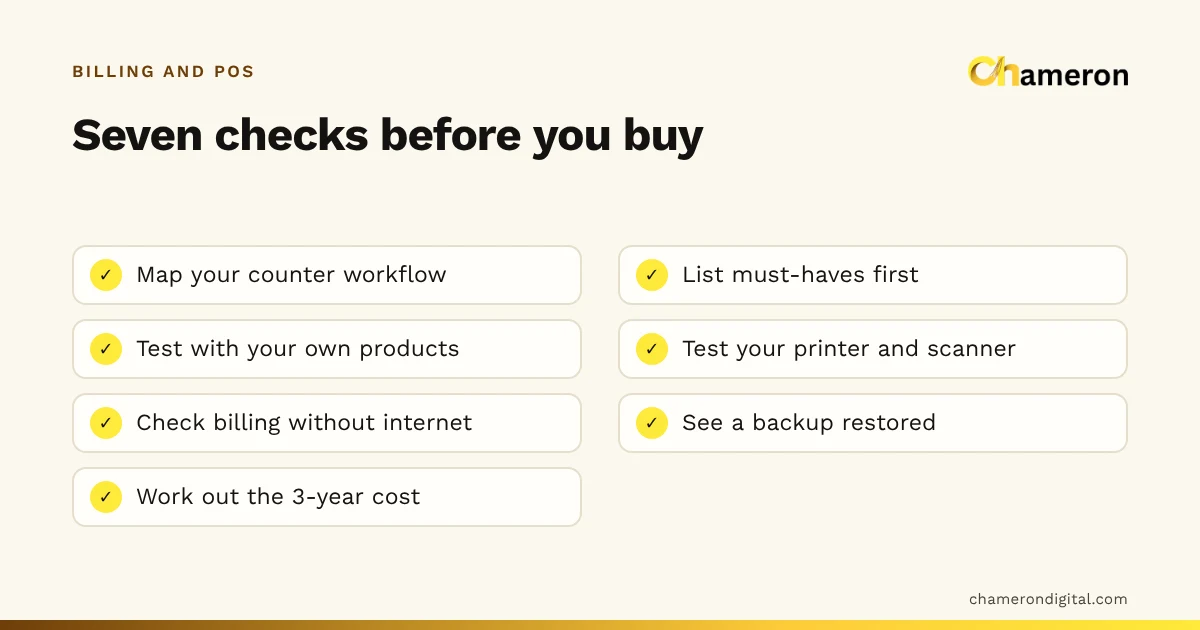
If two or more of the "software" rows describe your shop, it is time to look seriously. Our guide to choosing billing software explains how to compare products.
What changes when you switch
Software removes some work and adds some new responsibilities. Go in knowing both.
What you gain:
- Totals, discounts and tax calculated the same way on every bill.
- Stock that reduces as you sell, and a low-stock list built from real sales.
- Dues on each customer's record instead of in one person's head.
- A day close by payment method, so cash and UPI are counted separately.
- Numbers you can act on, such as average bill value, top sellers and margins.
What you take on:
- Power. A UPS for the billing computer and printer is part of the setup, not an extra.
- Internet. Ask whether billing continues without it. BILL OS, for example, does not need the internet for billing; it needs it for WhatsApp messages and updates.
- Backups. Your records now live on a computer that can fail. Set up backups before the first real bill; our backup checklist covers what to check.
- Logins. Give each person their own, with only the permissions their job needs.
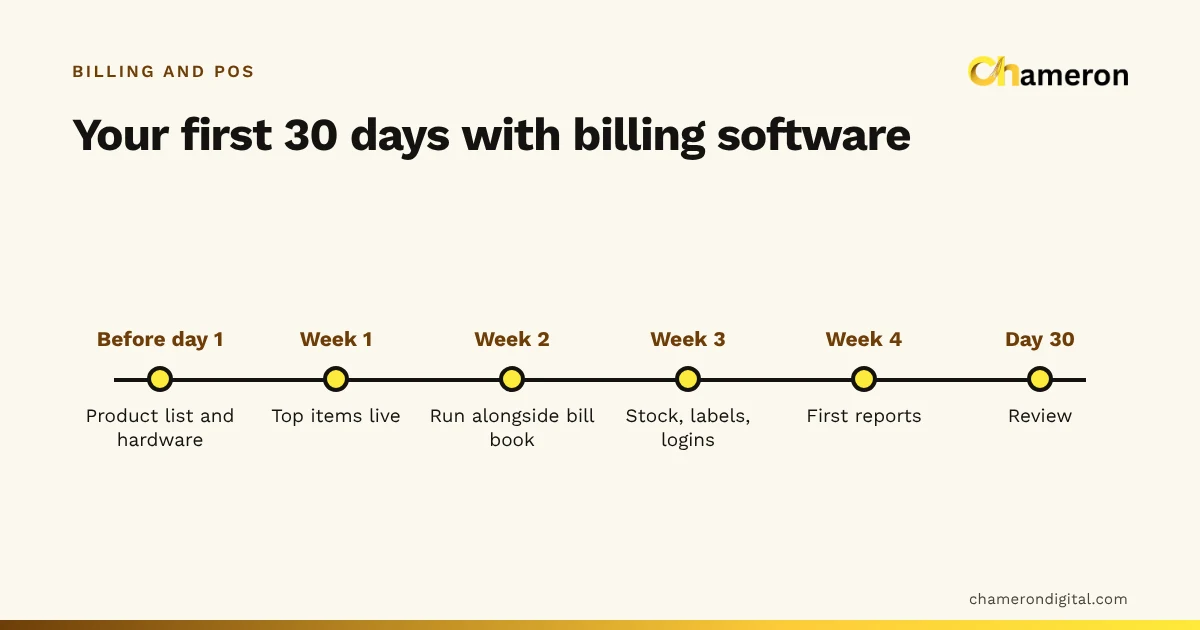
- Setup time. Products, prices and opening stock have to be entered once. Our getting-started guide plans the first 30 days.
Mistakes when comparing the two
- Counting only the software price. Hardware, power backup, setup time and training are real costs. So is the time a bill book costs you.
- Comparing the writing step only. Software rarely writes a two-item bill much faster. Its value is in totals, stock, dues and the day close.
- Buying for a shop you might become. Choose for today's volume and workflow, with room to grow, rather than paying for features you will not use for years.
- Switching on the busiest day. Start on a quiet weekday and keep the bill book handy for the first few days.
- Keeping both forever. A short overlap is sensible. Two permanent sets of records means neither is trusted.
The bottom line
A bill book is not wrong; it is simply limited to the bill itself. If your shop is small, quiet and cash-only, it may serve you well for years. If you have a queue, credit customers, a lot of stock or more than one person at the counter, billing software usually pays for itself through hours saved and errors avoided. Put your own numbers into the formula above, and let them decide.
Questions people ask
Is a handwritten bill valid for GST?
A tax invoice has to carry certain details whatever it is written with, and the rules can change. If you are registered, check the current invoice requirements with your accountant or on the official GST portal before deciding how to bill.
Can I use Excel instead of billing software?
A spreadsheet can total bills and hold a product list, but it does not print receipts at the counter, update stock as you sell or stop someone overwriting a past entry. Our comparison of business software and spreadsheets covers where each one fits.
What happens to billing software in a power cut?
The computer stops unless it has a UPS or inverter, so plan for one. Internet cuts are a separate question: some billing software keeps billing offline and some does not. See does billing software work without internet.
How long does it take staff to learn billing software?
For a cashier who only scans, takes payment and prints, usually a few short sessions plus a few days of real use. Returns, credit and day close take longer. Run the old bill book alongside for a few days while everyone settles in.