The short answer
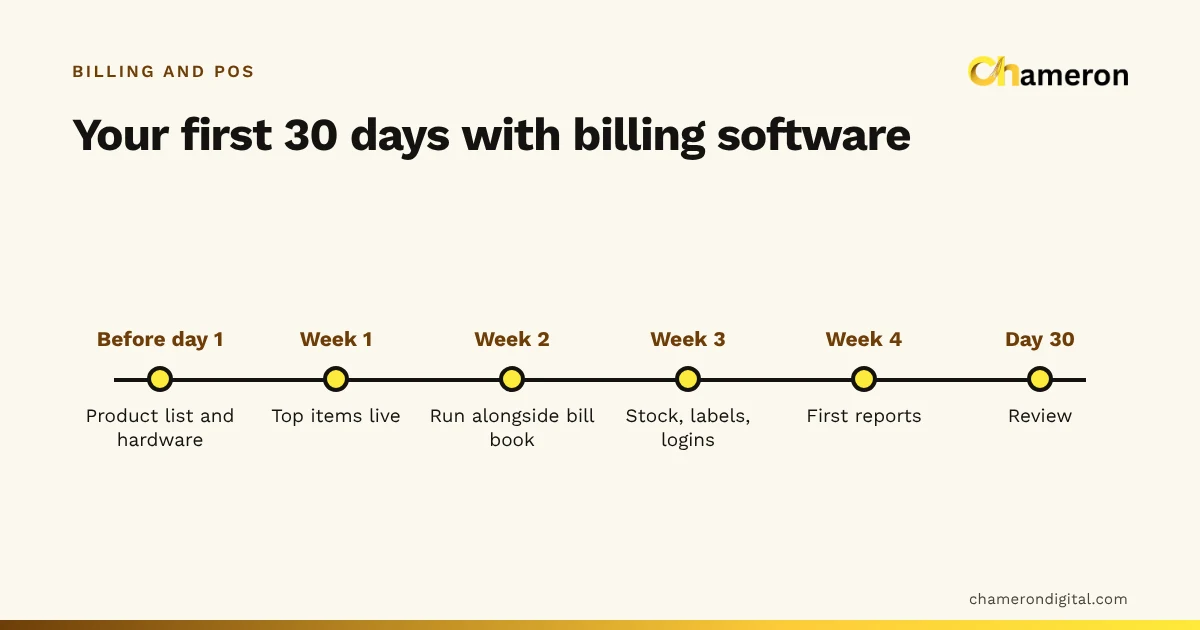
Getting started with billing software in a small business is mostly preparation: a clean product list, agreed prices, tested hardware and a short overlap with your old bill book. Plan the first 30 days in stages: prepare before day one, go live with your top sellers in week one, run the old method alongside in week two, add stock and staff controls in week three, and read your first reports in week four. Done that way, the counter keeps running while you switch.
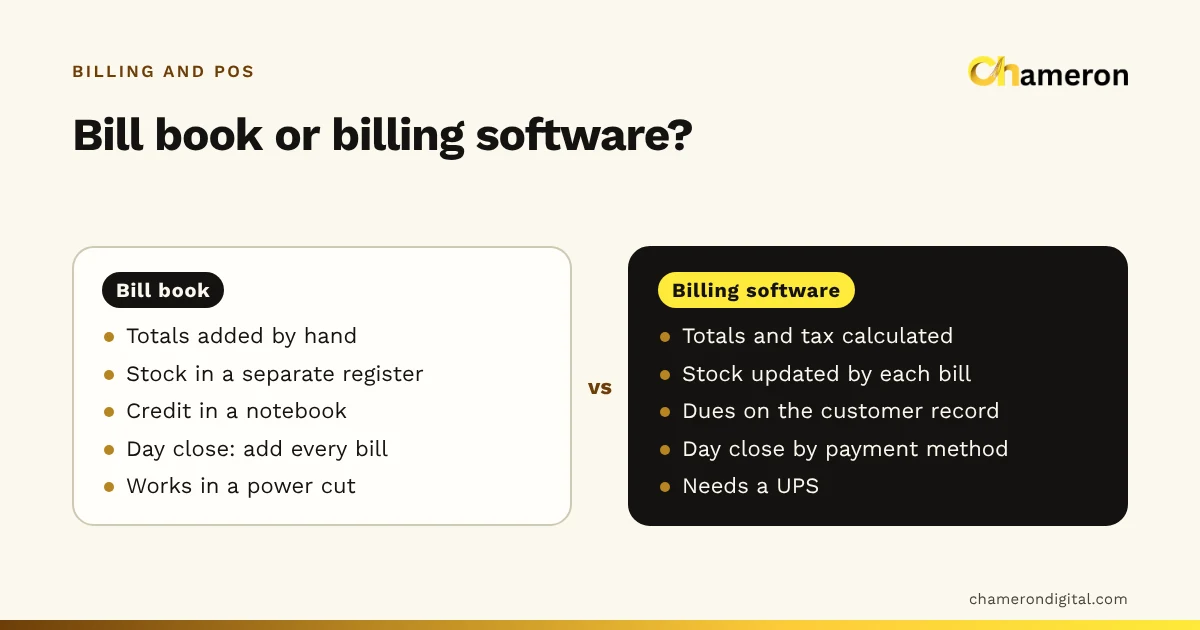
This guide assumes you have already chosen your software. If not, start with how to choose billing software, or billing software vs manual billing if you are still deciding whether to switch at all.
Before day one: what to prepare
Most of the work of a smooth start happens away from the counter. Set aside two or three evenings for these.
Build your product list in a spreadsheet
Even if you will type products into the software directly, a spreadsheet lets you check and correct everything in one place first. Use these columns:
| Column | Example | Why it matters |
|---|---|---|
| Product name | Steel tiffin, 3-tier | What the cashier searches for |
| SKU | TIF-STL-3T | Your own unique code; see our SKU naming guide |
| Barcode | The printed code, if any | Leave blank if you will print your own labels |
| Category | Kitchenware | Groups items in reports |
| Unit | Piece | Piece, kg, litre or box |
| Cost price | ₹310 | Needed for margin and stock value |
| Selling price | ₹449 | One agreed price, not the one someone remembers |
| GST rate and HSN | Ask your accountant | Get these checked once, before you go live |
| Opening stock | 14 | Count it; do not guess |
Decide now whether your prices include GST or not, and use the same rule for every item. Mixing the two is one of the common billing mistakes that is hard to spot later.
Estimate the effort, then start smaller
At about 1.5 minutes per product, a shop with 900 products needs 900 × 1.5 ÷ 60 = 22.5 hours to enter everything. Its 200 most frequently sold items need 200 × 1.5 ÷ 60 = 5 hours. Go through a few days of your bill book to find which items appear most, enter those first, and add the rest over the following weeks.
Test the hardware with the software
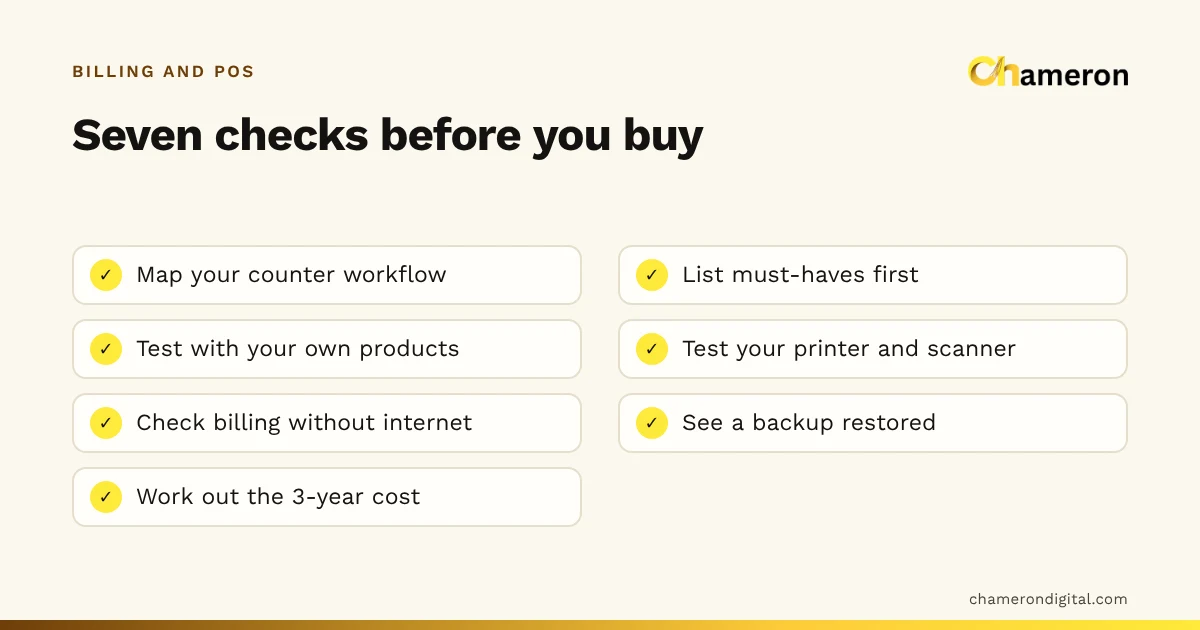
Install the software on the computer you will bill on, then print a receipt and scan a few barcodes before the first customer. Check the paper width, that the receipt is readable and that the scanner types into the right field. Our hardware selection checklist lists what to test, and a UPS for the billing computer belongs on the list too.
Week 1: set up and go live
- Business details. Name, address, GSTIN if registered, and how the bill should look.
- Payment methods. Cash and UPI at least; card and split payments if you take them.
- Products. Your top sellers from the spreadsheet, imported or entered.
- Owner login. Staff logins can follow in week 3, but nobody should use the owner's login.
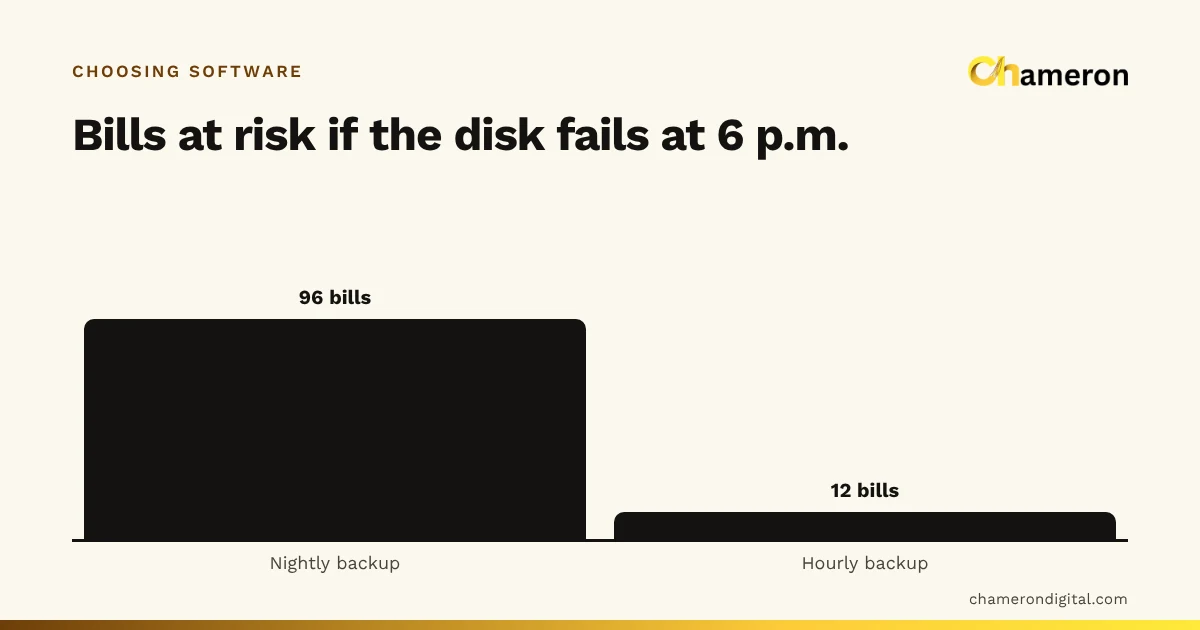
- Backups. Turn them on before the first real bill, not after the first problem.
- A test bill. Ring up a few items, print, check the arithmetic by hand, then cancel it with a reason.
- Go live. Start on a quiet weekday morning.
When an item turns up at the counter that is not in the list, do not bill it as "miscellaneous". Note it, add it properly in a quiet moment, and bill it then. Every item billed under a generic name is an item whose stock and margin you will never see.
Week 2: run alongside, then switch fully
For the first few days, keep writing the bill book as well, or at least a running tally of each bill's total. Every evening, compare the two.
Here is an invented example from the second evening:
| Amount | |
|---|---|
| Bill book total | ₹38,450 |
| Software total | ₹38,120 |
| Difference | ₹330 |
| An item missing from the product list, written only in the bill book | ₹250 |
| A held bill never completed in the software | ₹80 |
| Unexplained | ₹0 |
Each difference points to a fix: add the missing product, and make sure held bills are completed or cancelled before closing. When two or three evenings in a row match, stop the bill book. Running two systems for more than a week or so means neither is fully trusted.
Week 3: stock, labels and staff controls
With billing settled, turn to the things that make the software worth more than a calculator.
- Count opening stock properly, shelf by shelf, for the items you have entered. The stock count sheet helps. Until stock is counted, stock reports are only estimates.
- Print labels for items without a barcode, so the counter can scan everything.
- Receive the week's deliveries in the software before they go on the shelf, so stock and cost are recorded once.
- Create staff logins, one per person, with only the permissions their job needs. Decide who can give discounts, cancel bills and change prices.
- Check a backup. Confirm a backup was made and, if possible, copy it to a second place such as a USB drive. Our backup checklist has the details.
In BILL OS, for instance, products can be imported from Excel or CSV and every row is checked in a preview before anything is saved, and missing SKUs and barcodes can be generated in one step and printed as labels. The SKUs, barcodes and labels page and the backup and restore help explain how.
Week 4: read your first reports
By the end of the month you have something a bill book never gave you: a full month of sales, item by item. Look at a few numbers, not every report.
Take an invented shop with 26 trading days in its first month:
| Figure | Value |
|---|---|
| Total sales | ₹7,28,000 |
| Number of bills | 2,080 |
| Average bill value | ₹350 |
| Cash | ₹2,91,200 (40%) |
| UPI | ₹4,00,400 (55%) |
| Card | ₹36,400 (5%) |
| Net cash difference over 26 closes | ₹420 short |
Average bill value is total sales ÷ number of bills: ₹7,28,000 ÷ 2,080 = ₹350. It is the starting point for next month's target; the sales target calculator and our guide to setting a monthly sales target show how to use it.
Also look at your top 20 items by sales and by margin, anything sold below cost, and the cancelled bills and large discounts. A ₹420 cash difference across a month is small, but check whether it came from one day or was spread thinly; the pattern matters more than the total. Our guide to retail reports that matter suggests what to read regularly.
Day 30: a short review
Sit down for half an hour and answer these:
- Is every item that sold this month in the product list?
- Did the bill book stop, and has nobody gone back to it?
- Does stock on screen match the shelf for the items you counted?
- Does each person bill under their own login?
- Did the cash close match on most days, and is every difference explained?
- Has a backup been copied somewhere other than the billing computer?
- What still feels slow at the counter, and can a setting or a shortcut fix it?
Anything that gets a "no" becomes next month's task.
Mistakes to avoid in the first month
- Entering every product before the first sale. It delays the start by weeks. Start with top sellers.
- Going live on the busiest day. Staff learn badly under pressure. Choose a quiet weekday.
- Sharing the owner's login. When something goes wrong, nobody can tell who did what.
- Shelving deliveries before receiving them. Stock goes negative and costs are missing.
- Skipping backups until later. "Later" is often the day the computer fails.
- Expecting reports in week one. Reports become useful once products, stock and staff logins are in place.
The bottom line
A small business does not need a perfect setup on day one. It needs a clean list of the items that sell, agreed prices, tested hardware and a few days of overlap to build confidence. Add stock, labels and staff controls once billing is steady, read your first reports at the end of the month, and review what still needs fixing. Thirty days of steady steps is enough to replace a bill book for good.
Questions people ask
When is a good time to start billing software?
On a quiet weekday at the start of a week, never just before a festival or a sale. That gives staff a few calm days to learn before the first rush.
Do I need to enter all my products before the first bill?
No. Start with the items that sell most often, which you can find by going through a few days of your bill book. Add the rest as they sell, or import them from a spreadsheet once the counter is running smoothly.
Can I keep using my bill book while I start?
Yes, for a short overlap of about a week. Compare the two totals every evening, fix what causes differences, then stop the bill book so you do not keep two sets of records.
What if the software gives a different total from my bill book?
Find the bills that differ. Usually it is an item billed by hand because it was missing from the product list, a held bill never completed, or a price that differs between the list and the shelf. Each difference tells you what to fix.