The short answer
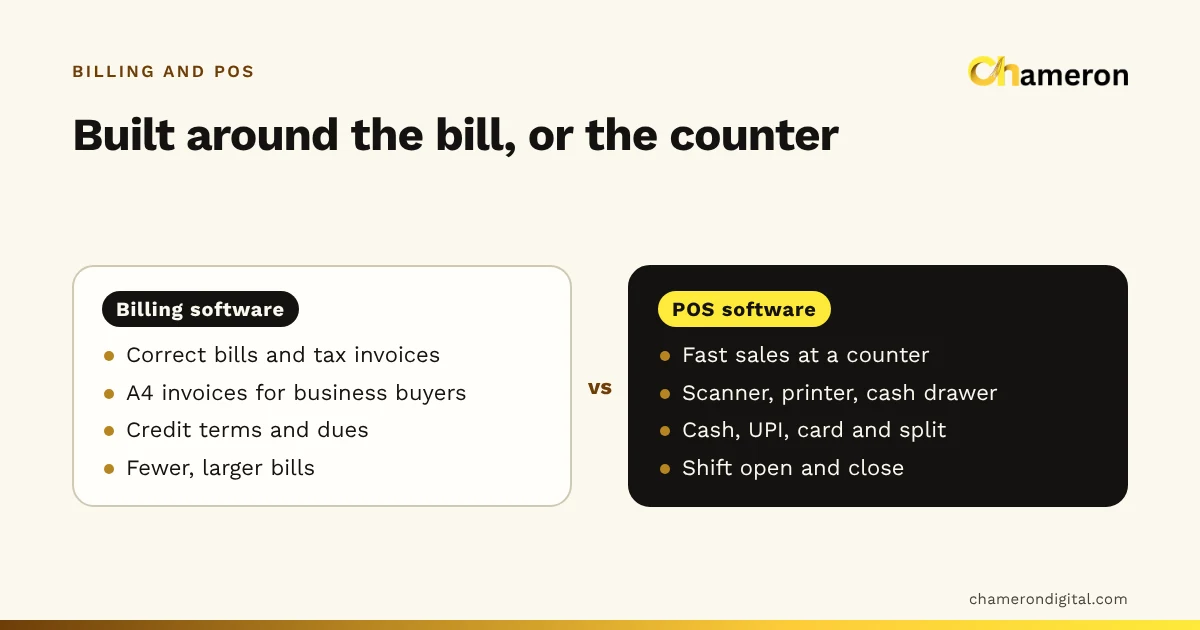
Billing software and POS software overlap so much that many vendors use the words interchangeably. The useful difference is what each is built around. Billing software is built around the document: a correct bill or tax invoice, the customer’s account and what they owe. POS software is built around the counter: fast sales, scanners and receipt printers, cash, UPI and card payments, and a cash drawer that must balance at the end of every shift. Which one you need depends on whether your business makes many quick sales to walk-in customers or fewer, larger invoices to known buyers.
Why the two terms get mixed up
In India, "billing software" is the everyday phrase for almost any program that makes bills, from a desktop invoice maker used by a distributor to a full counter system in a supermarket. "POS" (point of sale) is the retail industry’s term for the counter system, and is more common in restaurants, larger stores and among hardware sellers.
So a kirana owner asking for "billing software" may actually want a POS, and a wholesaler shown a "POS" may only need an invoicing tool. Rather than argue about labels, it helps to look at what each type is designed to do well. If you are new to either term, start with what is billing software and what is POS software.
The difference at a glance
| Billing software (invoice-focused) | POS software (counter-focused) | |
|---|---|---|
| Built around | The bill or tax invoice | The live counter sale |
| Typical buyer | Known business or regular customer | Walk-in customer |
| Bills per day | Fewer, often larger | Many, often small |
| Speed per bill | Matters less | Matters a great deal |
| Usual document | A4 invoice, often with buyer’s GSTIN | Thermal receipt, A4 when asked |
| Payment | Often credit, paid later | Mostly paid now: cash, UPI, card, split |
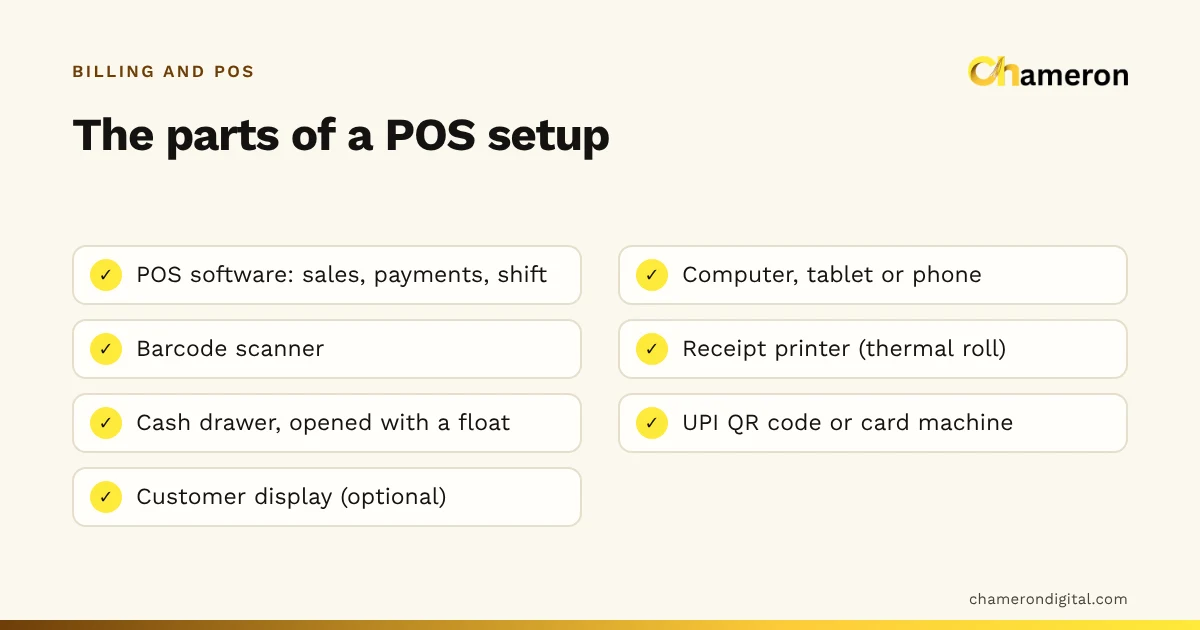
| Hardware | A computer and an A4 printer | Scanner, receipt printer, cash drawer, sometimes a customer display |
| Cash control | Payments recorded against invoices | Drawer opened with a float, closed with a count |
| Customer records | Central: balances, credit terms, statements | Optional for walk-ins; useful for loyalty and credit |
| Typical users | Distributors, wholesalers, service firms | Shops, grocery, restaurants, cafés |
The table describes the centre of gravity of each type. Plenty of products sit in the middle, and the right one for you is the one whose centre matches your busiest work.
Two businesses, two different needs
A distributor’s desk
An electrical goods distributor bills around 25 retailers a day. Each invoice runs to 10 or 20 lines, goes on A4 with both parties’ GST details, and is usually paid within 30 days. Nobody is standing at a counter waiting.
What matters here: accurate tax on every line, the right place of supply for out-of-state buyers, outstanding balances per retailer, statements and clean exports for the accountant. A cash drawer and a barcode scanner add little. This is classic billing software territory.
A clothing store on a Saturday
A clothing store makes 150 bills on a Saturday, most with two or three items, almost all paid on the spot by UPI, card or cash. There is a queue at the counter from late afternoon.
What matters here: scanning size-and-colour barcodes, holding a bill when a customer goes back to try another size, splitting a payment between UPI and cash, quick exchanges and a drawer that balances at closing. Credit terms and A4 invoices are rare. This is POS software territory.
Where speed matters: the counter arithmetic
Speed sounds like a minor feature until you multiply it by a day’s bills.
Take the clothing store’s 120 bills on an ordinary weekday:
| Setup | Seconds per bill | Billing time per day |
|---|---|---|
| Invoice tool: pick customer, type items, fill fields | 90 | 120 × 90 = 10,800 s = 180 minutes |
| Counter POS: scan, pay, print | 40 | 120 × 40 = 4,800 s = 80 minutes |
| Difference | 100 minutes a day |
These timings are invented for the example; measure your own by timing a few real bills. The point is the shape of the calculation. For the distributor making 25 bills, even a 50-second difference is only about 21 minutes a day, and accuracy and credit tracking matter far more than speed.
Which one does your business need?
| Business | Leaning | Why |
|---|---|---|
| Wholesaler or distributor | Billing | Fewer, larger invoices to registered buyers on credit |
| Consultant or service firm | Billing | Invoices for services, few or no stock items |
| Kirana or grocery store | POS | Many small bills, a queue, mostly immediate payment |
| Clothing, footwear or general store | POS, with customer records | Fast scanning plus exchanges, loyalty and some credit |
| Restaurant or café | Restaurant POS | Orders before payment, tables and kitchen tickets |
| Hardware or electrical shop | Both in one | Walk-in customers and contractors on account |
Two quick questions settle most cases:
- How many bills do you make on your busiest day? Dozens per hour points to POS.
- What share of bills go to business buyers on credit? A large share points to billing software.
If the answer to both is "quite a lot", you need a system that does both jobs well. Restaurants are a special case; see how restaurant billing software works.
When you need both in one system
Many Indian shops serve two kinds of customer from the same stock. A hardware shop sells a tap to a walk-in customer for cash, then bills a plumber’s monthly account for twenty fittings. A paint shop serves homeowners at the counter and contractors on credit.
Running two programs for this, a POS at the counter and an invoice tool in the back office, means two item lists, two stock figures and two versions of each customer. The better route is one system that can do a fast counter sale and also keep a customer account with credit. For example, BILL OS bills walk-ins or customers found by mobile number, can leave part of a bill on credit, prints thermal receipts or A4 bills, and exports GSTR-1 data for your accountant to check, as described on the GST, returns and exchanges page. It does not offer live e-invoicing or e-way bills for production use, so a business that needs those today should look elsewhere or ask about its requirement.
Whether e-invoicing applies to you depends on rules that change over time. Check your own position with your accountant or the official GST portal before choosing software.
Mistakes when choosing between them
- Choosing by the label. A product called "billing software" may be a full POS, and a "POS" may be little more than a receipt printer driver. Judge it by what it does in a demo.
- Ignoring the busiest hour. Test with your Saturday evening or festival rush in mind, not a quiet Tuesday morning.
- Forgetting the end of the day. An invoice tool may produce perfect bills and still give you no way to balance the cash drawer.
- Buying hardware you will not use. A distributor rarely needs a cash drawer; a kirana rarely needs A4 invoices for every sale.
- Splitting the business across two systems. It feels simpler at first and becomes a monthly reconciliation job.
- Not asking about connectivity. Whichever type you choose, find out what happens when the internet drops. See does billing software work without the internet?
The bottom line
The difference between billing software and POS software is one of emphasis. Billing software is strongest at producing correct invoices and tracking what customers owe; POS software is strongest at a fast counter with a balanced cash drawer. Count your bills and your credit customers, match the system to your busiest work, and prefer one system if you serve both kinds of customer. When you are ready to shortlist, our guide to choosing billing software and the software finder will help.
Questions people ask
Is POS software a type of billing software?
Broadly, yes. Every POS produces bills, so it is billing software built for a live counter. Not every billing program is a POS, though: invoice-focused tools often lack shift handling, quick scanning and receipt printing.
Can I use invoice billing software at a shop counter?
You can, but it is often slow. Invoice tools tend to ask for details a walk-in sale does not need and are designed for A4 printing. If you make many small bills a day, test how long a typical bill takes before committing.
Which is cheaper, billing software or POS software?
It depends on the product, not the category. A POS setup usually adds hardware such as a scanner, receipt printer and cash drawer, so budget for those separately. The ROI calculator helps you weigh the cost against time saved.
Do I need both if I sell to retail and business customers?
You need both jobs done, but ideally in one system: fast counter bills for walk-ins and proper invoices with credit for trade customers. Two separate systems means two stock figures and two sets of customer records.