The short answer
A grocery store needs three coding rules: scan the manufacturer's barcode on packed goods, give repacked and local items your own in-store barcodes, and keep each loose item as one SKU sold by weight. On top of that, every pack size is its own SKU, and the unit you buy in is recorded separately from the unit you sell in. Get these right and the counter scans first time, stock counts make sense and reorder lists can be trusted.
Three kinds of grocery item
Most grocery catalogues fall into three groups, and each needs a different approach.
| Kind | Examples | Barcode | Stock unit | At the counter |
|---|---|---|---|---|
| Packed, branded | Biscuits, tea, soap, packed atta | Manufacturer's EAN-13 | Piece | Scan |
| Repacked or local | Sugar packed in-store, local papad, pickles | Your in-store code on a label | Piece | Scan the label |
| Loose | Rice, dal, onions, potatoes | Usually none | Kilogram | Short code or quick key, then weight |
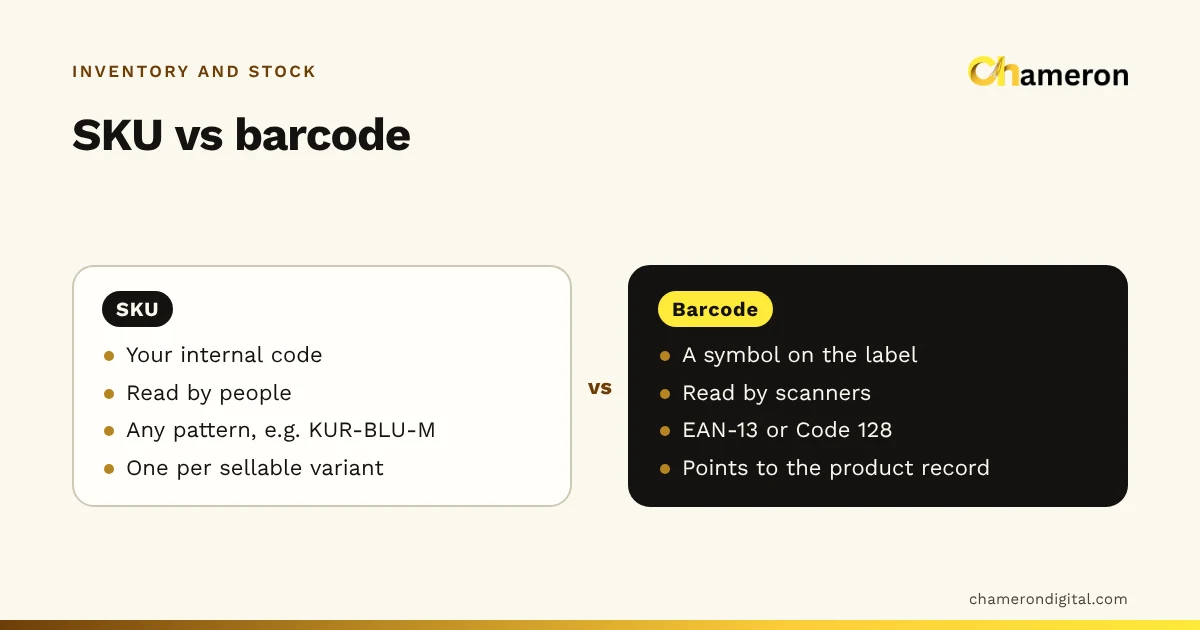
Before you start coding, sort your item list into these three groups. The rest of this guide takes them one at a time. For the general difference between the two kinds of code, see SKU vs barcode.
Packed goods: keep the manufacturer's barcode
Branded packed goods usually carry an EAN-13 barcode allocated through GS1. That number already identifies the exact product and pack size, so record it against your item and use it as it is. Do not stick your own label over it: you create work, and the next store's scanner (or your own, after a relabel goes wrong) reads the wrong item.
Three situations cause most trouble with packed goods:
- Promotional packs. A "20% extra" or bundle pack often has a different barcode from the regular pack. If it does not scan when the delivery arrives, set it up as its own item, or link it to the regular item if price and contents are the same, before it reaches the shelf.
- A new MRP on the same barcode. When a manufacturer changes the price, the barcode often stays the same. Keep the batches apart so old stock is not billed at the new price, or new stock at the old one.
- Case and outer barcodes. Cartons and shrink-wrapped outers carry their own barcode, which is different from the unit barcode. Scanning the carton at receiving may add 1 unit when 24 arrived. Record case barcodes separately, or always scan a unit.
Repacked and local items: your own codes
Sugar repacked into 1 kg packets, a local brand of papad, pickles from a home supplier: none of these come with a usable barcode. Give each one an in-store code.
GS1 reserves EAN-13 numbers beginning with 20 to 29 for restricted circulation, such as use inside one business. Codes in that range will not clash with a real product's barcode, so a scan in your store always finds your item. Generate them from your billing software rather than inventing numbers by hand, because the last digit of an EAN-13 is a check digit that must be calculated.
Print the code on a label with the item name and price, and stick it on every packet as you repack. Labels on thermal rolls suit small runs; A4 label sheets suit a big repacking session. Our help pages on printing barcode labels and using a barcode scanner cover the practical side.
Loose items sold by weight
Loose items have no barcode and are sold in any quantity, so they need a different plan. There are three common approaches, and many stores use more than one.
| Approach | How it works | Suits | Watch out for |
|---|---|---|---|
| Weigh at the counter | Cashier picks the item by short code or quick key and enters the weight | Vegetables, fruit, items bought in odd amounts | Speed depends on short codes and a good scale |
| Pre-pack fixed weights | Pack 500 g, 1 kg and 5 kg bags in advance, each with its own SKU and label | Staples bought in round amounts | Repacking cost and give-away (see our inventory guide) |
| Scale-printed labels | A label-printing scale puts the weight or price inside the barcode | Larger stores with a weighing counter | Works only if both the scale and the billing software support the same format; test before relying on it |
Whatever approach you use, the stock record for a loose item is one SKU in kilograms. A 50 kg sack received adds 50; a 750 g sale takes off 0.75; a count weighs what is in the bins and sacks. If you also sell pre-packed 1 kg bags of the same item, those bags are a separate SKU, and the sugar you repack moves from the loose record to the packed one.
Buying units and selling units
Suppliers sell in cartons, sacks and trays; you sell in pieces and kilograms. Record both, with the conversion, on each item.
| Item | Bought as | Stock and sold as | Conversion |
|---|---|---|---|
| Sunflower oil 1 L pouch | Carton | Piece | 1 carton = 12 |
| Glucose biscuits 200 g | Carton | Piece | 1 carton = 48 |
| Sugar (loose) | Sack | Kilogram | 1 sack = 50 kg |
| Eggs | Tray | Piece | 1 tray = 30 |
The conversion matters at receiving. A delivery of 5 cartons of oil is 60 pouches. Recorded as 5, the stock is short by 55 the moment the delivery is entered, the reorder list asks for oil that is already in the back room, and the next count shows a "surplus" nobody can explain. Errors like this are often mistaken for shrinkage going the other way.
A SKU pattern for a grocery store
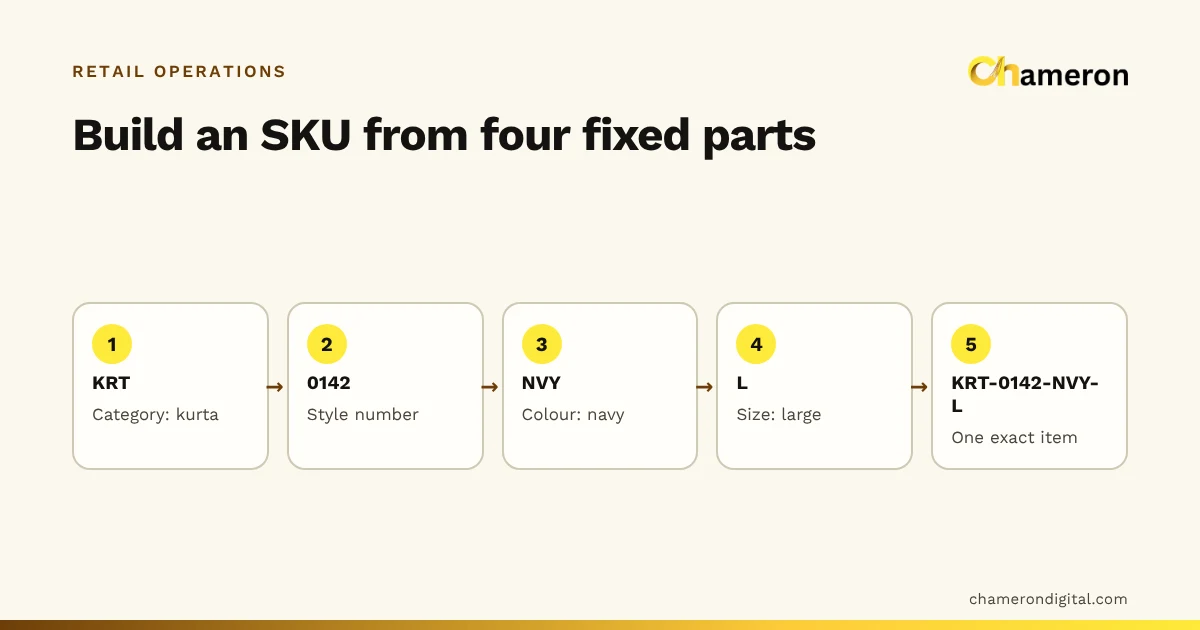
Your SKU is your own code for an item, used in records, reports and searches. A simple pattern for grocery is group – item – variety – size:
| Item | SKU |
|---|---|
| Sona masoori rice, 5 kg pack | STP-RICE-SONA-5KG |
| Toor dal, 1 kg pack | STP-DAL-TOOR-1KG |
| Sugar, loose | LSE-SUGAR-KG |
| Sugar, repacked 1 kg | RPK-SUGAR-1KG |
| Cashews, 250 g pack | DRY-CASHEW-250G |
The group prefix (staples, loose, repacked, dry fruits) keeps related items together in lists, and the size at the end makes each pack size a separate SKU. For brands, add a short brand code where you stock several brands of the same item. Our SKU naming guide has the rules that keep codes consistent as the catalogue grows, and the SKU planning worksheet helps you build the code lists before you start.
Keep the counter fast
All of this exists to keep the queue moving. At the counter:
- Barcode everything that can be barcoded, including repacked and local items. Every scanned item is one that cannot be keyed in wrongly.
- Give the most common loose items short codes. Numbering your 20 or 30 most frequent vegetables and staples (101 onions, 102 potatoes, 103 tomatoes) is faster than searching by name.
- Put labels where the scanner can reach them, flat and away from folds and seams in the packet.
- Test-scan every new label before a print run goes on the shelf, and check that the scanner reads first time.
Common mistakes
- One SKU for several pack sizes. Stock, price and margin all become wrong for every size.
- Relabelling packed goods that already carry a manufacturer's barcode.
- Inventing in-store numbers by hand, outside the reserved range or with a wrong check digit.
- Receiving cartons as pieces, or scanning the outer carton's barcode as if it were the unit.
- Leaving promotional packs unset-up until a customer brings one to the counter.
- No short codes for loose items, so the cashier searches through the list at the busiest hour.
Barcodes and SKUs in software
Good software makes the coding routine rather than a project. In BILL OS, our retail software, every product gets an SKU when it is created; you can keep manufacturers' barcodes or generate in-store EAN-13 codes, fill in all missing SKUs and barcodes in one step, and print labels on thermal rolls or A4 sheets. If much of your trade is loose items sold by weight, ask us about them before you choose.
GROCERY OS is our product for grocery stores and supermarkets, built around fast counters and loose and packed items. It is not yet generally available, so ask about availability.
The bottom line
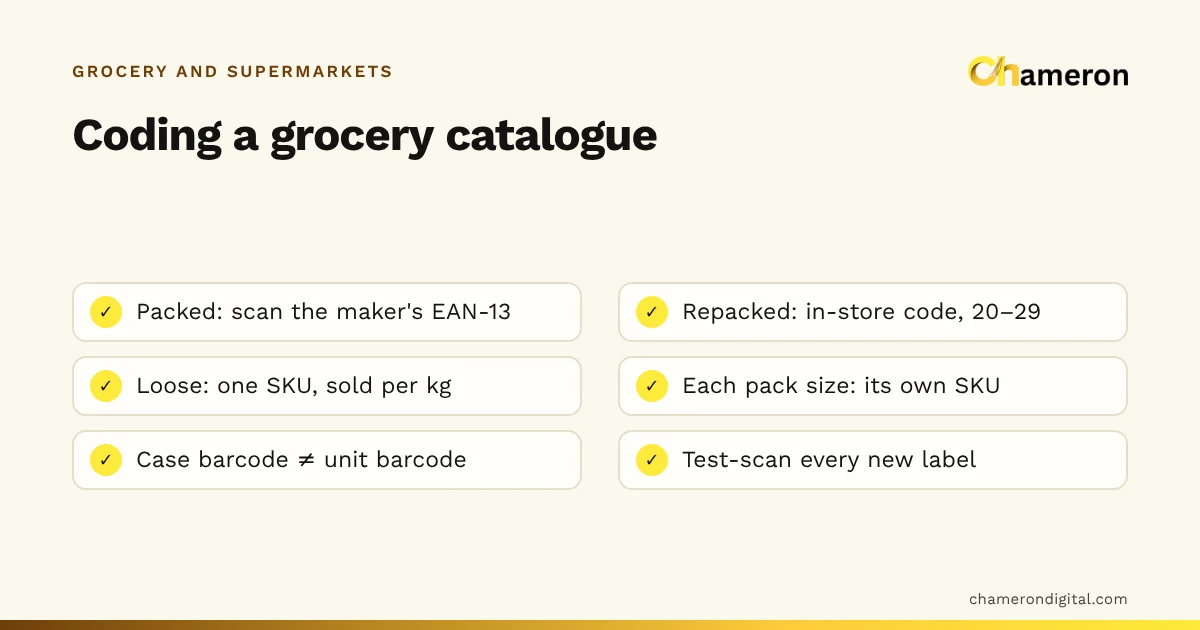
A grocery catalogue that scans cleanly rests on a few firm rules: keep manufacturers' barcodes, code your own items in the reserved range, keep loose items in kilograms, give every pack size its own SKU and record buying and selling units separately. Set them up once, test every new label, and the counter, the stock room and the reports all work from the same, reliable list. For how this fits into the wider stock routine, read how to manage grocery store inventory.
Questions people ask
Can I use the barcode already printed on a product?
Yes, and you should. The manufacturer's EAN-13 identifies that exact product and pack size. Record it against your item and scan it at the counter and when receiving.
What barcode should I use for my own repacked items?
Use in-store codes. GS1 reserves EAN-13 numbers beginning with 20 to 29 for restricted circulation, such as use inside one business, so your own codes do not clash with products sold elsewhere. Check how your billing software generates them.
Does each pack size need a different SKU?
Yes. A 500 g and a 1 kg pack of the same dal have different prices, costs, barcodes and stock, so each needs its own SKU. Our SKU naming guide shows how to build the codes.
How do I bill loose items quickly?
Give the most common loose items short codes or quick keys, weigh them at the counter and enter the weight. For items you sell in the same quantity again and again, pre-pack them in fixed weights with their own barcode.
What is the difference between a SKU and a barcode?
A SKU is your own code for an item, used in your records. A barcode is a machine-readable number printed on the pack, often the manufacturer's. One item has one SKU and usually one barcode. See SKU vs barcode.