The short answer
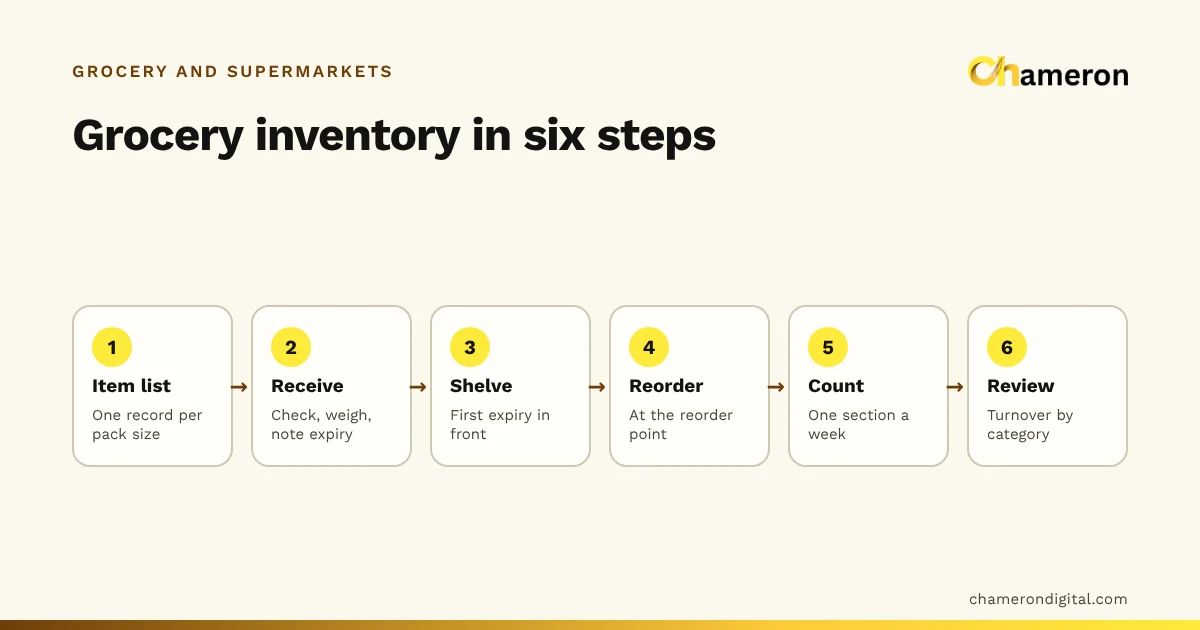
To manage grocery store inventory, build an item list that matches how you sell, receive every delivery against the order, shelve first-expiry-first, reorder from set levels, count a section every week and review each category once a month. Grocery is harder than most retail because items sell at very different speeds, some by the piece and some by the kilo, and much of the stock has an expiry date. The steps below turn that into a routine a kirana store or a small supermarket can keep.
Step 1: Build an item list that matches how you sell
Everything else depends on the item list. If the list does not match what is on the shelf, every count, reorder and margin figure will be wrong.
Follow three rules:
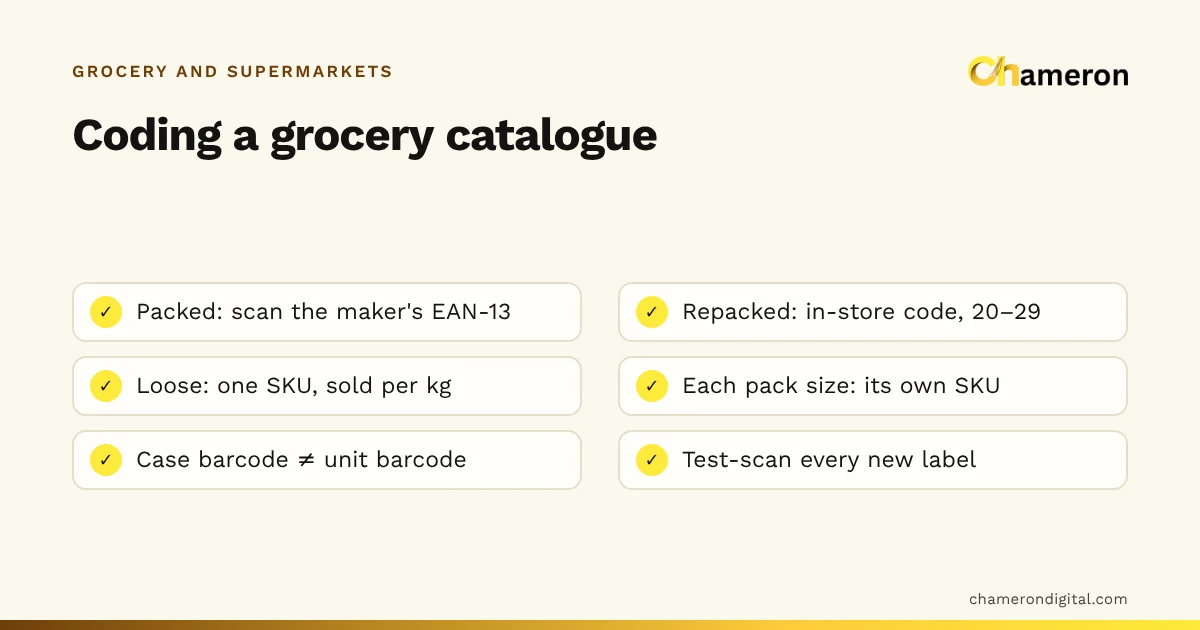
- One record per pack size. A 1 kg and a 5 kg bag of the same atta are different items, with different prices, barcodes and stock. Our guide to grocery barcodes and SKUs explains how to code packed, repacked and loose goods.
- Loose items in the unit you weigh them in. Loose sugar, rice and dal are one record each, stocked and sold in kilograms. A sack of 50 kg arriving adds 50 to stock, and a 750 g sale takes off 0.75.
- A cost price on every item. Without it you cannot value stock, see margins or spot an item that sells below cost.
Write down the supplier for each item at the same time. In grocery, most reorder decisions are made supplier by supplier, when the distributor's salesman visits or the wholesaler's van is due.
Step 2: Group items by speed and shelf life
A typical store has a few dozen items that sell every hour and hundreds that sell a few times a week. Treating them all alike wastes time on the slow ones and lets the fast ones run out. Sort them into groups and give each group its own rhythm.
| Group | Examples | How often to check | Main risk |
|---|---|---|---|
| Daily essentials | Milk, bread, eggs, curd | Every day | Running out by evening, or stale leftovers |
| Fast-moving staples | Atta, rice, dal, oil, sugar | Two or three times a week | Running out during a rush |
| Regular packed goods | Biscuits, tea, soap, spices | Weekly | Too many brands, too much stock |
| Slow and occasional | Dry fruits outside festivals, speciality items | Monthly | Dead stock and expiry |
| Fresh produce | Fruit and vegetables | Every day | Wastage |
The first two groups decide whether customers find what they came for. They have their own guide: managing fast-moving inventory. The last group needs a daily buy based on yesterday's sales and today's leftovers, not a reorder point.
Step 3: Receive every delivery against the order
Most stock errors in a grocery store start at the back door, when a delivery arrives during a busy hour and nobody checks it properly. A short receiving routine prevents them:
- Check the bill against what you ordered. Note short-supplied lines and items you did not order.
- Count or weigh what arrived. Cartons should be opened if they are loose-packed. Weigh a sample of sacks: a 50 kg sack that weighs 48.5 kg is a short supply, not shrinkage.
- Check expiry dates. Refuse or note stock that arrives with too little shelf life left for you to sell it.
- Set damaged units aside before they reach the shelf, and record them for return to the supplier.
- Record the purchase once, with cost, quantity and, for items that expire, the batch and expiry date.
Recording the batch and expiry at receiving is what makes the next step possible. A batch or lot is a group of units with the same expiry date.
Step 4: Cost your loose and repacked goods properly
Many kirana stores buy staples in sacks and repack them into 500 g or 1 kg packets. That is good business, but it has costs that are easy to miss: spillage, a little extra in every packet so none is under weight, and the pouch and label.
Work in prices before any GST on both sides, and check repacked items with the margin and markup calculator. If the real margin is too thin, the answer may be a different price, a different pack size or selling that item loose instead.
Step 5: Set a reorder point for every item that matters
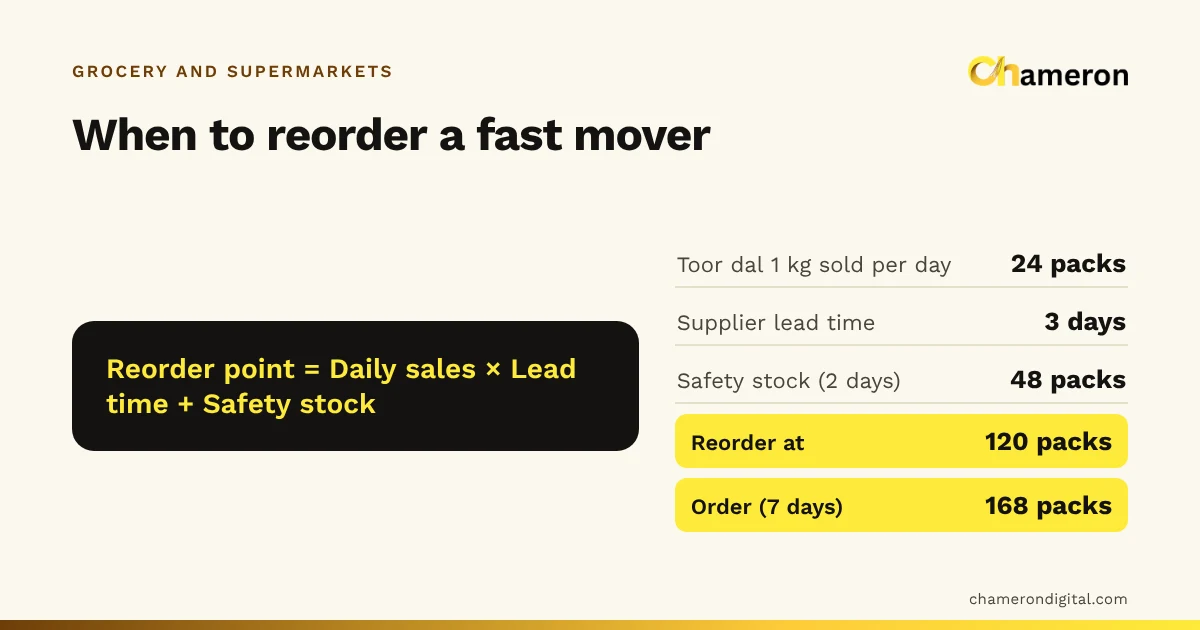
A reorder point is the stock level at which you place the next order. It covers sales while the supplier delivers, plus a buffer called safety stock.
Suppose 1 L sunflower oil pouches sell 18 a day, the distributor delivers two days after the order, and you want two days of safety stock:
| Step | Calculation | Result |
|---|---|---|
| Safety stock | 18 × 2 days | 36 pouches |
| Reorder point | 18 × 2 + 36 | 72 pouches |
| Order for 10 days of sales | 18 × 10 | 180 pouches (15 cases of 12) |
Write the reorder point on the shelf tag or in your item list, and check it against stock on the days that supplier takes orders. The reorder point calculator does the arithmetic. For the full method, including suppliers who visit on fixed days, see what is a reorder point.
Step 6: Shelve and sell first-expiry-first
Expiry losses come from two habits: putting new stock in front of old, and not looking at dates until something has already expired.
- Rotate when refilling. Move older stock to the front and put the new delivery behind it. When a newer batch expires earlier than the stock on the shelf, it goes in front instead: that is FEFO, first expired first out.
- Run a weekly near-expiry check. List everything expiring in the next two to four weeks, depending on the item. Each item on the list gets one decision: move it to a better shelf, offer it at a discount, or return it to the supplier if your terms allow.
- Record expired and damaged stock when you remove it, with a reason. If you do not, it shows up later as unexplained shrinkage.
Step 7: Count a little every week
A full count of a grocery store can take a whole Sunday and is out of date by Monday evening. Cycle counting spreads the work out: count one section each week, so the whole store is counted every month and the fast movers more often.
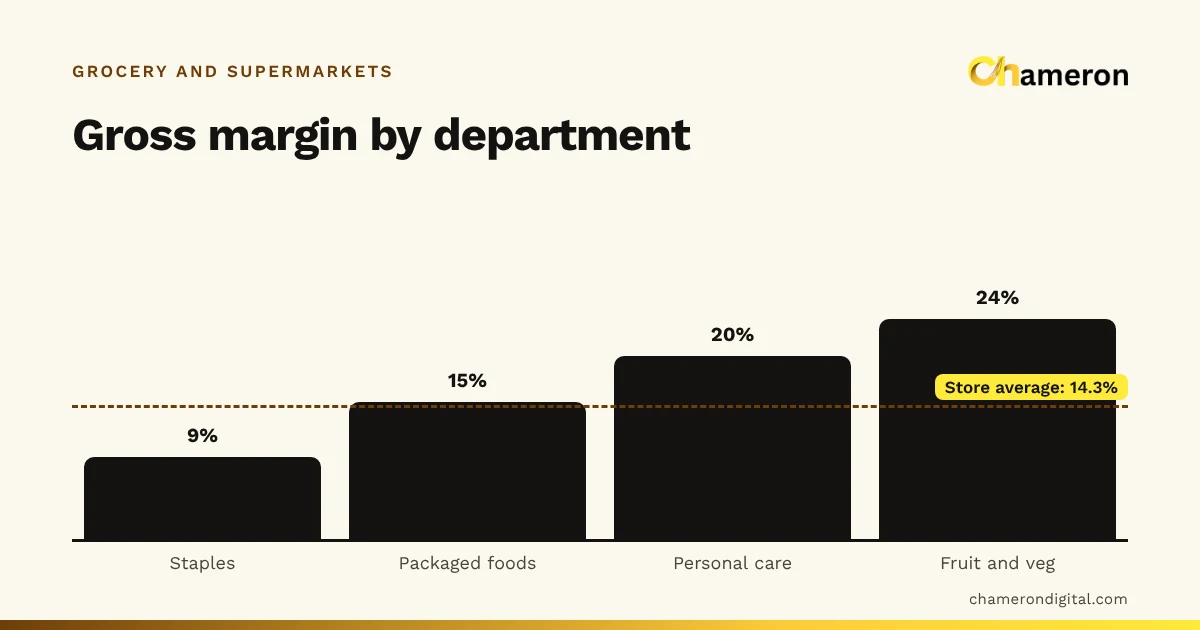
| Week | Count | Plus every week |
|---|---|---|
| 1 | Staples: rice, atta, dal, sugar, oil | Top 30 fast movers |
| 2 | Packed foods: biscuits, snacks, tea, spices | Top 30 fast movers |
| 3 | Personal care and household | Top 30 fast movers |
| 4 | Dairy, frozen, dry fruits and the rest | Top 30 fast movers |
Count in the same unit you sell in, compare with the expected stock, and investigate big differences before you adjust anything. A stock count sheet helps, and our counting guide walks through reconciliation step by step.
Step 8: Review each category once a month
Once a month, look at how hard each category works. Inventory turnover shows how many times the stock in a category sold through in the period.
For one 30-day month, with invented figures at cost:
| Category | Cost of goods sold | Opening stock | Closing stock | Turnover | Days of stock |
|---|---|---|---|---|---|
| Staples | ₹3,60,000 | ₹1,10,000 | ₹90,000 | 3.6 | 8.3 |
| Biscuits and snacks | ₹1,20,000 | ₹45,000 | ₹35,000 | 3.0 | 10 |
| Dry fruits | ₹40,000 | ₹75,000 | ₹85,000 | 0.5 | 60 |
Staples sell through in about eight days. Dry fruits hold ₹80,000 on average and take two months to sell through, with the date codes ticking. That is a case for smaller, more frequent orders outside the festival season. Try your own figures in the inventory turnover calculator, and list items that have not sold at all in 60 days as dead stock to clear.
Planning for festivals
Diwali, Pongal, Eid, Onam and wedding seasons change what sells and how much. Reorder points set for ordinary weeks will run out in the first few days of a rush.
- Use your own sales from the same festival last year. Note which items rose, by how much and for how long.
- Order in two rounds. Order most of the expected extra three or four weeks ahead, and top up after the first week of selling, when you can see the real pace.
- Raise reorder points for the period, then lower them again. Festival levels left in place afterwards are a common cause of overstock in the following month.
For example, if you sold 60 kg of cashews in the two weeks before Diwali last year against a normal 8 kg, you might order 40 kg ahead and decide on the rest once the first week's sales are in.
Common mistakes
- One record for several pack sizes. Stock and margins become meaningless when 500 g and 1 kg packets share an item.
- Accepting deliveries unchecked. Short weights and short supplies get absorbed into stock and look like theft later.
- Ignoring repacking costs. Spillage, give-away and packing material can halve the margin on a staple.
- Reordering by eye. A glance at the shelf misses stock in the back room and stock that is already committed to a regular customer.
- Removing expired goods without recording them. The loss is real either way; recording it tells you which items to order less of.
- Leaving festival stock levels in place after the festival is over.
Doing it in software
Registers and spreadsheets work for a small store, but each sale, delivery and count has to be written down twice. Software does the bookkeeping from the bill itself: every sale reduces stock, every delivery adds to it, and reorder and expiry lists are always current.
Our retail product, BILL OS, already records batch and expiry at receiving, sells first-expiry-first and runs stock tallies with approved adjustments. GROCERY OS is being built specifically for grocery stores and supermarkets: fast counters, loose and packed items, deliveries and reorder lists. It is not yet generally available, so ask about availability. The grocery shops page sets out what each product covers today.
The bottom line
Grocery inventory does not need a big system to start with. It needs an accurate item list, a receiving routine that is followed even when the shop is busy, reorder points for the items that matter, first-expiry-first shelving, a small count every week and an honest monthly review. Put those in place one step at a time, starting with the item list and receiving, and the rest gets easier with each week.
Questions people ask
How often should a grocery store count its stock?
Count a little every week instead of everything once a year. Fast movers and high-value items can be counted weekly, the rest of the store once a month in rotation. See how to do a stock count.
How do I track loose items like rice, sugar and dal?
Keep each loose item as one record with kilograms as its unit. Add stock in kilograms when a sack arrives, sell by weight at the counter and count the sacks and bins in kilograms. If you repack into fixed packets, give each pack size its own item.
How much stock should a kirana store keep?
Enough to cover sales until the next delivery arrives, plus a small buffer. For most items that is the reorder point plus one order's worth at most. Our question page on how much stock a shop should keep goes through the arithmetic.
What is the difference between FIFO and FEFO in a grocery store?
FIFO sells the oldest stock first; FEFO sells the stock that expires first. In groceries they are usually the same, but when a newer delivery carries an earlier expiry date, FEFO is the one that prevents waste. See FIFO and FEFO.
Do I need software to manage grocery inventory?
A small store can start with registers and a stock count sheet. Once you stock a few hundred items with expiry dates and several suppliers, software that updates stock from every bill and delivery saves a great deal of counting and guessing.