The short answer
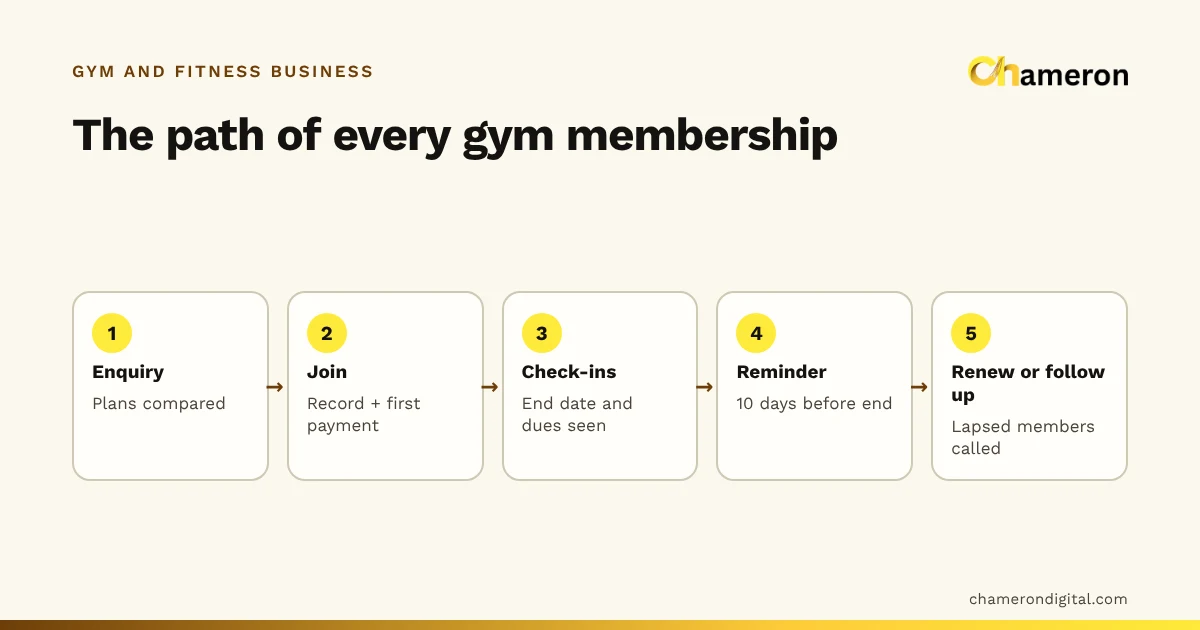
To manage gym memberships efficiently, decide your plans and rules once, keep one complete record per member, and run a short routine at the front desk every day and week. The record should show each member’s plan, start and end dates, payments and balance due. The rules should cover freezes, upgrades, part-payments and late renewals. The routine turns all of that into calls and collections before problems grow.
Step 1: Design a short, clear set of plans
Plans are the foundation. If they are confusing, every other step becomes harder. Most gyms need only a few, and they should be easy to compare.
The fairest way to compare plans is the effective monthly price: the plan price divided by its months.
| Plan | Price | Months | Effective monthly price | Saving against monthly |
|---|---|---|---|---|
| Monthly | ₹1,500 | 1 | ₹1,500 | — |
| Quarterly | ₹4,000 | 3 | ₹1,333 | ₹167 a month |
| Half-yearly | ₹7,200 | 6 | ₹1,200 | ₹300 a month |
| Annual | ₹13,200 | 12 | ₹1,100 | ₹400 a month |
Laid out like this, the plans tell a simple story: the longer you commit, the less you pay each month. It also shows you what each plan is worth when you calculate membership revenue, because revenue is earned month by month even when the money arrives up front.
Decide separately, and write down:
- Joining fee: for example ₹1,000, charged once, and whether it is waived during offers.
- Personal training: sold as packages of sessions, recorded apart from the membership.
- Off-peak or batch plans: only if you can actually enforce the timing at the desk.
Step 2: Keep one complete record per member
Every member needs one record, and only one. Duplicates, created when someone rejoins under a new phone number, are the most common source of wrong lists later.
| Field | Why it matters |
|---|---|
| Name and mobile number | The fastest way to look someone up at the desk |
| Emergency contact | Basic safety in a gym |
| Current plan | Monthly, quarterly, half-yearly or annual |
| Start date and end date | The end date drives every renewal |
| Amount due and amount paid | Shows the balance before the next visit |
| Payment method and reference | Cash, card or UPI, with the UPI reference noted |
| Trainer and PT package | Sessions bought, used and remaining |
| Notes | Freezes, health notes the member chose to share, plan changes |
When a member pays by UPI, the staff member should check the payment on the gym’s phone or bank app before recording it, and note the reference. Recording a payment that has not arrived is how dues quietly disappear. If you are starting from scratch, the membership renewal tracker template already has columns for most of these fields.
Step 3: Write the rules before you need them
Most disputes at a gym desk come from rules nobody wrote down. Decide these once and share them with every staff member.
Freezes
A freeze pauses a plan, so the end date moves forward by exactly the number of days paused.
Set a minimum (say seven days) and a maximum per plan, decide whether monthly plans can be frozen at all, and record who approved each freeze. An end date that moves without a reason looks exactly like a mistake.
Upgrades and plan changes
The simplest rule is to credit the unused value of the old plan against the new one. A member on the ₹4,000 quarterly plan who upgrades to annual after one month has used ₹1,333 of value (₹4,000 ÷ 3), so ₹2,667 is unused. They pay ₹13,200 − ₹2,667 = ₹10,533 for a new annual plan starting that day. Whatever rule you choose, apply it the same way every time.
Part-payments
Allow them only with a recorded balance and a date for the rest. A ₹4,000 quarterly plan paid ₹2,500 today by UPI leaves ₹1,500 due, and that balance should appear at the desk on the member’s next visit.
Late renewals
Decide whether a renewal paid a few days late starts from the old end date or from the payment date. Starting from the old end date keeps the calendar tidy and avoids rewarding late payment; starting from the payment date feels fairer to members who were away. Either works if it is consistent.
Step 4: Make joining and check-in quick
The front desk is busiest early in the morning and in the evening, and that is when shortcuts happen. Two moments deserve a fixed process:
- Joining: fill the record completely, take the first payment (plan plus joining fee), confirm the end date aloud with the member, and give them their member number.
- Check-in: look up by member number or mobile number, glance at the end date and any balance, and let them in. If something is due, mention it then, politely, not after it becomes awkward.
Check-ins are also your best early warning of a member who is drifting away. Our guide to gym attendance tracking explains how to use them.
Step 5: Run a daily and weekly routine
A good system is mostly a routine. Ten minutes a day and half an hour a week is enough for most gyms.
Every day
- Check today’s payments against the cash drawer and UPI app.
- Note any new balances due.
- Look at plans ending in the next three days.
Every week
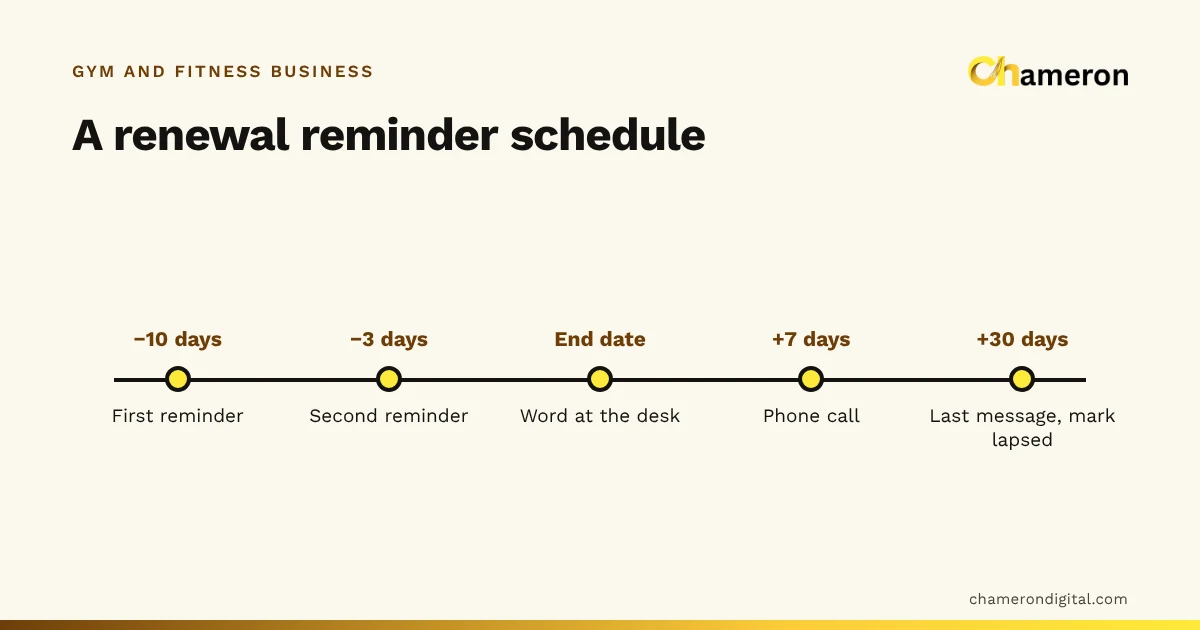
- Work through the list of plans ending in the next ten days; see how to track renewals.
- Call members with balances past their promised date.
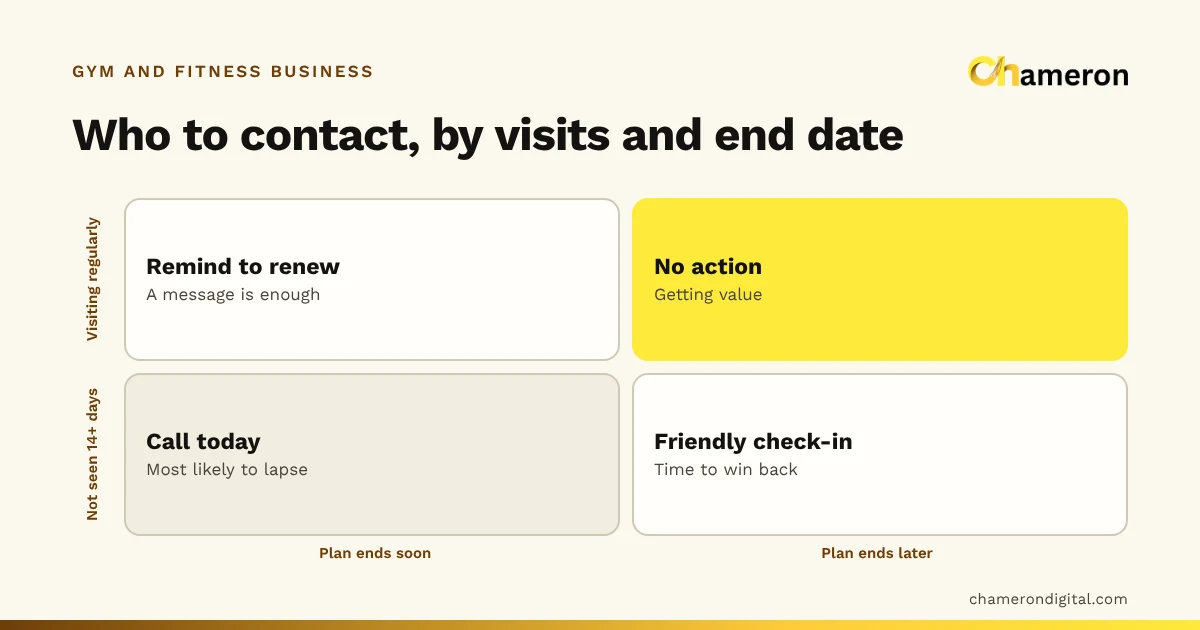
- Call active members who have not checked in for two weeks.
- Count new joins, renewals and members who left.
Every month
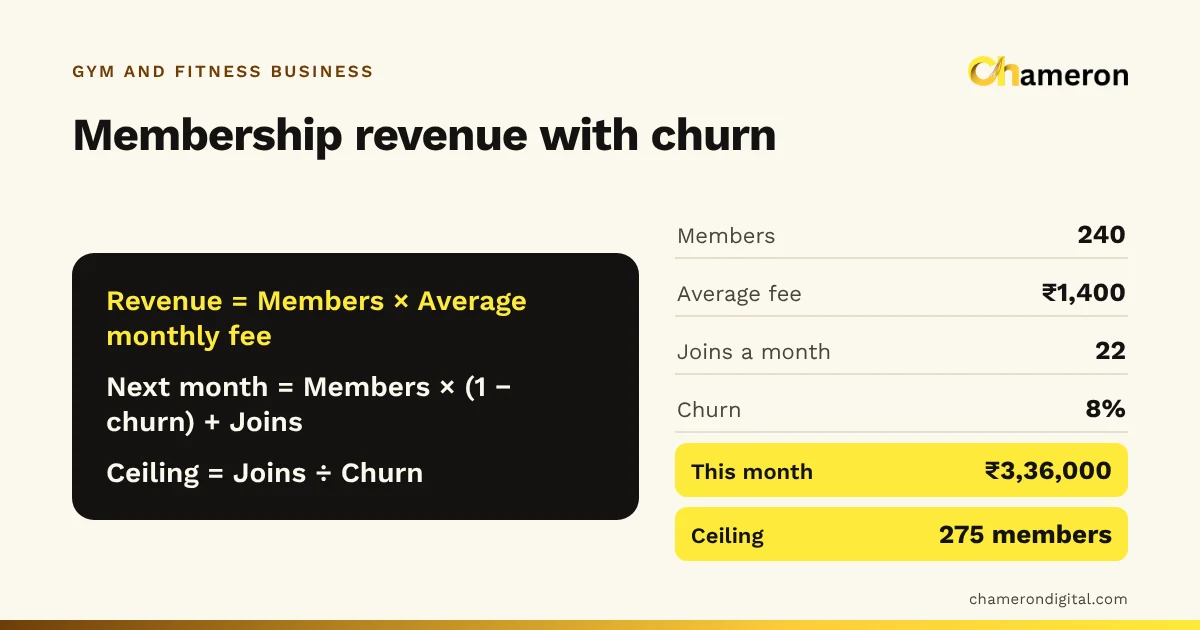
- Work out how many members left as a share of those at the start of the month: your churn rate.
- Run the numbers through the gym membership revenue calculator to see where membership is heading.
Common mistakes
- Creating a new plan for every offer. A “Diwali quarterly” and a “friends quarterly” are the same plan with different discounts. Record them that way.
- Keeping the end date only on the member’s card. If it is not in your record, it is not tracked.
- Recording UPI payments before checking them. Confirm the payment has arrived, then record it with its reference.
- Moving end dates without a note. Freezes, favours and mistakes all look the same afterwards.
- Treating frozen members as lapsed. They are paused, not gone. Counting them as leavers inflates churn and wastes calls.
- Letting dues sit until renewal. A ₹1,500 balance is easy to mention at the next check-in and awkward to raise two months later.
Doing this in software
All of the above works in a well-kept spreadsheet for a small gym. As members, staff and plan types grow, a dedicated system makes the lists easier to produce and harder to get wrong. Our explainer on what gym management software does covers what to look for. GYM OS, Chameron Digital’s product for memberships, renewals, check-ins and dues at the gym front desk, is not yet generally available; you can ask about availability on its page.
The bottom line
Efficient membership management is not complicated, but it is disciplined. Keep a short set of plans compared on effective monthly price, one complete record per member, written rules for freezes, upgrades and part-payments, and a routine that turns dates and balances into calls. Do those consistently and renewals, dues and revenue all become easier to manage. For more on running a gym front desk, see our page for gyms and fitness centres.
Questions people ask
How many membership plans should a gym offer?
Usually three or four: monthly, quarterly, and one or two longer plans. More than that confuses members and staff, and makes reports hard to read. Offer discounts as recorded discounts on a plan, not as new plans.
Should a gym allow membership freezes?
Many gyms allow a freeze for travel, illness or exams, because a paused member is more likely to return than one who lapses. Set a minimum and maximum length, decide which plans qualify, and always move the end date by exactly the days frozen.
How should a gym handle part-payments?
Record the full plan price, the amount paid and the balance due on the member’s record, with the date the balance is expected. The front desk should see the balance before the next check-in or renewal. Our question page on recording partial fee payments shows the same idea for fees.
What is the difference between an active and a lapsed member?
An active member has a plan that has not yet ended. A lapsed member’s plan has ended and has not been renewed. A frozen member is neither: their plan is paused and will resume. Counting these separately keeps your churn rate honest.