The short answer
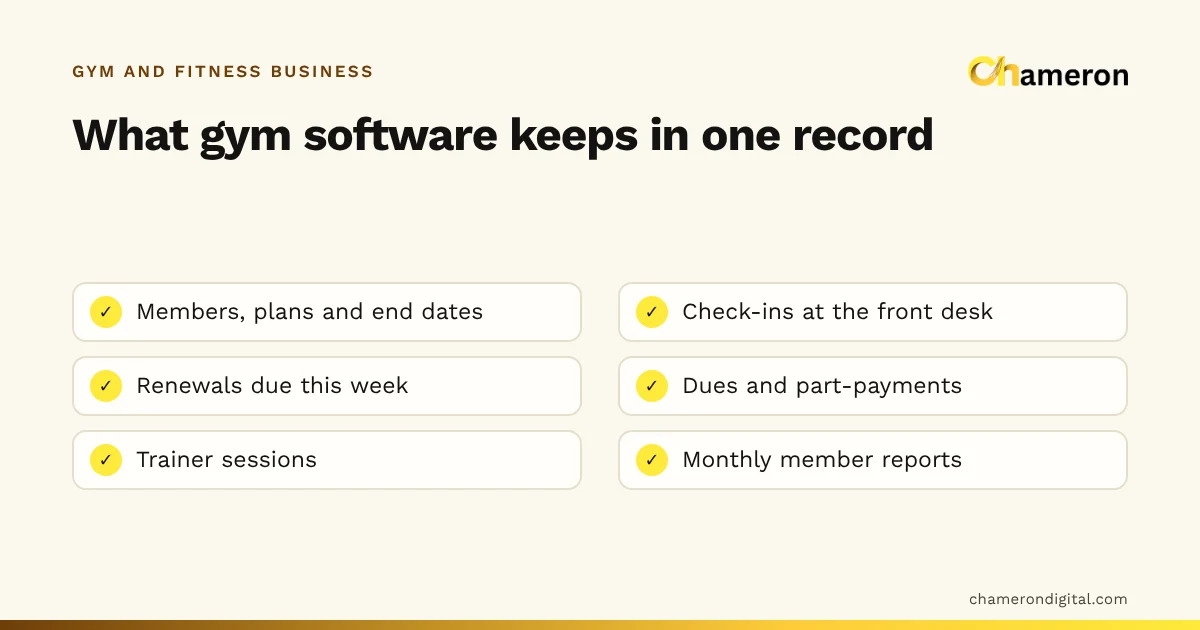
Gym management software is a single record of your members and their plans, used mainly at the front desk. It keeps track of who has joined on which plan, who came in today, whose membership ends this week, who owes money and which personal training sessions were taken. Its job is to turn those dates and dues into short lists that staff can act on, instead of relying on a paper register and somebody’s memory.
What gym management software does
Most gyms do the same handful of jobs every day, whatever their size. The software category exists to keep those jobs in one place, so that a phone number typed at the desk brings up the whole picture of a member.
| Job | Without software | With gym software |
|---|---|---|
| Members and plans | Joining forms in a file, plan written on a card | One record per member with plan, start date and end date |
| Check-ins | A register signed at the door | A check-in recorded against the member’s record |
| Renewals | Someone flicks through the register to find end dates | A list of plans ending this week, sorted by date |
| Dues | Part-payments noted in a diary | The amount owed shown on the member’s record |
| Trainers and sessions | Each trainer keeps their own notebook | Sessions recorded against member and trainer |
| Reports | Counted by hand at month end, if at all | Active members, renewals and collections for any period |
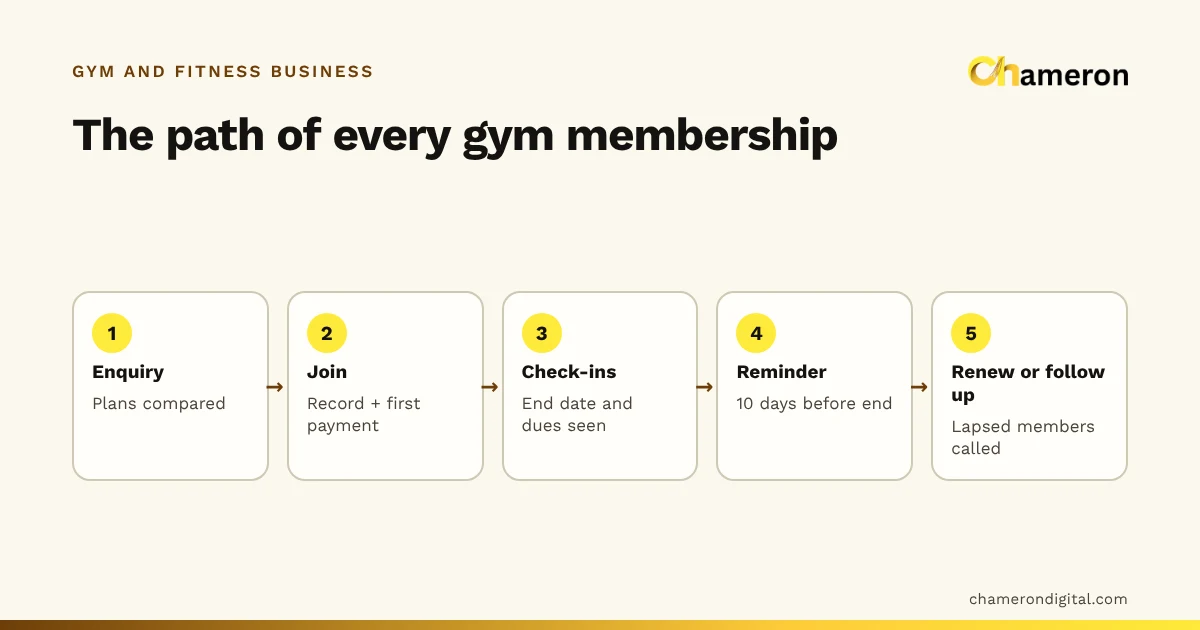
The common thread is time. A shop sale is finished the moment the customer pays. A gym membership is a relationship with a start date, an end date and many visits in between. That is why gym software is organised around the member, not the transaction.
The lists that matter most
In practice, the value of the software shows up as a few lists that the front desk checks daily or weekly:
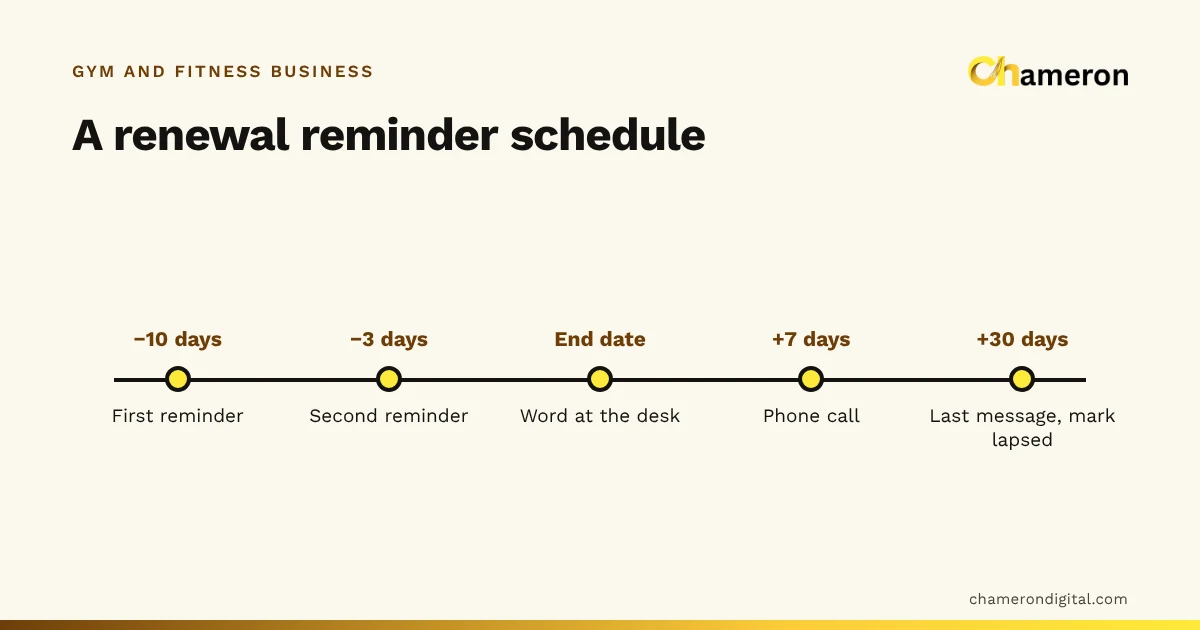
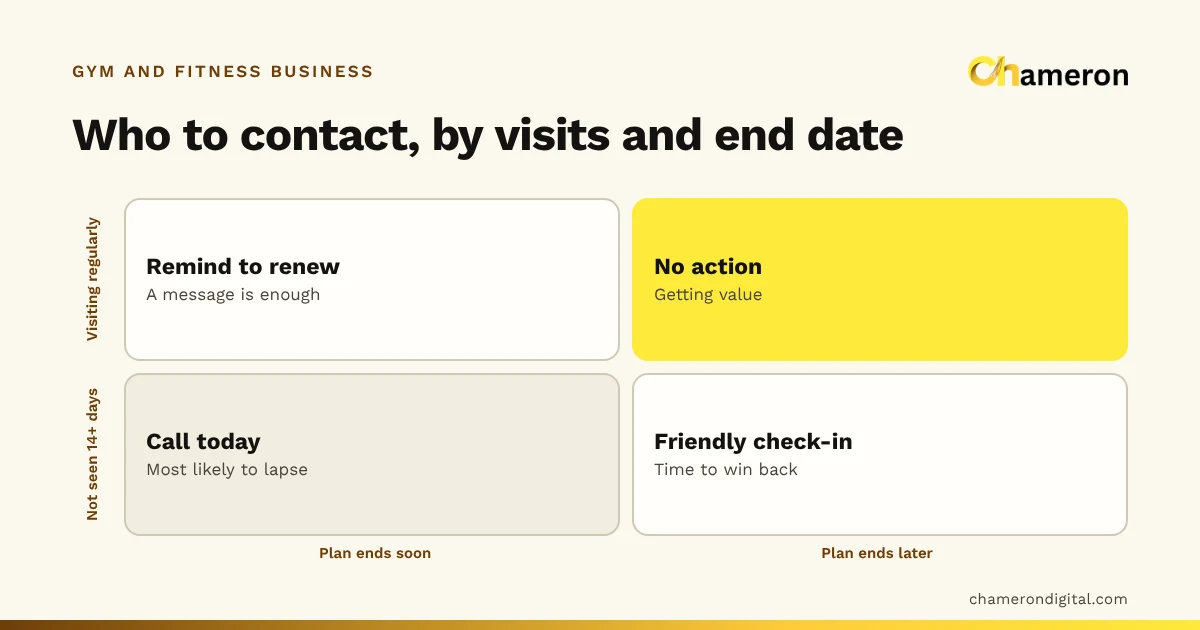
- Ending soon: members whose plans end in the next seven to ten days.
- Owing money: members with an unpaid balance on a plan, joining fee or personal training package.
- Not seen lately: active members with no check-in for two weeks or more.
- Lapsed: members whose plan ended recently and who have not renewed.
Each of these lists is a reason to call someone. Our guides to tracking renewals and attendance tracking explain how to work through them.
Why the front desk outgrows a register
A register works well when the owner knows every member by face. The trouble begins when the number of end dates grows faster than anyone can remember them.
Forty-odd renewals a week, spread across a register, a payments diary and a trainer’s notebook, is where things start to slip. Renewals are remembered late, part-payments are forgotten, and nobody notices that a regular has stopped coming until their plan has already lapsed. The glossary entry on churn explains why those quiet losses add up.
Who needs gym management software
Not every gym needs software on day one. The table below is a rough guide to the situations where it starts to pay for the effort of setting it up.
| Your gym | A register or spreadsheet may be enough when… | Software helps when… |
|---|---|---|
| Small studio, owner at the desk | Members are few, all on one plan, and the owner sees everyone | Plans become mixed, or someone else covers the desk |
| Neighbourhood gym, two shifts | One person keeps the sheet and reviews it daily | Several staff take payments and check members in |
| Gym with personal training | Trainers are paid a fixed salary and sessions are not tracked | Sessions are sold in packages and trainers earn per session |
| Gym with classes or batches | Batches are fixed and rarely change | Members move between batches and timings |
| More than one branch | — | Members may visit either branch, or you compare branches |
A useful test: if you cannot answer “who owes us money right now, and how much?” in under a minute, the gym has outgrown its current system. The same question about “whose plan ends this week?” is a close second.
What gym software does not do
It is worth being clear about the limits, because they decide whether the software actually helps.
- It does not bring in members. It shows you who is leaving and who is due; somebody still has to call them.
- It does not collect money by itself. In most Indian gyms, members pay by UPI, cash or card at the desk, and staff record the payment. The record is only as accurate as that habit. The glossary note on UPI explains the payment method itself.
- It does not fix unclear rules. If your gym has no fixed policy on freezes, plan changes or late renewals, software will only record the confusion faster. Decide the rules first; our guide on managing gym memberships covers the decisions.
- It does not make up for messy data. Importing a register full of duplicates and missing end dates gives you a tidy-looking but wrong list.
How to evaluate gym software
Start from your own front desk, not from a feature list. Write down how your gym actually works, then ask each vendor to show you those exact cases.
- Your plans. Monthly, quarterly, half-yearly and annual plans, couple or family plans, joining fees, and any off-peak timings.
- Freezes and changes. What happens to the end date when a member pauses for a month, upgrades mid-plan or moves to another batch.
- Part-payments. A quarterly plan paid in two instalments, and how the balance shows up at the desk.
- Check-ins. How fast a check-in is during the evening rush, and how you look up a member who forgot their number.
- Personal training. How sessions are sold, recorded and linked to a trainer.
- Staff access. Who can take payments, give discounts, edit an end date or delete a member.
- Your data. How you export the member list, and how it is backed up.
The software selection checklist turns these into questions you can score, and our guide on choosing business software covers the wider decision, such as installed versus cloud and who supports it.
Common mistakes when gyms switch to software
- Too many plan types. Every one-off discount becomes a new plan, and reports become unreadable. Keep a short list of plans and record discounts as discounts.
- Importing without cleaning. Duplicate members and missing phone numbers carry straight into the new system.
- Not training the evening shift. The busiest hour is when shortcuts happen. If the evening staff go back to the paper register, the record is incomplete.
- Editing end dates by hand. Changing an end date without a reason recorded hides freezes, favours and mistakes alike.
- Never reading the lists. Software that holds perfect data but is never checked for renewals and dues changes nothing.
Where GYM OS fits
GYM OS is Chameron Digital’s product for the front desk of a gym: memberships and plans, check-ins, renewals and dues, and trainer sessions. It is part of the same family as our billing and restaurant products. GYM OS is not yet generally available, so if it sounds like what your gym needs, ask about availability on its page. You can also read how we think about gyms and fitness centres more broadly.
The bottom line
Gym management software is less about technology than about keeping one honest record of every member: plan, dates, visits and money owed. It earns its place when the number of end dates and part-payments is more than one person can hold in their head. Clean your member list, fix your rules, then choose a tool that handles your real cases. To see how renewals and churn shape your income, try the gym membership revenue calculator.
Questions people ask
Is gym management software the same as billing software?
No. Billing software is built around a sale: items, prices, tax and a receipt. Gym software is built around a member over time: a plan with a start and end date, visits, renewals and money owed. Some gyms that sell supplements or merchandise use both. See what billing software is for the difference.
Can a small gym manage with a spreadsheet?
Often, yes, while it has a few dozen members and one person at the desk. A spreadsheet starts to struggle when several staff edit it, when you need check-ins and dues in the same place, or when nobody has time to sort it every morning. Our comparison of business software and spreadsheets covers the trade-off.
Does gym software confirm UPI payments automatically?
Do not assume it does. In most small gyms the member pays by UPI and the front desk records the payment against the member after checking it on the phone or bank app. Ask any vendor exactly how a payment gets into the record.
What should I check before switching from a register to software?
Clean your member list first: one row per member with phone number, current plan, start date, end date and any amount owed. Then check that the software handles your plan types, freezes and part-payments, and who on your staff can see or change what.
Is GYM OS available?
GYM OS is Chameron Digital’s product for the front desk of a gym: memberships, renewals, check-ins and dues. It is not yet generally available; you can ask about availability.