The short answer
To choose business software without overbuying, write down the problems you need solved and the way work actually flows, turn them into requirements you can test, score each option on the same weighted list, compare the cost over three years, and pilot the best one or two with real work before committing. The product that wins a demo is not always the one that survives a busy Saturday. The method below keeps the decision tied to your work rather than to the longest feature list.
Start with the problem, not the product
Write down the friction that keeps coming back: stock that never matches the shelf, dues that live in a notebook, a day close only the owner can do, the same bill typed twice. Then describe the outcome you want in terms you could check with a watch or a calculator.
| Vague wish | Outcome you can check |
|---|---|
| “Need advanced analytics” | A reliable daily sales and payment summary before closing |
| “Better stock control” | System stock matches a shelf count within a few items per category |
| “Faster billing” | A five-item bill done in under a minute at the busiest hour |
| “Track credit” | A list of every customer who owes money, with amounts, any time |
| “Less paperwork” | No sale typed into anything a second time |
Outcomes like these become the yardstick for everything that follows. If a product cannot move one of them, its other features do not matter much.
Map one real day
Follow the work from start to finish, including the exceptions. For a shop that might be: goods arrive and are checked against the supplier’s bill, labels are printed, items are sold, a customer exchanges a size, another pays part in cash and part by UPI, a regular takes goods on credit, and the drawer is counted at night.
For each step, note who does it, what they write or type, who approves it and where mistakes happen. Include the paper registers, spreadsheets and phone messages your team really relies on. The map shows which steps software should take over and which ones only need to be tidied up. It also shows who will use the system, which matters as much as what it does.
Design for the people
Consider staff confidence, language, screen size, training time and the busiest moment of the day. A cashier with a queue needs keyboard shortcuts and a scanner, not menus. An accountant needs clean exports. The owner needs one screen that says what sold, what is owed and what is low. Ask the people who do the work to try realistic tasks during evaluation; a polished demo by a salesperson hides a lot.
Write requirements you can test
Sort every requirement into essential, useful or optional, and phrase each essential one as a test.
- “Returns support” → The cashier can return one item from a bill made last week, issue a credit note and see the stock go back up.
- “GST billing” → A bill shows the GST correctly for two items with different rates, and a GST summary for the month can be exported.
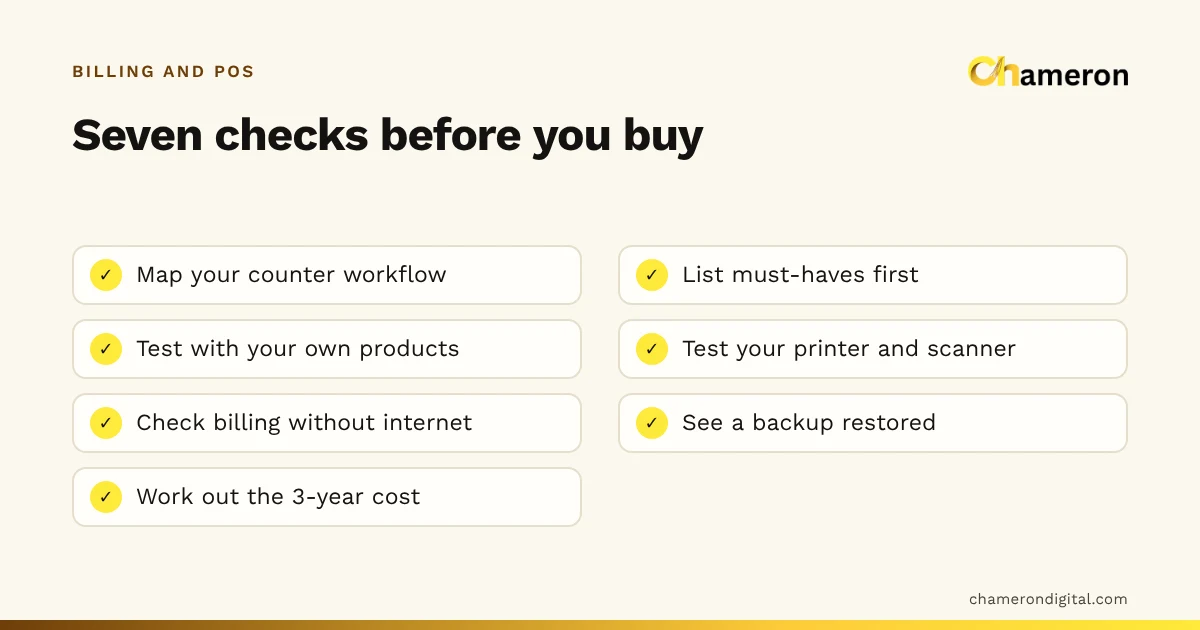
- “Works offline” → With the internet unplugged, we can complete a sale, a return and a new-customer bill.
- “User roles” → A cashier cannot change a price or cancel a past bill; the owner can, and the change is recorded.
A list of eight to twelve essential tests is plenty for most small businesses. Our free software selection checklist gives a starting set to adapt.
Score the options with a weighted table
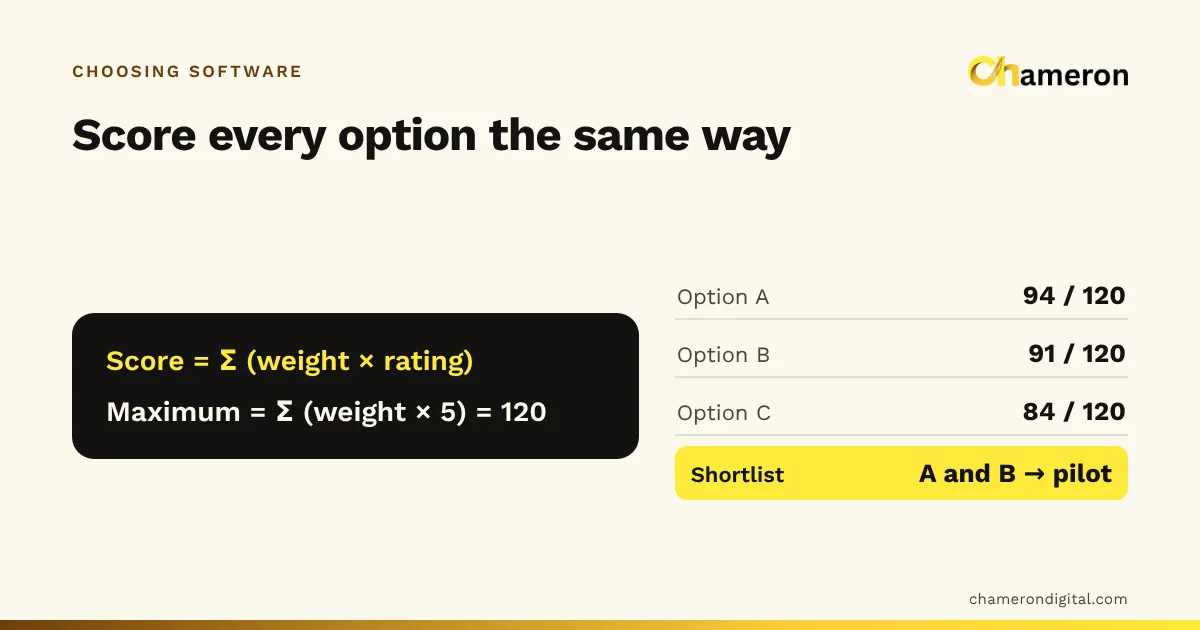
Give each essential requirement a weight from 1 to 5 for how much it matters to you, rate each product from 1 to 5 on it, and multiply.
Here is an example for a single clothing shop comparing three products, with invented ratings.
| Requirement | Weight | Option A | Option B | Option C |
|---|---|---|---|---|
| Keeps billing when the internet drops | 5 | 5 | 3 | 4 |
| GST bills, returns and credit notes | 5 | 4 | 5 | 3 |
| Stock by size and colour | 4 | 4 | 5 | 2 |
| Easy for cashiers at a queue | 4 | 3 | 4 | 5 |
| Excel export for the accountant | 3 | 4 | 3 | 2 |
| Three-year cost | 3 | 3 | 2 | 5 |
| Weighted score (out of 120) | 94 | 91 | 84 |
Check Option A: 5×5 + 5×4 + 4×4 + 4×3 + 3×4 + 3×3 = 25 + 20 + 16 + 12 + 12 + 9 = 94. The maximum is (5 + 5 + 4 + 4 + 3 + 3) × 5 = 120.
Option C is the cheapest and the easiest to use, but it scores lowest because it is weak on the things this shop weighted most. A and B are close enough that a pilot should decide between them. That is the point of the table: it does not make the decision, it shows you where the decision really lies.
Compare total cost, not headline price
The price on the quote is only part of what you will spend. Add everything the switch needs over three years.
Ask how pricing changes with more users, devices, counters or branches, and whether importing products from Excel is supported, because that can cut the data-entry line sharply. To weigh the total against what the software should save, use the ROI calculator and our guide to measuring business ROI.
Check data, connectivity and hardware
Three questions decide what happens on a bad day:
- Where do the records live, and can I get them out? Confirm you can export customers, products and transactions as Excel or CSV at any time, without asking the vendor.
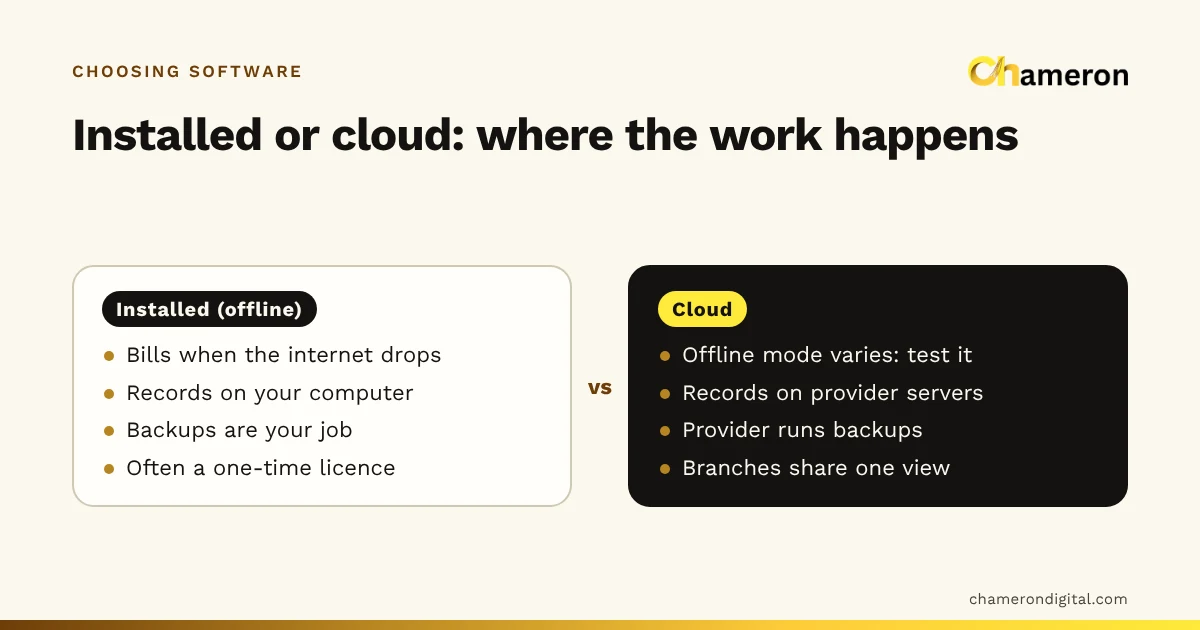
- What works without the internet, and how are backups made, checked and restored? The answers differ sharply between installed and cloud products; see offline vs cloud billing software and the backup checklist for shops.
- Will my devices work? List the exact printers, scanners, label printers and cash drawers you have or plan to buy. “Compatible” can mean anything from fully supported to “it printed once in testing”. The hardware selection checklist helps.
Also check who can do sensitive things such as cancelling bills, giving discounts or changing prices, and whether those actions are recorded against a named login. Shared logins make mistakes impossible to trace.
Run the demo on your own script
Do not let the vendor choose what to show. Send a short script in advance and ask them to run it live with your kind of products:
- A normal sale: scan three items, print a receipt.
- A split payment: part cash, part UPI.
- A return of one item from last week’s bill, with a credit note.
- A regular customer who takes goods on credit and pays half a week later.
- The day close: expected cash against counted cash, and the day’s report.
- The same sale with the internet unplugged.
After each step, ask to see every record it changed: stock, customer balance, cash, tax summary. A product that cannot show this clearly will not be clearer on a busy day. You can use the same script on our own products; the product comparison shows which is built for which kind of business, and Find software asks a few questions to narrow it down.
Pilot, then decide
Take a small, representative slice of real work: one counter, one category or one week of purchases. Before it starts, agree three things: the acceptance tests (from your requirements), the person who owns the pilot and records issues, and what result would make you stop. Run it for two to four weeks so the awkward cases turn up, and keep the old process available as a fallback.
At the end, go back to the outcomes you wrote first. Is the day close faster? Do the stock figures match a count? If not, find out why before rolling out further.
Red flags and common mistakes
- Buying from a feature list. Features you never set up still cost money and clutter screens.
- Letting the demo run itself. A vendor’s demo shows the easy path; your script shows yours.
- Ignoring the people. If the cashier finds it slow at a queue, they will work around it, and the records suffer.
- No exit plan. If you cannot export your records, you cannot leave without losing them.
- Comparing month-one prices. Use the three-year total.
- Vague answers to direct questions. “It should work offline” or “that is coming soon” are questions to follow up, not answers. Ask which features are available today, and treat testimonials you cannot verify as marketing, not proof.
- Switching on the busiest week. Avoid festival season or year-end for the changeover.
Plan adoption
Choose one person to own the rollout. Train staff by role, so a cashier learns the counter and the owner learns the reports. Import products and opening balances carefully, then do a stock count so the system starts from the truth. Prepare a fallback, such as a bill book, for the first days. Review after a month against the outcomes you wrote at the start.
The bottom line
Good software decisions are mostly made before you see a product: a clear problem, a mapped workflow and requirements you can test. After that, score options the same way, compare three-year cost, run your own demo script and pilot before committing. Buy for the work you can clearly describe today, with room for growth you have actually planned. If billing is the main job, our guide to choosing billing software goes deeper into the counter-specific questions, and business management software vs spreadsheets helps if you are not sure you need software yet.
Questions people ask
How many software options should I compare?
Three is usually enough to see the range. Fewer and you have nothing to compare against; many more and the comparison becomes shallow. Score all three, then pilot the top one or two.
How long should a software pilot run?
Long enough to include the awkward cases: a return, a credit customer, a month-end report and a busy day. For most small businesses that means two to four weeks of real use, with the old process available as a fallback.
Should I choose cloud or installed software?
It depends on your internet, how many locations you run and who will look after backups and updates. Our offline vs cloud comparison walks through the trade-offs and the questions to ask.
Should I buy software that covers future needs?
Buy for the work you can describe and test today, with room for realistic growth you have actually planned, such as a second counter next year. Paying now for modules you might need someday usually means paying for things nobody sets up.
What is the biggest hidden cost in new software?
Usually people’s time: entering products and opening balances, training staff, and running the old and new systems side by side during the switch. Put a rupee figure on that time when you compare costs.