The short answer
Business management software is any software that keeps the records a business runs on: what was sold, what is in stock, what money came in and went out, who owes what, and who did which job. It replaces the bill book, the stock register and the credit notebook with records that update as work happens, so the owner can see the business without waiting for month end. It ranges from single tools, such as a billing or accounting app, to one connected system for the whole business.
What business management software actually does
Strip away the marketing and every business management tool does three things:
- Records events. A sale, a delivery, a payment, an expense, a return, a stock count. Each is written down once, with a date, an amount and the person who did it.
- Keeps running totals. Stock on hand, a customer's balance, cash in the drawer, sales this month. These are not typed in; they are worked out from the events.
- Answers questions. Reports turn the records into answers: what sold today, what is running low, who is overdue, what the margin was last month.
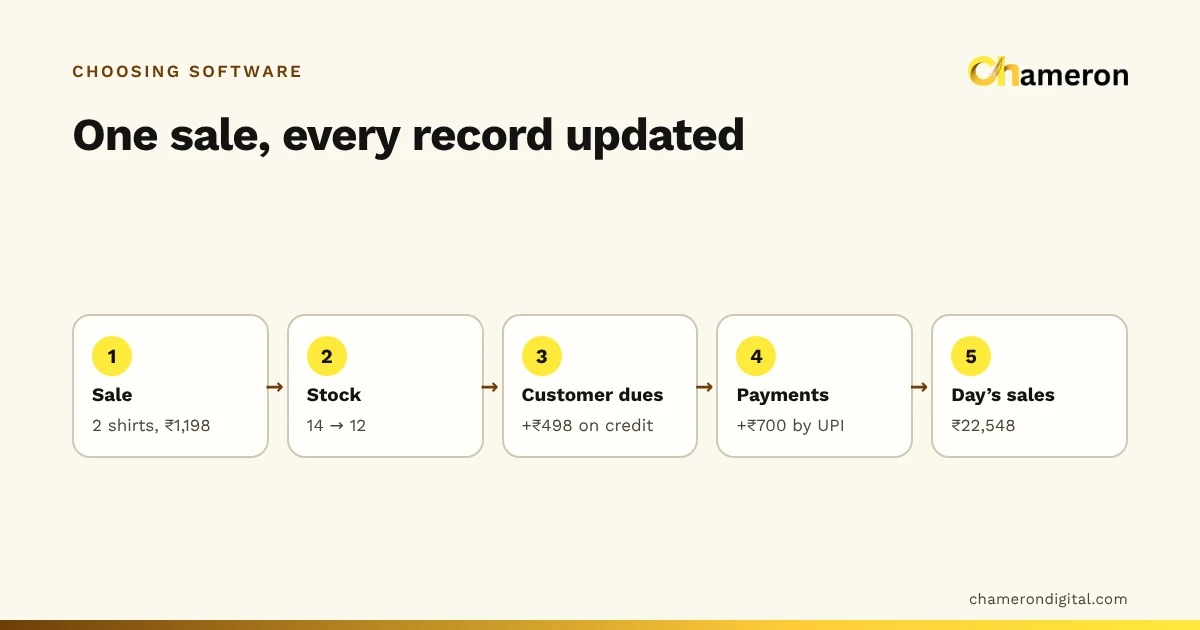
The value is in the second and third steps. A notebook can record a sale. What it cannot do is subtract that sale from stock, add it to the customer's account and include it in tonight's cash total at the same moment.
The five records most small businesses need
| Record | Answers the question | Typical source event |
|---|---|---|
| Sales | What did we sell, to whom, paid how? | A bill at the counter |
| Stock | What do we have, and what is low? | Sales, deliveries, returns, counts |
| Money | Where did the cash and UPI go? | Payments, expenses, the day close |
| Customers and suppliers | Who owes us, and whom do we owe? | Credit sales, supplier bills, payments |
| People | Who did what, and what may they change? | Logins, shifts, approvals |
A business that keeps all five accurately can answer most management questions without guessing. One that keeps only the first usually knows its sales but not its profit.
The main types of business management software
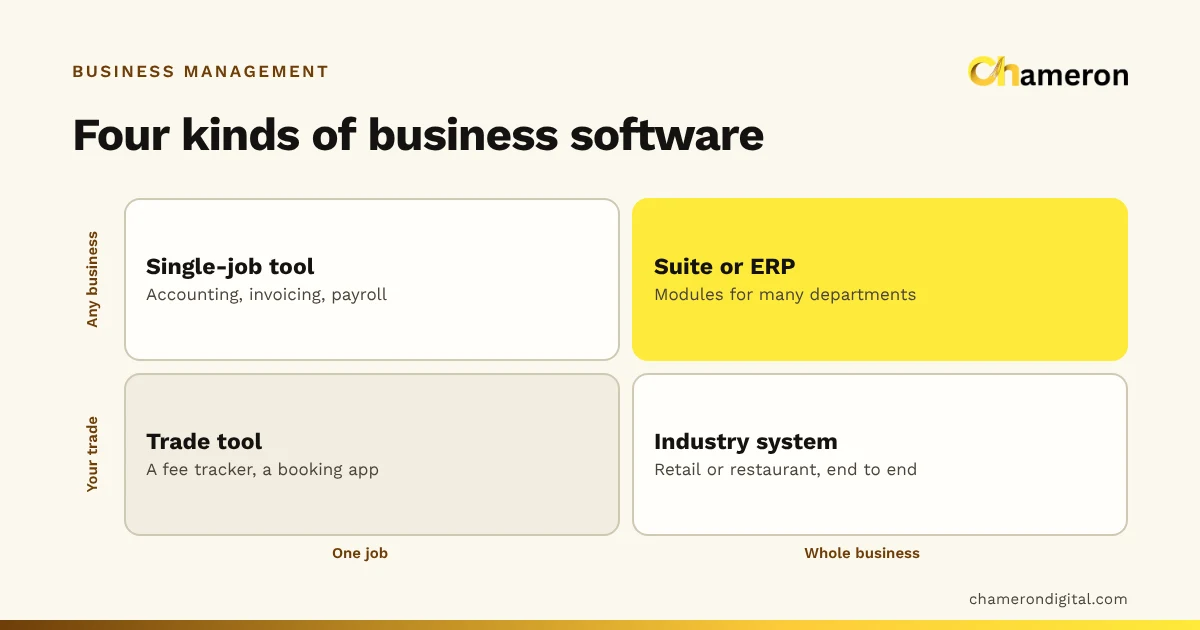
There are two useful ways to sort the options: how much of the business a tool covers (one job, or many), and who it was built for (any business, or your kind of business).
| Type | Covers | Built for | Examples of what it does |
|---|---|---|---|
| Single-job general tool | One job | Any business | Accounting, invoicing, a contact list, payroll |
| General suite or ERP | Many jobs | Any business, often larger ones | Purchasing, finance, HR and sales in modules |
| Single-job industry tool | One job | One trade | A fee tracker for a coaching centre, a table-booking app |
| Industry system | Most of the daily work | One trade | Retail billing with stock, or a restaurant till with kitchen tickets and recipes |
Neither axis has a "right" answer. A consultant with ten invoices a month may need nothing more than an invoicing tool. A clothing shop selling the same shirt in five sizes and four colours needs software that understands variants and barcodes, which a general invoicing app will not.
Where industry systems differ
The trade shapes the day, so it shapes the software:
- Retail shops need fast billing, stock by item and size, barcodes, returns against the original bill and customer credit.
- Restaurants need orders that travel from the counter to the kitchen, tables, menus with modifiers and stock that follows recipes.
- Gyms need memberships, renewals and check-ins; institutes need admissions, attendance and fees; grocery stores need very fast counters and loose items sold by weight.
If you are comparing products, ask which of these days the software was designed around. A retail system bent to run a restaurant usually shows the strain at the kitchen pass.
Business management software vs a business operating system
The two phrases overlap, but they are not the same.
Business management software is the broad category: any software that helps you manage records and decisions. Five separate apps, one for billing, one for stock, one for accounts, one for staff attendance and a spreadsheet for credit, are all business management software.
A business operating system is a narrower idea: one system that holds the core records together, so that one event updates every record it touches. A sale reduces stock, adds to the customer's balance, counts towards the day's cash and appears in the tax summary, without anyone re-typing it.
| Business management software | Business operating system | |
|---|---|---|
| Scope | Any tool that helps manage the business | The core system the day runs on |
| Can be | Several separate apps | One connected system |
| Typical gap | Re-typing between apps; numbers that disagree | Fewer gaps, but must fit your trade closely |
| Good question to ask | "Which job does this do well?" | "Which records does one sale update?" |
Many small businesses start with separate tools and move towards a connected system when the re-typing starts costing more than the tools save.
What changes in a working day
Consider an invented hardware shop with two staff, about 60 bills a day and a credit notebook for regular contractors. Here is how the same events look with paper and with connected software.
| Event | On paper | With connected software |
|---|---|---|
| 10:00 delivery of 200 boxes of screws | Written in the purchase register; stock register updated later, if at all | Received against the supplier's bill; stock goes up once |
| 12:30 contractor buys ₹8,400 on credit | Bill book, then the credit notebook | One bill; the contractor's balance rises by ₹8,400 |
| 15:00 owner asks "how many 2-inch screws are left?" | Someone walks to the shelf | Stock on hand is on screen |
| 20:00 closing | Add up bills, count cash, hope they agree | Expected cash is worked out; the count is compared with it |
| Month end | Two days of totalling for the accountant | A report exported to Excel |
Nothing in the right-hand column is clever. It simply removes the second and third time each fact is written down, which is where most errors and missing money come from.
How to choose business management software
A longer checklist is in our guide on how to choose business software. The short version for a small business:
- List the events in your day. Sales, deliveries, payments, returns, expenses, counts, the day close. These are what the software must record.
- Mark which records each event must update. If a sale must change stock and a customer's balance, those must be in one system or reliably connected.
- Prefer software built for your trade. Check that it handles your awkward cases: sizes and colours, loose items, recipes, fee instalments.
- Decide where the data should live. Installed on a computer in your premises, or in the cloud. Each has trade-offs for internet outages, access from home and backups.
- Check roles and permissions. A cashier should be able to bill without changing prices or deleting past bills.
- Check what you can take out. Reports your accountant can use, in Excel or CSV, and a way to export everything if you ever leave.
- Check backups and restore. Ask how backups are made, checked and restored, then try a restore. Our backup checklist for shops lists what to ask.
- Test with your own data. Load twenty of your real products and bill a busy hour's worth of sales before you decide.
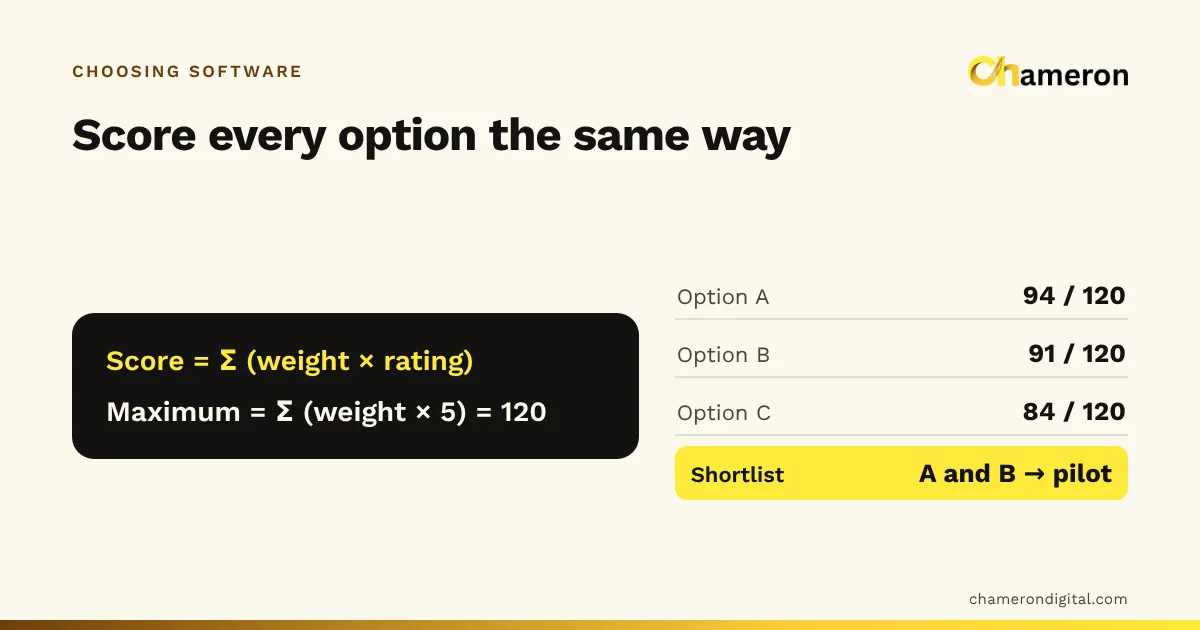
The software selection checklist turns these into a sheet you can fill in for each product you compare.
Is it worth the money? A worked example
Return on investment compares what the software saves or earns with what it costs. Suppose the hardware shop above estimates, from its own records:
Your numbers will differ, and some benefits, such as fewer arguments about dues, are hard to price. Try your own figures in the ROI calculator, and see our guide to measuring business ROI for what to include.
Common mistakes when buying
- Buying for features you might use one day. A long feature list is not the same as a good fit for your counter at 7 pm on a Saturday.
- Ignoring the people who will use it. If the cashier finds it slow, bills will go back on paper and the records will be incomplete.
- Skipping the data clean-up. Software with a messy product list gives messy reports. Fix names, prices and tax rates as you move in.
- Assuming integrations. If two tools must share data, test it with real records. "Works with" can mean anything from a live link to a file you import by hand.
- Forgetting the exit. Make sure you can export your records in a usable form before you put years of history into a system.
- Treating tax features as advice. Software can prepare tax summaries, but filing and tax treatment remain decisions for you and your accountant.
Where Chameron's products fit
Chameron Digital makes industry systems rather than general suites. BILL OS is for retail shops, with billing, stock, customers, GST bills and reports with Excel and Tally export, running on a Windows computer in the shop. DINE OS is for restaurants and cafés. GYM OS, EDU OS and GROCERY OS are planned for gyms, institutes and grocery stores; ask about availability. The product comparison shows which fits which kind of business.
The bottom line
Business management software is not one product but a family of tools that keep a business's records. What matters is not the label but whether the software records your real events once, keeps the totals you rely on, and answers your questions without re-typing. Start from your own working day, choose a tool built for your trade, test it with your own data, and make sure you can always get your records out.
Questions people ask
Is business management software the same as ERP?
ERP (enterprise resource planning) is one kind of business management software, usually built for larger companies with purchasing, production, finance and HR departments. Most small shops, restaurants and institutes need something much narrower that matches their daily work.
Is accounting software enough to manage a small business?
Accounting software records money after the event, usually from bills and bank entries. It does not run the counter, track stock by item or know which customer owes what today. Many small businesses use an operational system for the day and send exports to their accountant's books.
Do I need the internet to use business management software?
It depends on the product. Software installed on a computer in your premises can usually keep working without the internet, while browser-only software needs a connection. Our guide to offline vs cloud billing software explains the trade-offs.
How long does it take to move a business onto software?
For a small business, plan in weeks rather than days: cleaning the product list, counting opening stock, entering customer balances and training staff all take time. Our step-by-step guide to digitising daily operations sets out an order that works.
Can business management software calculate my profit?
It can if purchase costs are recorded against each item and expenses are entered. It then shows gross profit by item and period. Net profit also needs every running cost recorded, which is why the difference between gross and net profit matters.