The short answer
To track shop inventory efficiently, record every movement of stock once, at the moment and place it happens, against one code per item, and check that record with small, regular counts. Sales are recorded at the counter, deliveries at receiving, and damage when it is found. The record then always shows what should be on the shelf, and a quick count of one section shows whether it is. Efficiency comes from not entering anything twice and not leaving anything for later.
Step 1: List every way stock moves
Stock does not only leave through sales. If any of these movements goes unrecorded, the record drifts away from the shelf.
| Movement | In or out | Where it should be recorded |
|---|---|---|
| Sale | Out | At the counter, on the bill |
| Customer return or exchange | In | At the counter, against the original bill |
| Delivery from a supplier | In | At receiving, against the supplier's bill |
| Return to a supplier | Out | When it leaves, with a debit note or return slip |
| Damage, expiry or breakage | Out | When it is found, with a reason |
| Transfer to another store | Out here, in there | When it is sent and when it arrives |
| Own use, samples, display | Out | When it is taken, with a reason |
The last three are the ones most shops forget. A box of pens taken for the office or a tester bottle opened for display is stock that left without a bill.
Step 2: Give every item one code and one record
You cannot track what you cannot identify. Each distinct item, including each size and colour, needs its own code, and every movement must use that code. Our guide to SKU management explains how to decide what counts as one item and how to keep codes clean.
The rule that matters most for tracking: never bill or receive an item under a different code because it is similar or the same price. It makes two records wrong at once, and both errors only appear at the next count.
Step 3: Capture movements where they happen
Tracking becomes slow when movements are written on slips and entered later by someone else. Capture them at the source instead.
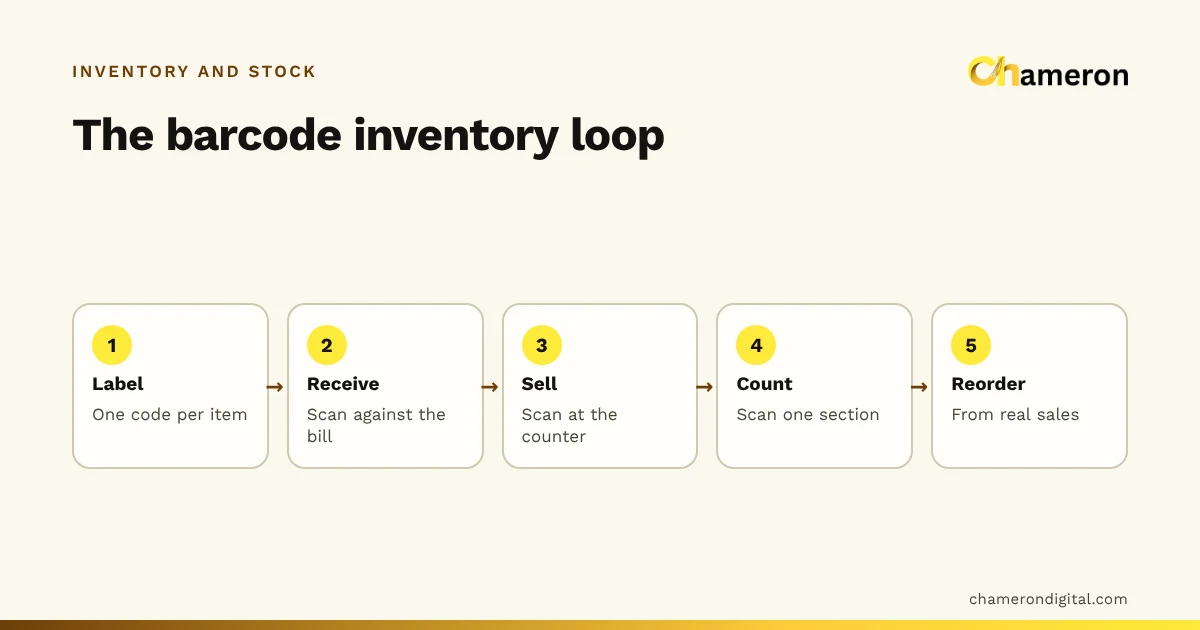
- At the counter: scan or select the exact item on every bill. A barcode scan is faster and harder to get wrong than searching by name.
- At receiving: check the delivery against the supplier's bill before it reaches the shelf. Count it, set aside damaged units, and record the purchase once. Many stock differences start here.
- For damage and expiry: keep a write-off log near the stockroom, or record it straight away in your system with a reason.
- For returns: take every customer return against the original bill, so stock goes back to the right item.
Step 4: Keep a running stock ledger
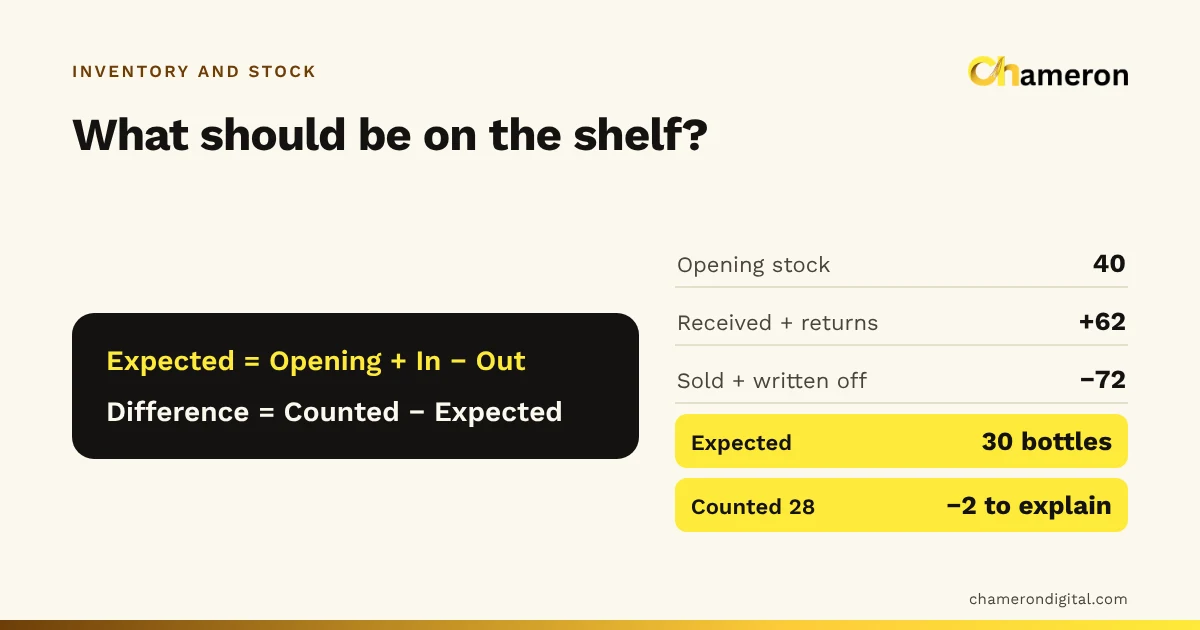
A stock ledger is a running record of movements for each item. Its logic fits in one line.
Here is one week for a 1-litre steel water bottle in a household goods shop.
| Date | Movement | In | Out | Balance |
|---|---|---|---|---|
| 1 Oct | Opening stock | 40 | ||
| 2 Oct | Sales | 18 | 22 | |
| 3 Oct | Received against supplier's bill | 60 | 82 | |
| 4 Oct | Sales | 25 | 57 | |
| 5 Oct | Customer return | 2 | 59 | |
| 5 Oct | Dented, written off | 1 | 58 | |
| 6–7 Oct | Sales | 28 | 30 |
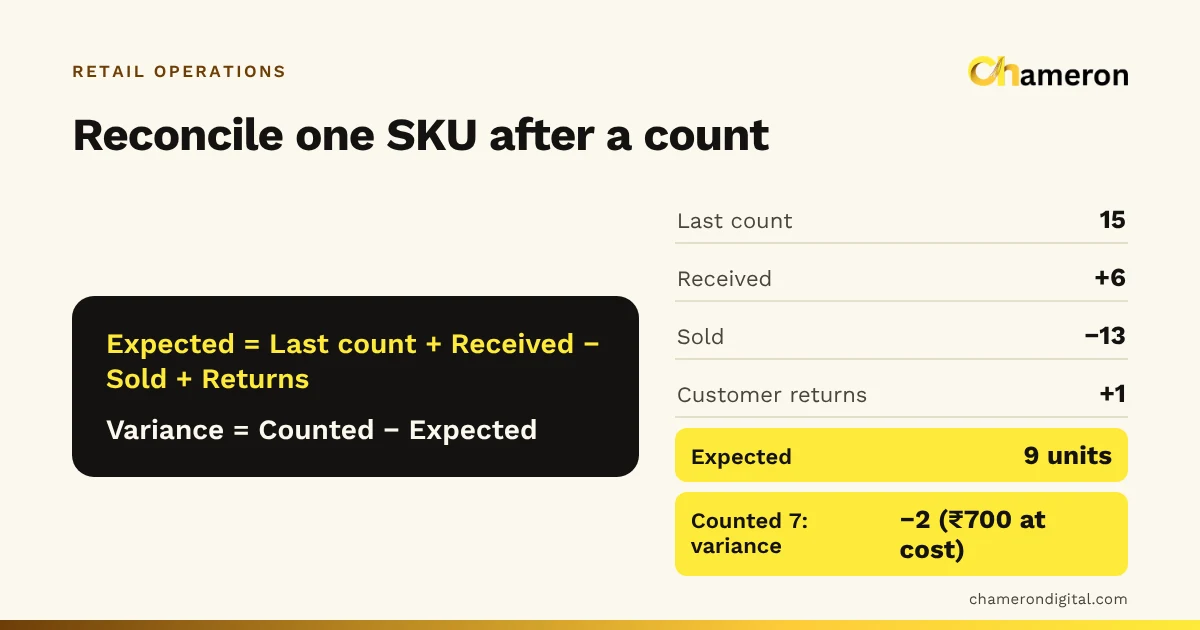
Check it with the equation: 40 + 60 + 2 − 71 − 1 = 30 bottles expected. On 7 October a staff member counts the shelf and stockroom and finds 28. The difference is 2 bottles, or 2 ÷ 30 = 6.7% of the recorded stock. That is worth a look: was a sale billed under a different bottle, did a delivery arrive short, or did two bottles walk out?
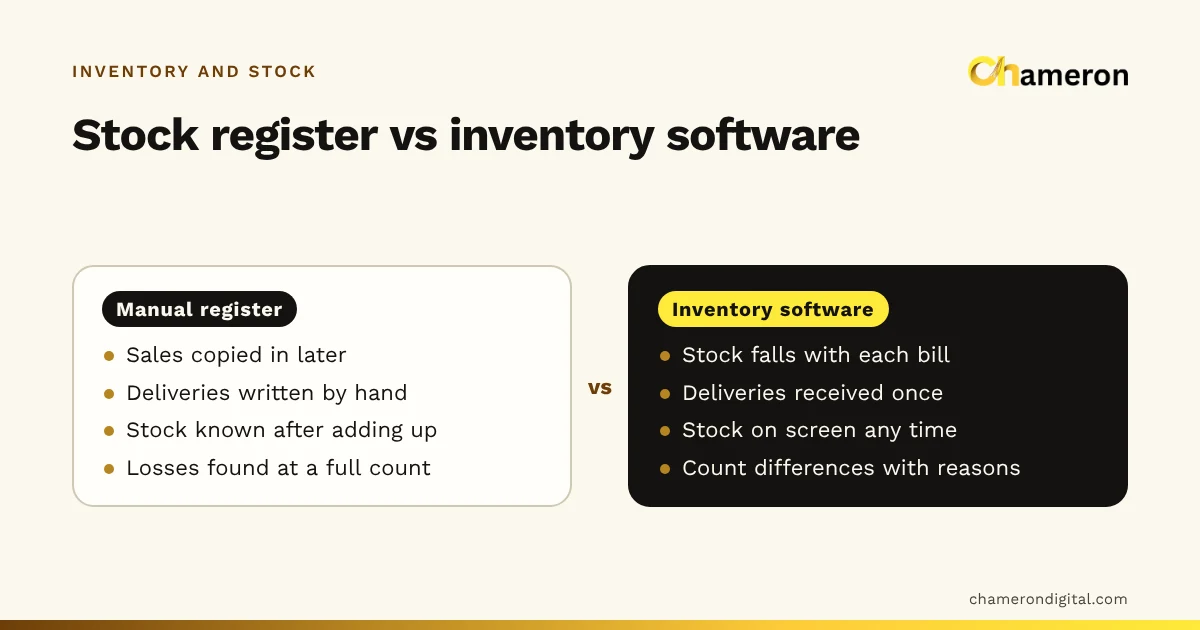
In software the ledger is built automatically from bills and receipts. On paper, a simple stock card per item does the same job, as long as every row is filled in.
Step 5: Check the record with small, frequent counts
A record nobody checks slowly becomes fiction. Instead of one big annual count, count a few shelves every week, and count the items that matter most more often.
| Type of item | Suggested count frequency |
|---|---|
| High value or easy to pocket (phones, perfumes, batteries) | Weekly |
| Fast-moving everyday items | Every two weeks |
| Everything else | Once in each cycle of six to eight weeks |
Count without looking at the system figure first (a "blind" count), so the counter is not tempted to find the number they expect. Use a printed stock count sheet or a phone, and follow the stock count and reconciliation method to investigate differences.
When a count disagrees with the record, look for the cause before correcting it:
- A delivery received but not entered, or entered twice
- A sale billed under a similar item
- A customer return put back without being recorded
- Damage or own use never written off
- Theft, the last explanation to reach for, not the first
Only then adjust the record, with the reason written down. Repeated unexplained losses are shrinkage, and the reasons you record show where it comes from.
Step 6: Use the record to act
Tracking only pays off if it changes what you do. Two lists do most of the work.
The low-stock list. Items at or below their reorder level, checked before you call suppliers. Set the level with the reorder point calculator: for an item that sells 6 a day with a 5-day supplier lead time and 2 days of safety stock, reorder at 6 × 5 + 6 × 2 = 42 units.
The no-sale list. Items with no sales in 60 to 90 days. These are on their way to becoming dead stock. Move them to a better spot, bundle them, mark them down or return them while the supplier will still take them back.
Notebook, spreadsheet or software
| Method | Works when | Breaks down when |
|---|---|---|
| Stock cards or a register | Under a hundred items, one person handles stock | Several people bill, or entries are left for later |
| Spreadsheet | A few hundred items, disciplined daily entry | Sizes and colours, many bills a day, shared editing |
| Billing software with stock | Sales already go through a billing system | Purchases and write-offs are not entered in it |
The real advantage of software is that the record updates as a side effect of billing and receiving. In BILL OS, for example, every sale, return, delivery received against the supplier's bill and approved stock tally adjustment goes through one stock ledger, and you can keep selling while a count is in progress.
Tips that make tracking faster
- Label stock at receiving, not when it reaches the counter, so nothing goes on a shelf without a code.
- Make one person responsible for receiving on each shift, so deliveries are never "half checked".
- Arrange the stockroom in the same categories as your item list, so counts follow the same order as the count sheet.
- Close the day with a two-minute check: were all deliveries entered, all write-offs logged and all returns taken against a bill?
Common mistakes
- Tracking sales but not purchases. Half a ledger cannot balance.
- Correcting differences without investigating. The same loss happens again next month.
- Counting what the system says should be there. Blind counts find the real number.
- Leaving entries for "when it is quiet". Quiet never comes, and memory fills the gaps badly.
- One code for similar items. Totals look right while individual items are wrong.
The bottom line
Efficient inventory tracking comes down to three habits: record every movement once, at the place it happens; keep a running balance per item; and check that balance with small, regular counts. Do those, and the record becomes something you can order from with confidence. For the wider picture of how tracking fits into buying and reviewing stock, read what inventory management is.
Questions people ask
Can I track shop inventory in Excel?
Yes, for a small range: one row per item with opening stock, and columns or a separate sheet for receipts, sales and write-offs. It works only if someone enters every movement daily. Once several people bill or you have sizes and colours, a spreadsheet tends to fall behind; see manual inventory vs inventory software.
How do I track inventory without barcodes?
Give every item a short, unique code and print it on the shelf label or price tag. Staff then search or type the code at billing. It is slower than scanning and more error-prone, which is why many shops add barcode labels once the range grows.
How often should stock records be updated?
As each movement happens, or at the latest by the end of the same day. Records updated weekly from memory or a pile of slips are almost never right.
What is an acceptable stock difference?
There is no universal figure. Track the difference as a share of recorded stock for each count and watch the trend. A rising trend, or repeated losses on the same items, needs investigating even if the amounts are small.